| title | How to debug rules in AdGuard for Chrome MV3 |
|---|---|
| sidebar_position | 2 |
In AdGuard for Chrome MV3, the Filtering log only shows the approximate rules that were applied, which we call “assumed rules”. This is because the browser doesn’t provide details about which specific declarative rules were used unless the extension is in an “unpacked” format. To get precise information, you’ll need to install the unpacked version of the extension in your browser yourself.
These instructions are also meant for problematic cases where you want to modify the rules that are bundled with the extension statically. In most cases, using User rules in the extension should be sufficient.
Additionally, you can edit filters and rebuild DNR rulesets without rebuilding the entire extension, which may be useful for debugging purposes.
-
Git: Install Git
-
Node: Install Node.js
-
pnpm: Install pnpm
-
Clone the repository:
git clone git@github.com:AdguardTeam/AdguardBrowserExtension.git
-
Navigate to the directory:
cd AdguardBrowserExtension -
Install dependencies:
pnpm install
-
Run the following command in the terminal:
pnpm dev chrome-mv3 # OR: opera-mv3 -
The built extension will be located in the directory:
./build/dev/chrome-mv3 # OR: opera-mv3
-
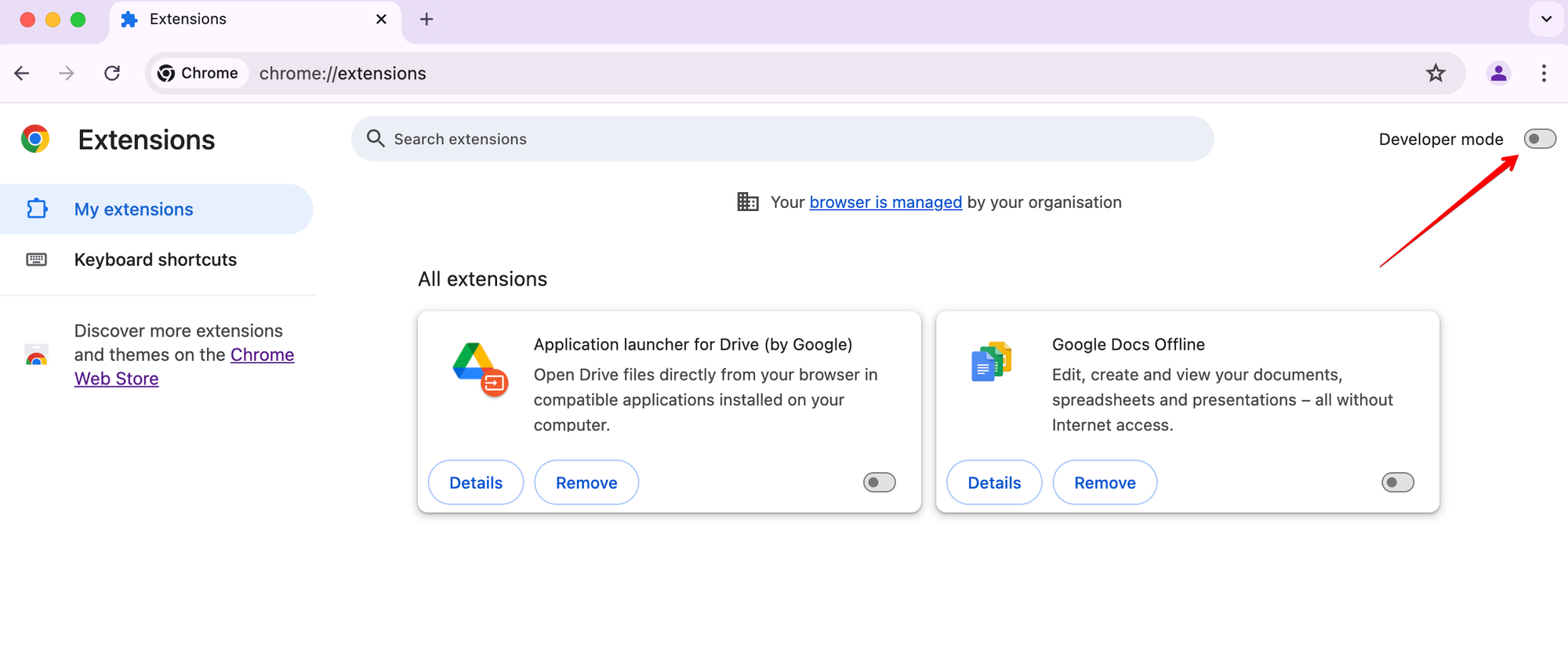
Turn on developer mode:
-
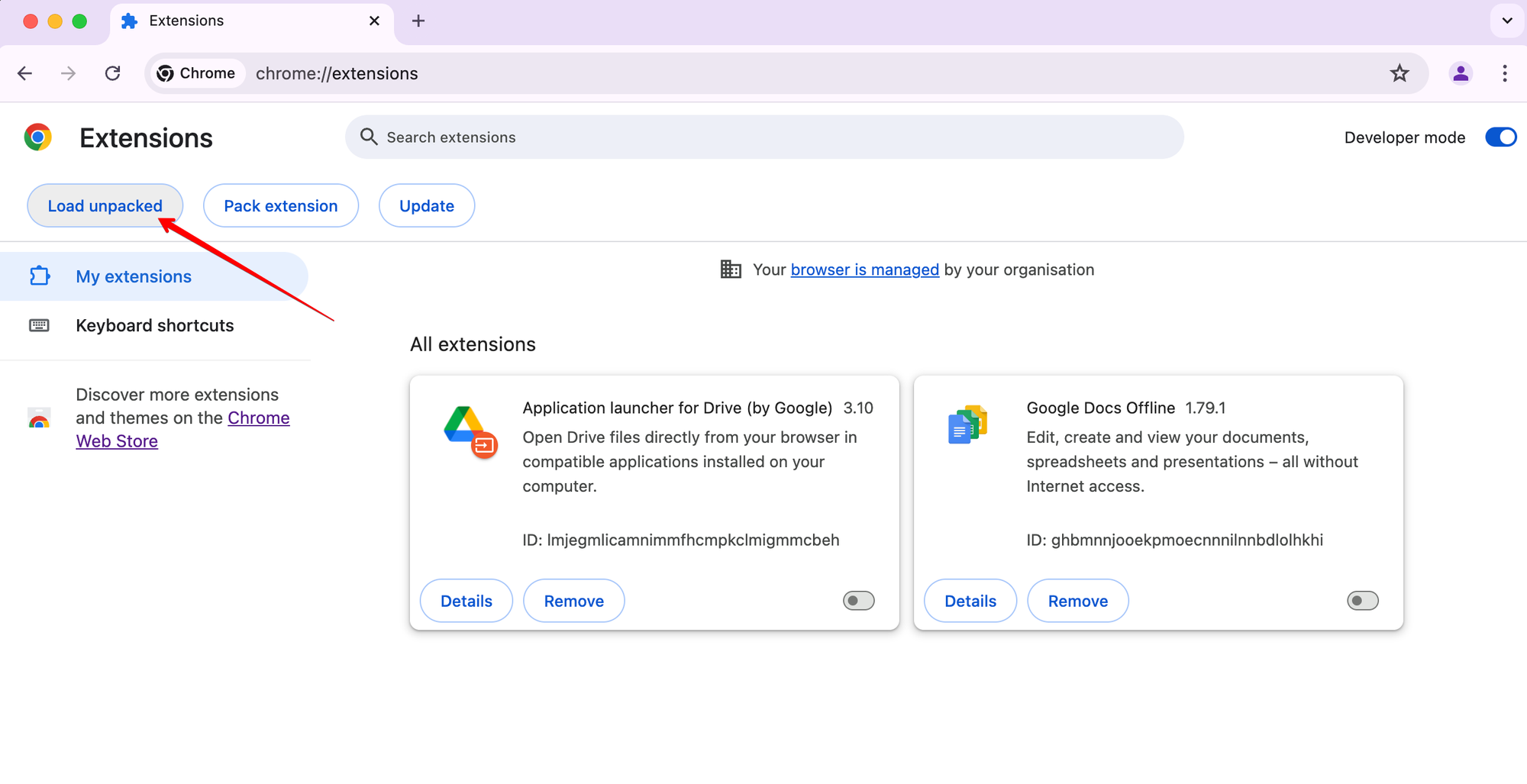
Click Load unpacked:
-
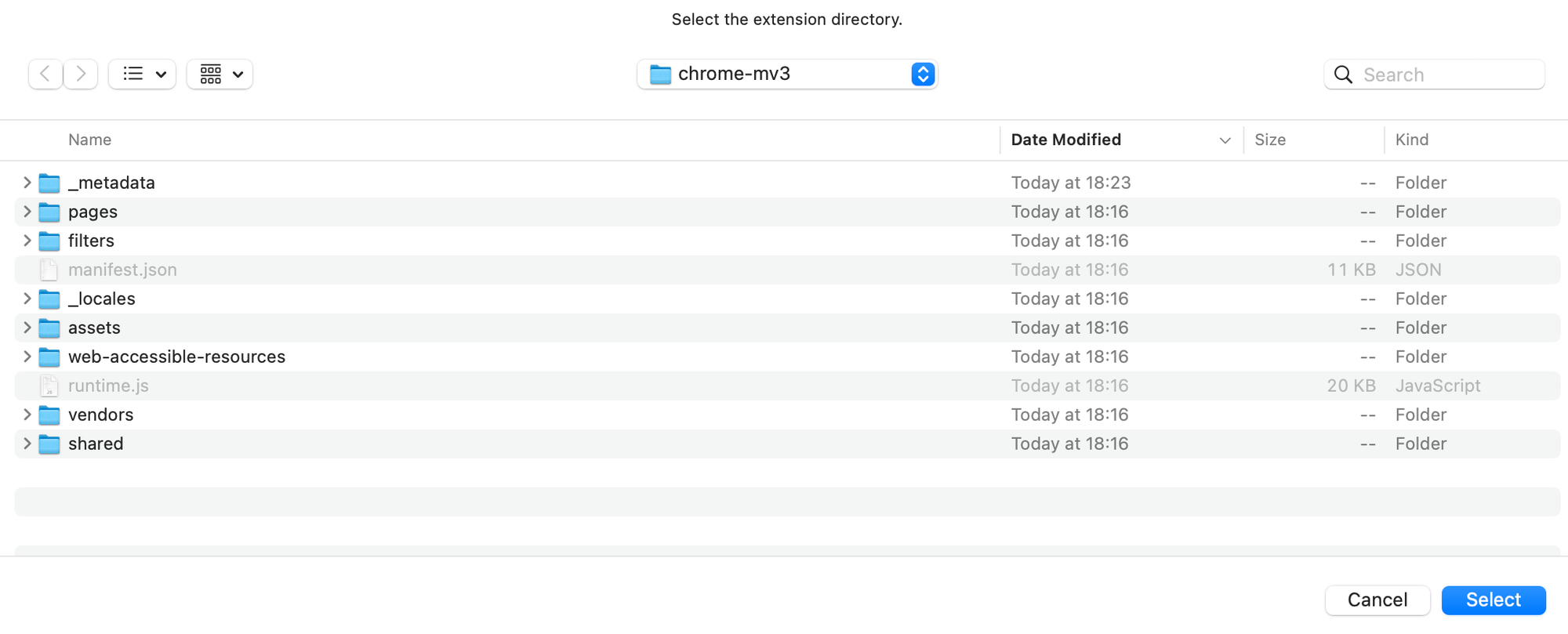
Select the extension directory and click
Select:
That’s it!
You can debug and update DNR rulesets without rebuilding the entire extension. There are two main workflows:
A. Automatic (recommended for most cases):
-
Build the extension (if not done yet):
pnpm install pnpm dev chrome-mv3 # OR: opera-mv3 -
Start watching for filter changes:
pnpm debug-filters watch
- This command has
-b, --browser <browser>option to specify the browser target. Available browsers:chrome-mv3,opera-mv3. Default:chrome-mv3. - This will extract text filters to
./build/dev/<browser>/filtersand watch for changes. - When you edit and save any filter file, DNR rulesets will be rebuilt automatically.
- This command has
-
Reload the extension in your browser to apply new rulesets.
B. Manual (for advanced/manual control):
-
Build the extension (if not done yet):
pnpm install pnpm dev chrome-mv3 # OR: opera-mv3 -
Extract text filters:
pnpm debug-filters extract
- This command has
-b, --browser <browser>option to specify the browser target. Available browsers:chrome-mv3,opera-mv3. Default:chrome-mv3.
- This command has
-
Edit the text filters in
./build/dev/<browser>/filtersas needed. -
Convert filters to DNR rulesets:
pnpm debug-filters convert
- This command has
-b, --browser <browser>option to specify the browser target. Available browsers:chrome-mv3,opera-mv3. Default:chrome-mv3.
- This command has
-
Reload the extension in your browser to apply new rulesets.
Tip:
- To download the latest available text filters, run:
pnpm debug-filters load
- This command has
-b, --browser <browser>option to specify the browser target. Available browsers:chrome-mv3,opera-mv3. Default:chrome-mv3.
- This command has
If you see an exclamation mark in the filtering log, it means the assumed rule (calculated by the engine) and the applied rule (converted to DNR) are different. Otherwise, only the applied rule (in DNR and text ways) will be shown.