This repository contains the Sensor Network code that is run on the Teensy 4.1 microcontroller embedded in the Radio Telescope.
- Install Visual Studio Code https://code.visualstudio.com/download
- Open Visual Studio Code
- Open Extensions Tab
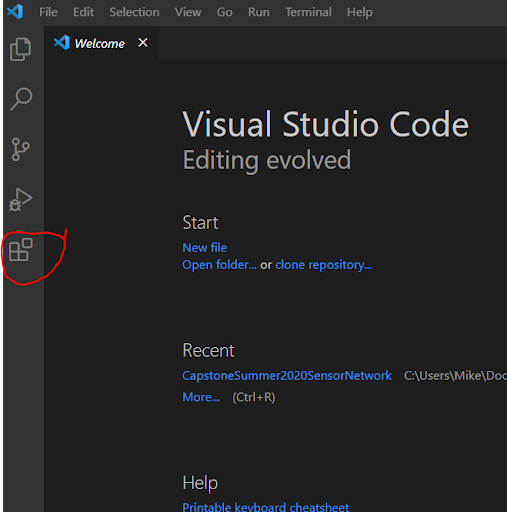
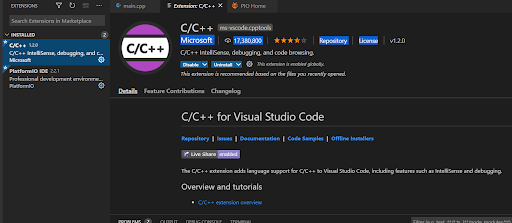
- Install C/C++ IntelliSense (should be one of most popular extensions) extension
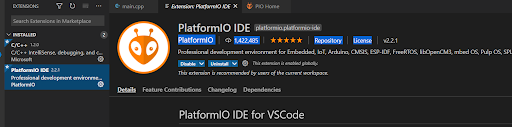
- Install PlatformIO extension
-
Install Arduino https://www.arduino.cc/en/software
-
Install Teensyduino https://www.pjrc.com/teensy/td_download.html
-
Clone Sensor Network Repository
- Open Visual Studio Code
- Select source control tab
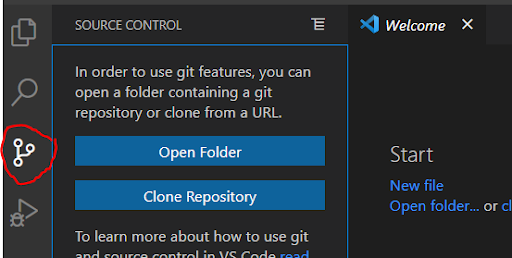
- Select Clone Repository
- Enter sensor network URL into prompt https://github.com/YCPRadioTelescope/YCP_RT_SensorNetwork.git
- IMPORTANT: Place the repo in the following directory - C:\Users%your user%\Documents\PlatformIO\Projects. You may need to create this directory if it does not already exist. This is where all PlatformIO Projects need to be saved.