

Replies: 1 comment 3 replies

|
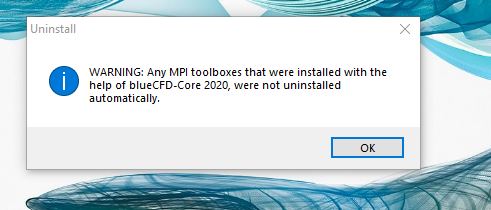
Sorry about that, it's one of those situations where it made more sense in our head during development... The idea is that if the provided MS-MPI toolbox was installed during blueCFD-Core's installation, then our uninstaller will not take care of uninstalling said MS-MPI toolboxes. There are a couple of reasons why we chose to do this:
So, to answer your question:
edit: Please also check the discussion #204, which has additional instructions on how to use an older MSMPI version, if a newer one is already installed in Windows. |

|
I had the same issue. I had installed then uninstalled blueCFD-Core 2020 and got the same message. For working in butterfly(in grasshopper), I installed blueCFD-Core 2017-2 but the MP drivers got bypassed since a newer version was already installed. However, the simulation isn't running correctly so there must be something wrong with them. I want to find the MP drivers and uninstall them manually so I can reinstall blueCFD-Core 2017-2 from scratch. Can you provide advice? |

|
@tahirzahid995: In discussion #204, see solution 1: #204 (comment)
The other possibility is to remove the MSMPI version that was installed in Windows, which can be done by following the instructions given here: #205 (comment) |
|
Thank you ! Much appreciated. |


Sorry about that, it's one of those situations where it made more sense in our head during development...
The idea is that if the provided MS-MPI toolbox was installed during blueCFD-Core's installation, then our uninstaller will not take care of uninstalling said MS-MPI toolboxes. There are a couple of reasons why we chose to do this:
Even if the option was chosen in blueCFD-Core's installer, namely to also install the provided MS-MPI on Windows, it doesn't mean that it really was installed or not, since it allows the end-user to choose to not install it.
Even though when blueCFD-Core installer tries to install MS-MPI, it might already be installed, therefore we can't uninstall it au…