



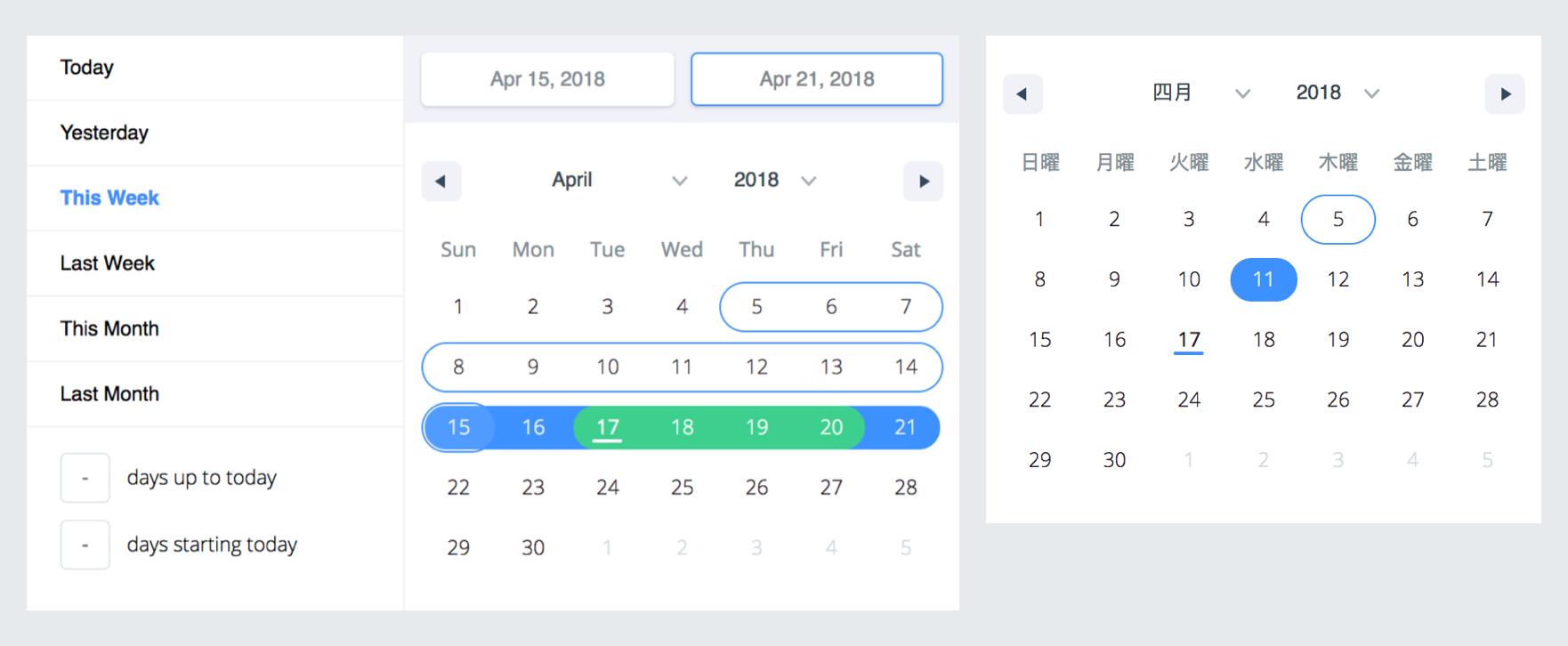
A date library agnostic React component for choosing dates and date ranges. Uses date-fns for date operations.
- Stateless date operations
- Highly configurable
- Multiple range selection
- Based on native js dates
- Drag n Drop selection
- Keyboard friendly
Live Demo : http://hypeserver.github.io/react-date-range
npm install --save react-date-range
This plugin expects react and date-fns as peerDependencies, It means that you need to install them in your project folder.
npm install --save react date-fns
You need to import skeleton and theme styles first.
import 'react-date-range/dist/styles.css'; // main style file
import 'react-date-range/dist/theme/default.css'; // theme css fileimport { Calendar } from 'react-date-range';
class MyComponent extends Component {
handleSelect(date){
console.log(date); // native Date object
}
render(){
return (
<Calendar
date={new Date()}
onChange={this.handleSelect}
/>
)
}
}import { DateRangePicker } from 'react-date-range';
class MyComponent extends Component {
handleSelect(ranges){
console.log(ranges);
// {
// selection: {
// startDate: [native Date Object],
// endDate: [native Date Object],
// }
// }
}
render(){
const selectionRange = {
startDate: new Date(),
endDate: new Date(),
key: 'selection',
}
return (
<DateRangePicker
ranges={[selectionRange]}
onChange={this.handleSelect}
/>
)
}
}| Property | type | Default Value | Description |
|---|---|---|---|
| ariaLabels | Object | {} | inserts aria-label to inner elements |
| calendarFocus(Calendar) | String | 'forwards' | Whether calendar focus month should be forward-driven or backwards-driven. can be 'forwards' or 'backwards' |
| className | String | wrapper classname | |
| color(Calendar) | String | #3d91ff |
defines color for selected date in Calendar |
| date(Calendar) | Date | date value for Calendar | |
| dateDisplayFormat | String | MMM d, yyyy |
selected range preview formatter. Check out date-fns's format option |
| dayContentRenderer | Function | null | Function to customize the rendering of Calendar Day. given a date is supposed to return what to render. |
| dayDisplayFormat | String | d |
selected range preview formatter. Check out date-fns's format option |
| direction | String | 'vertical' | direction of calendar months. can be vertical or horizontal |
| disabledDates | Date[] | [] | dates that are disabled |
| disabledDay | Func | predicate function that disable day fn(date: Date) | |
| dragSelectionEnabled(Calendar) | bool | true | whether dates can be selected via drag n drop |
| editableDateInputs(Calendar) | bool | false | whether dates can be edited in the Calendar's input fields |
| endDatePlaceholder | String | Continuous |
End Date Placeholder |
| fixedHeight | Boolean | false | Since some months require less than 6 lines to show, by setting this prop, you can force 6 lines for all months. |
| focusedRange(DateRange) | Object | It defines which range and step are focused. Common initial value is [0, 0]; first value is index of ranges, second one is which step on date range(startDate or endDate). |
|
| initialFocusedRange(DateRange) | Object | Initial value for focused range. See focusedRange for usage. |
|
inputRanges(DefinedRange, DateRangePicker) |
Array | default input ranges | - |
| locale | Object | enUS from locale | you can view full list from here. Locales directly exported from date-fns/locales. |
| maxDate | Date | defines maximum date. Disabled later dates | |
| minDate | Date | defines minimum date. Disabled earlier dates | |
| monthDisplayFormat | String | MMM yyyy |
selected range preview formatter. Check out date-fns's format option |
| months | Number | 1 | rendered month count |
| moveRangeOnFirstSelection(DateRange) | Boolean | false | move range on startDate selection. Otherwise endDate will replace with startDate unless retainEndDateOnFirstSelection is set to true. |
| navigatorRenderer | Func | renderer for focused date navigation area. fn(currentFocusedDate: Date, changeShownDate: func, props: object) | |
| onChange(Calendar) | Func | callback function for date changes. fn(date: Date) | |
| onChange(DateRange) | Func | callback function for range changes. fn(changes). changes contains changed ranges with new startDate/endDate properties. |
|
| onPreviewChange(DateRange) | Object | Callback function for preview changes | |
| onRangeFocusChange(DateRange) | Object | Callback function for focus changes | |
| onShownDateChange(DateRange,Calendar) | Function | Callback function that is called when the shown date changes | |
| preventSnapRefocus(Calendar) | bool | false | prevents unneceessary refocus of shown range on selection |
| preview(DateRange) | Object | displays a preview range and overwrite DateRange's default preview. Expected shape: { startDate: Date, endDate: Date, color: String } |
|
| rangeColors | String[] | defines color for selection preview. | |
| ranges | *Object[] | [] | Defines ranges. array of range object |
renderStaticRangeLabel(DefinedRange) |
Function | Callback function to be triggered for the static range configurations that have hasCustomRendering: true on them. Instead of rendering staticRange.label, return value of this callback will be rendered. |
|
| retainEndDateOnFirstSelection(DateRange) | Boolean | false | Retain end date when the start date is changed, unless start date is later than end date. Ignored if moveRangeOnFirstSelection is set to true. |
| scroll | Object | { enabled: false } | infinite scroll behaviour configuration. Check out Infinite Scroll section |
| showDateDisplay(DateRange) | Boolean | true | show/hide selection display row. Uses dateDisplayFormat for formatter |
| showMonthAndYearPickers | Boolean | true | show select tags for month and year on calendar top, if false it will just display the month and year |
| showMonthArrow | Boolean | true | show/hide month arrow button |
| shownDate | Date | initial focus date | |
| showPreview(DateRange) | bool | true | visibility of preview |
| showSelectionPreview | Boolean | true | show preview on focused/hovered dates |
| startDatePlaceholder | String | Early |
Start Date Placeholder |
staticRanges(DefinedRange, DateRangePicker) |
Array | default preDefined ranges | - |
| weekdayDisplayFormat | String | E |
selected range preview formatter. Check out date-fns's format option |
| weekStartsOn | Number | Whether the week start day that comes from the locale will be overriden. Default value comes from your locale, if no local is specified, note that default locale is enUS |
*shape of range:
 {
   startDate: PropTypes.object,
   endDate: PropTypes.object,
   color: PropTypes.string,
   key: PropTypes.string,
   autoFocus: PropTypes.bool,
   disabled: PropTypes.bool,
   showDateDisplay: PropTypes.bool,
 }
**shape of ariaLabels:
 {
   // The key of dateInput should be same as key in range.
   dateInput: PropTypes.objectOf(
     PropTypes.shape({
       startDate: PropTypes.string,
       endDate: PropTypes.string
     })
   ),
   monthPicker: PropTypes.string,
   yearPicker: PropTypes.string,
   prevButton: PropTypes.string,
   nextButton: PropTypes.string,
}To enable infinite scroll set scroll={{enabled: true}} basically. Infinite scroll feature is affected by direction(rendering direction for months) and months(for rendered months count) props directly.
If you prefer, you can overwrite calendar sizes with calendarWidth/calendarHeight or each month's height/width with monthWidth/monthHeight/longMonthHeight at scroll prop.
  // shape of scroll prop
  scroll: {
    enabled: PropTypes.bool,
    monthHeight: PropTypes.number,
    longMonthHeight: PropTypes.number, // some months has 1 more row than others
    monthWidth: PropTypes.number, // just used when direction="horizontal"
    calendarWidth: PropTypes.number, // defaults monthWidth * months
    calendarHeight: PropTypes.number, // defaults monthHeight * months
}),- Merge everything that needs to be in the release to master
- Open a new release PR than:
- bumps version to appropriate one <new_version>
- Update CHANGELOG.md
- Make sure the demo and important features are working as expected
- After merging, tag the master commit with
release/<new_version>and let Github Action handle publishing - = Profit 🙈
- Make mobile friendly (integrate tap and swipe actions)
- Add tests
- Improve documentation