Version Control System is a tools that helps to track chnages in code. Git is a version Control system
It is popular for
- free and Open Source
- Fast and Scalable
It is used for track the history and collaborate.
Website that allows developers to store and manage their code using it.
- Commit means change in github
- ~ it means you are in root directory
git config --global user.name "myname"
git config --global user.email "xyz@b.com"
git config --list
Clone - Cloning on our local Machine
git clone <Link>
Status - Displays the state of the code
git status
M in VS code means - Modify
U in VS code means -Untracked
Untracked - New files that git donesn't yet track
Modified - Chnaged
Staged - Files is ready to be committed
Unmodified - Unchnaged
Quick Knownledge
To Show all file in current directory
ls -a
add - Add new or changed files in your working directory to the git staging area.
git add <file name >
For adding all files in one

git add .
commit - It is the record of chnage
git commit -m "some massage"

here m for massage
push - Upload local repo (folder/file) to remote repo
git push origin main

,here main is branch
flowchart LR
A[Untracked] --> B[Add]
B --> C[Commit]
C --> D[Push]
Init - used to create a new git repo
When we make a new folder then you have initilise it first.
git init
git remote add origin <link>
git remote -v (to verify remote)
git branch(to check branch)
git branch -M main(to rename branch)
git push origin main

git push -u origin main
here, u mean upstream you dont need to say again n again origin main.
so from the next time just use

git push
flowchart TB
A[Create new repository in Github] --> B[Create folder in local machine and open with VS code ]
B --> C[git init]
C --> D[git remote add origin .... ]
D --> E[ git add .]
E --> F[git commit -m ....]
F --> G[git push origin main]
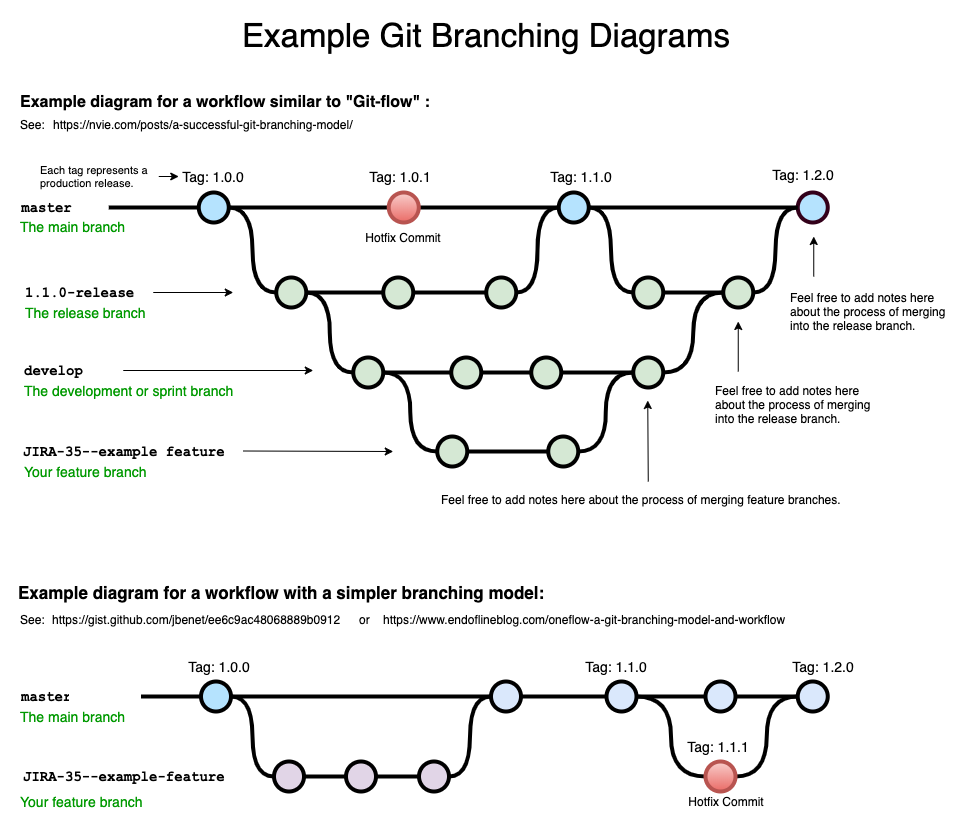
git branch  (to check branch)
git branch -M main (to renmae branch)
git checkout < branch name > (to navigate)
git checkout -b <new branch name > (to create new branch)

git branch -d <branch name > (to delete branch)
git diff < branch name > (to compare , commits ,branches , files and more)

git merge <Branch name > (to merge 2 branches)
to Create a pull request
Pull request - It tells you others about chnges you 've pushed to a branch in a repositoey on Github.
git pull origin main
used to detch and download content from a remote repo and immediately update the local repo to match that content.
An event that takes place when git is unable to automatically resolve differences in code between two commits.
git reset <-file name->
git reset
git rese HEAD~1 => HEAD 1 is our latest commit
git reset<-commit hash-> => To reset more  commit

git reset --hard <-commit hash-> => Chnage in VS code too
To see all commit use
git log

and q for quit
A fork is a new repository that shares code and visibility settings with the originak "upstream repository"
Fork is rough copy