| id | samples-nextjs | ||||
|---|---|---|---|---|---|
| title | NextJs Sample Application | ||||
| sidebar_label | NextJS + PostgreSQL | ||||
| description | The following sample app to test Keploy integration capabilities using NextJS,Drizzle and Postgres. | ||||
| tags |
|
||||
| keyword |
|
This is a sample app to test Keploy integration capabilities using NextJS and Postgres with Drizzle ORM. Buckle up, it's gonna be a fun ride! 🎢
import Link from '@docusaurus/Link' import InstallReminder from '@site/src/components/InstallReminder'; import ProductTier from '@site/src/components/ProductTier';
Now that we have bun installed, we will se tup our application.
git clone https://github.com/keploy/samples-typescript && cd samples-typscript/nextjs-postgres

## Download node modules
npm install

# start the database instance
docker-compose up
We'll be running our sample application right on Linux, but just to make things a tad more thrilling, we'll have the database (Redis) chill on Docker. Ready? Let's get the party started!🎉
Ready, set, record! Here's how:
sudo -E env PATH=$PATH keploy record -c 'npm run dev'<img src="https://keploy-devrel.s3.us-west-2.amazonaws.com/Keploy-record-nextjs-postgres.png" alt="Sample Keploy Record Javascript" width="100%" style={{ borderRadius: '5px' }} />
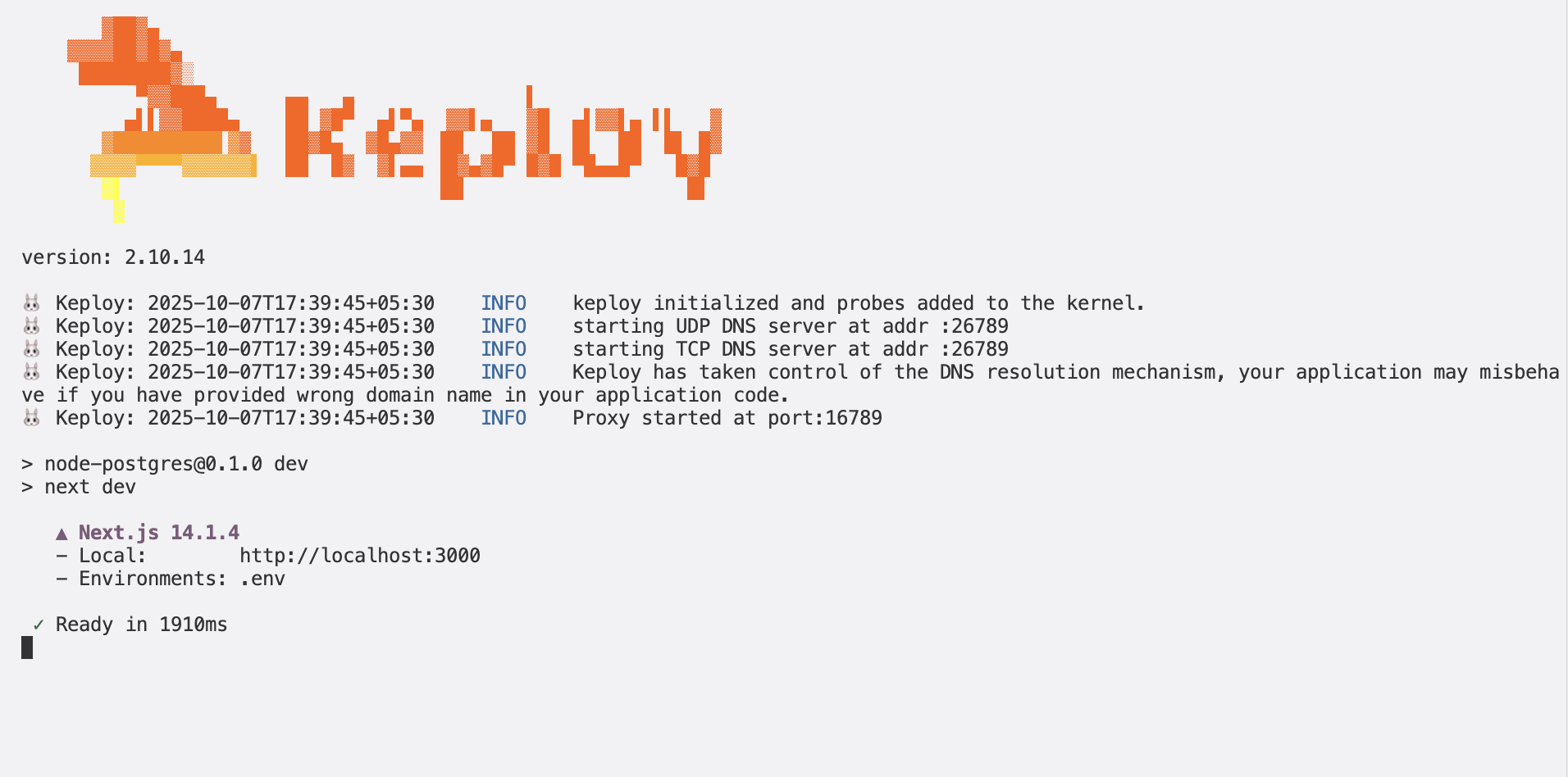
Alright, magician! With the app alive and kicking, let's weave some test cases. The spell? Making some API calls!
1. Create Post request
curl -X POST -H "Content-Type: application/json" -d '{"name":"John","email":"doe@example.com"}' http://localhost:3000/api/usersThis will return the response:
{
  "users": [
    {
      "id": 3,
      "name": "John",
      "email": "doe@example.com",
      "createdAt": "2024-03-27T10:07:30.172Z"
    }
  ]
}
2. Make Get Request
curl -X GET http://localhost:3000/api/users<img src="https://keploy-devrel.s3.us-west-2.amazonaws.com/Keploy-record-output-nextjs-postgres.png" alt="Sample Keploy Record Javascript" width="100%" style={{ borderRadius: '5px' }} />

Give yourself a pat on the back! With that simple spell, you've conjured up test cases with a mock! Explore the Keploy directory and you'll discover your handiwork in test-1.yml and mocks.yml.
Want to see if everything works as expected?
Time to put things to the test 🧪
sudo -E env PATH=$PATH keploy test -c "npm run dev" --delay 10<img src="https://keploy-devrel.s3.us-west-2.amazonaws.com/Keploy-result-output-postgres-nextjs.png" alt="Sample Keploy Record Javascript" width="100%" style={{ borderRadius: '5px' }} />

The
--delayflag? Oh, that's just giving your app a little breather (in seconds) before the test cases come knocking.
Final thoughts? Dive deeper! Try different API calls, tweak the DB response in the mocks.yml, or fiddle with the request or response in test-x.yml. Run the tests again and see the magic unfold!✨👩💻👨💻✨
Congrats on the journey so far! You've seen Keploy's power, flexed your coding muscles, and had a bit of fun too! Now, go out there and keep exploring, innovating, and creating! Remember, with the right tools and a sprinkle of fun, anything's possible. 😊🚀