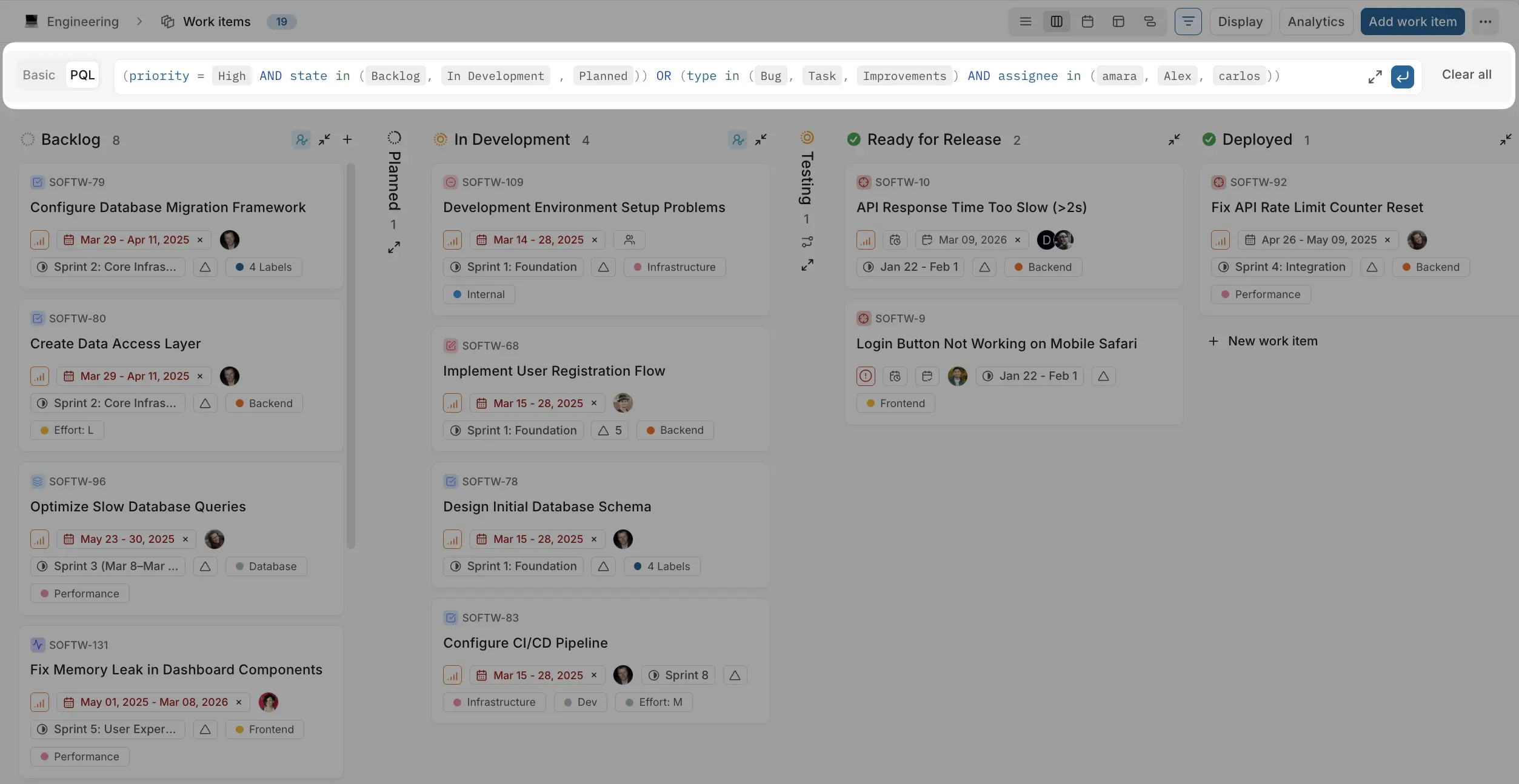
| title |
Plane Query Language |
| description |
Filter work items using text-based queries with Plane Query Language (PQL). |
Plane Query Language (PQL) lets you filter work items using text-based queries. Write structured expressions to quickly find exactly what you need.
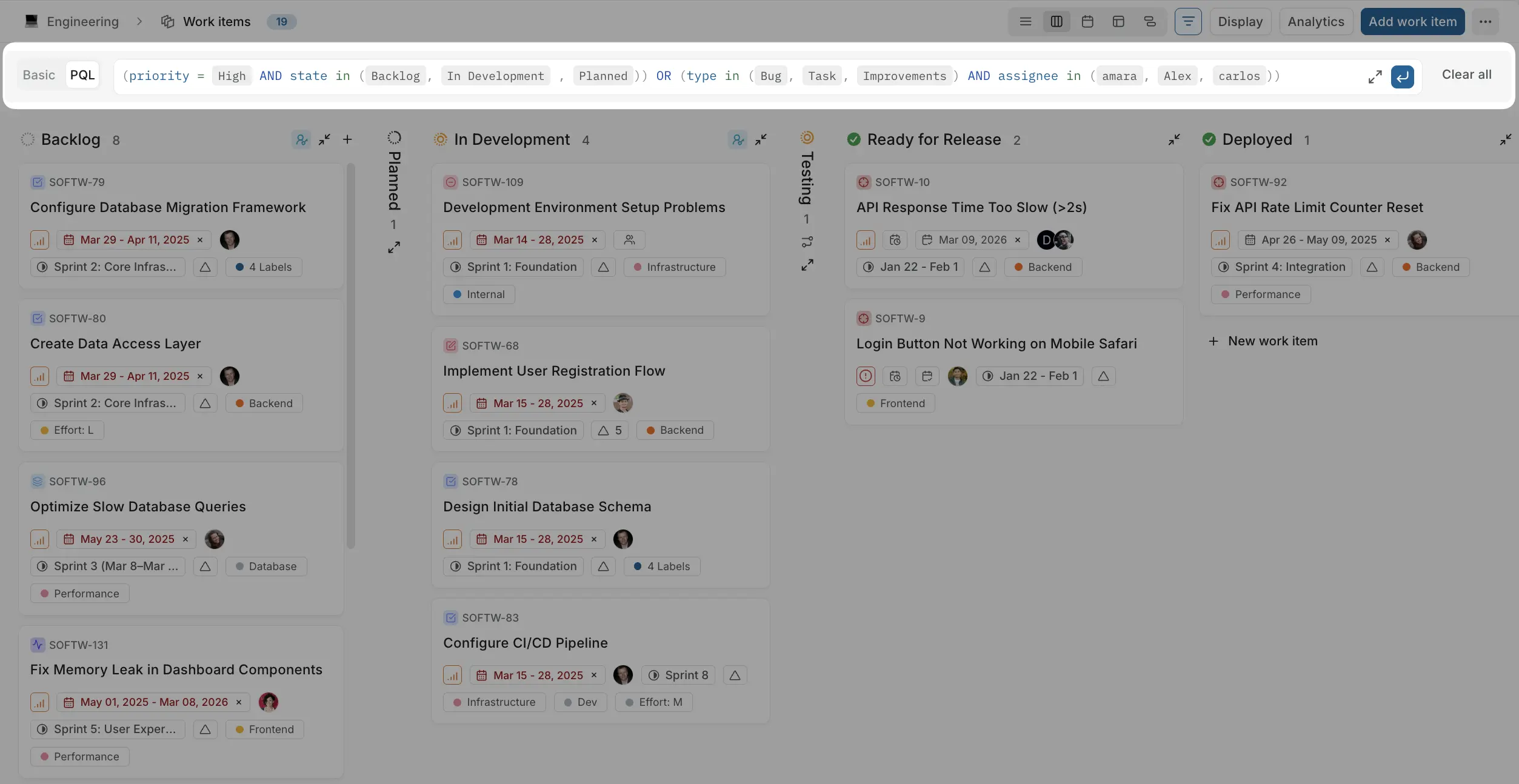
Plane includes an interactive editor that helps you build queries.
To switch to PQL mode, click PQL in the filter bar.
When you start typing in the PQL field:
- A dropdown shows available fields
- After selecting a field, you see operators
- Then you choose or type values
- Continue building your query using AND or OR
This guided experience lets you construct queries without memorizing syntax.
PQL queries follow a simple pattern:
Example:
This returns all work items where priority is High.
You can also combine multiple conditions using logical operators like AND and OR.
Using AND
type = Bug AND priority = High
This returns work items that match both conditions.
Using OR
state = Todo OR state = In Progress
This returns work items that match either condition.
Combined:
(priority = High AND state in (Backlog, In Progress, Todo)) OR (type in (Bug, Task, Improvements) AND assignee in (Ethan, Parker, Amanda))
Once you've built your query, click Save view to preserve it for quick access later. See Views for details.
PQL is available wherever work items are listed:
- Work items
- Cycles
- Modules
- Views
- Teamspace work items
- Workspace views
Each field supports different operators. The available operators depend on the field type.
| Operator |
Description |
= |
ID matches exactly |
!= |
ID does not match |
~ |
ID contains text |
| Operator |
Description |
= |
Title matches exactly |
!= |
Title does not match |
~ |
Title contains text |
| Operator |
Description |
IN |
Type is any of the specified values |
NOT IN |
Type is not any of the specified values |
= |
Type matches exactly |
!= |
Type does not match |
| Operator |
Description |
IN |
State is any of the specified values |
NOT IN |
State is not any of the specified values |
= |
State matches exactly |
!= |
State does not match |
| Operator |
Description |
IN |
State group is any of the specified values |
NOT IN |
State group is not any of the specified values |
= |
State group matches exactly |
!= |
State group does not match |
| Operator |
Description |
IN |
Assigned to any of the specified members |
NOT IN |
Not assigned to any of the specified members |
= |
Assigned to this member |
!= |
Not assigned to this member |
IS NULL |
No assignee |
| Operator |
Description |
IN |
Priority is any of the specified values |
NOT IN |
Priority is not any of the specified values |
= |
Priority matches exactly |
!= |
Priority does not match |
| Operator |
Description |
IN |
Mentions any of the specified members |
NOT IN |
Does not mention any of the specified members |
= |
Mentions this member |
!= |
Does not mention this member |
IS NULL |
No mentions |
| Operator |
Description |
IN |
Has any of the specified labels |
NOT IN |
Does not have any of the specified labels |
= |
Has this label |
!= |
Does not have this label |
IS NULL |
No labels |
| Operator |
Description |
IN |
In any of the specified cycles |
NOT IN |
Not in any of the specified cycles |
= |
In this cycle |
!= |
Not in this cycle |
IS NULL |
Not in any cycle |
| Operator |
Description |
IN |
In any of the specified modules |
NOT IN |
Not in any of the specified modules |
= |
In this module |
!= |
Not in this module |
IS NULL |
Not in any module |
| Operator |
Description |
IN |
In any of the specified milestones |
NOT IN |
Not in any of the specified milestones |
= |
In this milestone |
!= |
Not in this milestone |
IS NULL |
No milestone |
| Operator |
Description |
= |
Start date is this date |
!= |
Start date is not this date |
< |
Start date is before this date |
<= |
Start date is on or before this date |
> |
Start date is after this date |
>= |
Start date is on or after this date |
BETWEEN |
Start date is within the specified range |
IS NULL |
No start date set |
| Operator |
Description |
= |
Due date is this date |
!= |
Due date is not this date |
< |
Due date is before this date |
<= |
Due date is on or before this date |
> |
Due date is after this date |
>= |
Due date is on or after this date |
BETWEEN |
Due date is within the specified range |
IS NULL |
No due date set |
| Operator |
Description |
= |
Created on this date |
!= |
Not created on this date |
< |
Created before this date |
<= |
Created on or before this date |
> |
Created after this date |
>= |
Created on or after this date |
BETWEEN |
Created within the specified range |
IS NULL |
No creation date |
| Operator |
Description |
= |
Updated on this date |
!= |
Not updated on this date |
< |
Updated before this date |
<= |
Updated on or before this date |
> |
Updated after this date |
>= |
Updated on or after this date |
BETWEEN |
Updated within the specified range |
IS NULL |
No update date |
| Operator |
Description |
IN |
Created by any of the specified members |
NOT IN |
Not created by any of the specified members |
= |
Created by this member |
!= |
Not created by this member |
The available operators depend on the property type.
| Operator |
Description |
= |
Text matches exactly |
!= |
Text does not match |
~ |
Text contains value |
| Operator |
Description |
= |
Number equals this value |
!= |
Number does not equal this value |
< |
Number is less than this value |
<= |
Number is less than or equal to this value |
> |
Number is greater than this value |
>= |
Number is greater than or equal to this value |
BETWEEN |
Number is within the specified range |
IS NULL |
No number set |
| Operator |
Description |
IN |
Option is any of the specified values |
NOT IN |
Option is not any of the specified values |
= |
Option matches exactly |
!= |
Option does not match |
IS NULL |
No option selected |
| Operator |
Description |
= |
Value is true or false |
!= |
Value is not true or false |
| Operator |
Description |
= |
Date is this date |
!= |
Date is not this date |
< |
Date is before this date |
<= |
Date is on or before this date |
> |
Date is after this date |
>= |
Date is on or after this date |
BETWEEN |
Date is within the specified range |
IS NULL |
No date set |
| Operator |
Description |
IN |
Member is any of the specified values |
NOT IN |
Member is not any of the specified values |
= |
Member matches exactly |
!= |
Member does not match |
IS NULL |
No member selected |
| Operator |
Description |
= |
URL matches exactly |
!= |
URL does not match |
~ |
URL contains text |
PQL includes functions to filter work items based on common scenarios. These functions return a boolean value (true or false).
| Function |
Description |
isOverdue |
Due date is past and state is open |
hasNoAssignee |
Work item has no assignee |
hasNoLabel |
Work item has no labels |
isTopLevel |
Not a sub-work item (has no parent) |
isSubWorkItem |
Is a sub-work item (has a parent) |
hasChildren |
Has at least one sub-work item |
hasStartAndDueDates |
Has both start and due dates |