


A library to easily integrate Authentication in ASP.NET Core projects. Currently supports JWT Bearer and API Key Authentication.
Installation
The library is available on NuGet. Just search SimpleAuthenticationTools in the Package Manager GUI or run the following command in the Package Manager Console:
Install-Package SimpleAuthenticationTools
Usage Video
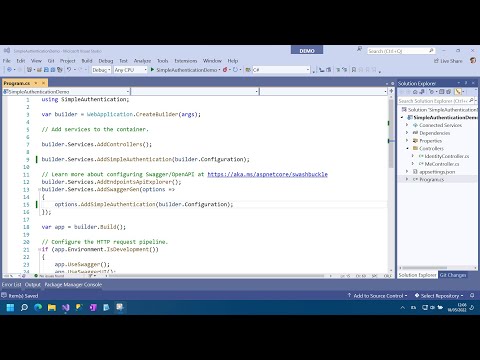
Take a look to a quick demo showing how to integrate the library:
Configuration
Authentication can be totally configured adding an Authentication section in the appsettings.json file:
"Authentication": {
  "DefaultScheme": "Bearer", // Optional
  "JwtBearer": {
      "SchemeName": "Bearer" // Default Bearer
      "SecurityKey": "supersecretsecuritykey42!", // Required
      "Algorithm": "HS256", // Default HS256
      "Issuers": [ "issuer" ], // Optional
      "Audiences": [ "audience" ], // Optional
      "ExpirationTime": "01:00:00", // Default no expiration
      "ClockSkew": "00:02:00", // Default 5 minutes
      "EnableJwtBearerService": true // Default true
  },
  "ApiKey": {
      "SchemeName": "MyApiKeyScheme", // Default "ApiKey"
      // You can specify either HeaderName, QueryName or both
      "HeaderName": "x-api-key",
      "QueryName": "code",
      // Uncomment this line if you want to validate the API Key against a fixed value.
      // Otherwise, you need to register an IApiKeyValidator implementation that will be used
      // to validate the API Key.
      //"ApiKeyValue": "f1I7S5GXa4wQDgLQWgz0",
      "DefaultUserName": "ApiUser" // Required ApiKeyValue is used
  },
  "Auth0":{
        // This parameters are taken from https://auth0.com/ and you can use these only
        // for test or you can create your personal api easily from dashboard.
        "SchemeName": "Auth0",
        "Algorithm": "RS256",
        "Domain": "dev-a6-vyksc.us.auth0.com",
        "Audience": "https://github.com/micheletolve",
        "ClientId": "ipSAr24nCse9QIAlpN6nm2sYdarlaVY5",
        "ClientSecret": "dr-qxPyLT2O7eDzCdzal9CHAe-V7t-aouZWBsDNCUsCk6r-rOjrVRQtZ9zGL7wCT",
        "GrantType": "client_credentials"
    }
}
You can configure only the kind of authentication you want to use, or you can include both.
The DefaultScheme attribute is used to specify what kind of authentication must be configured as default. Allowed values are the values of the SchemeName attributes.
Contribute
The project is constantly evolving. Contributions are welcome. Feel free to file issues and pull requests on the repo and we'll address them as we can.