The actionlib package allows to create servers(to execute long running goals) and clients(to send request). The main difference btw a service and action lies in the fact that action allows us to can cel the request during the execution phase(preempting the goal) and gives a periodic feedback about how the request is progressing.
The ROS msgs on which actionclient and action server communicate is characterized by an action specification. This action specification defines 3 things- goal, feedback and result! When the pkg is compiled all of these result into different msg types.
- The action specification file is written down in a specifc format in .action file. They are generally defined in action directory in the pkg. They syntax for the usage-
# define the goal
uint32 goal_fromCtoS
---
# define the result
uint32 result_fromStoC
---
# define a feedback msg
float32 feedback_fromStoC
This .action file results into creation of 6 msg types for rostopics. These msg types are automatically generated when you specify the rquired dependencies in the CMakeLists.txt and package.xml.Details Here
Suppose you define teju.action file. Then the following msg types would be automatically generated-
- tejuAction.msg
- tejuActionGoal.msg
- tejuActionResult.msg
- tejuActionFeedback.msg
- tejuGoal.msg
- tejuResult.msg
- tejuFeedback
Goal, Result, Feedback

ActionGoal

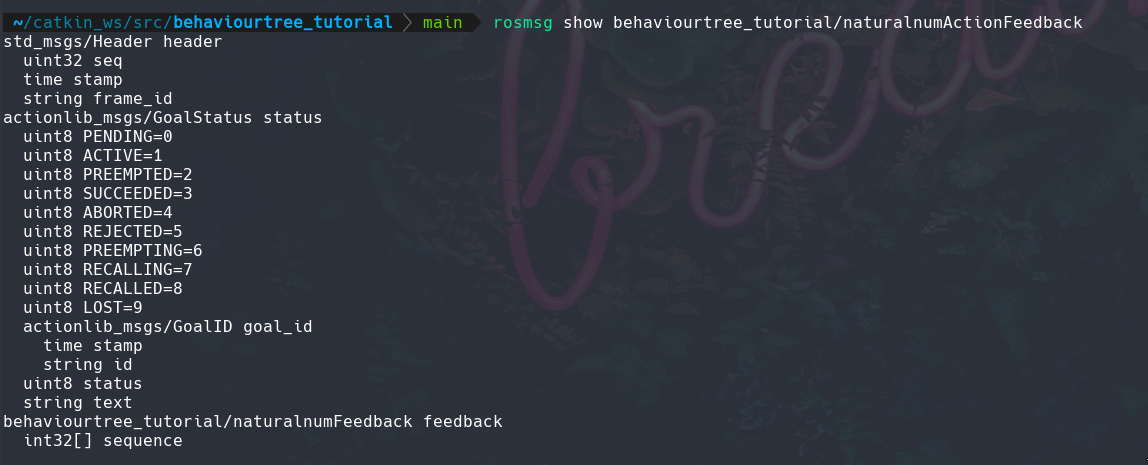
ActionFeedback
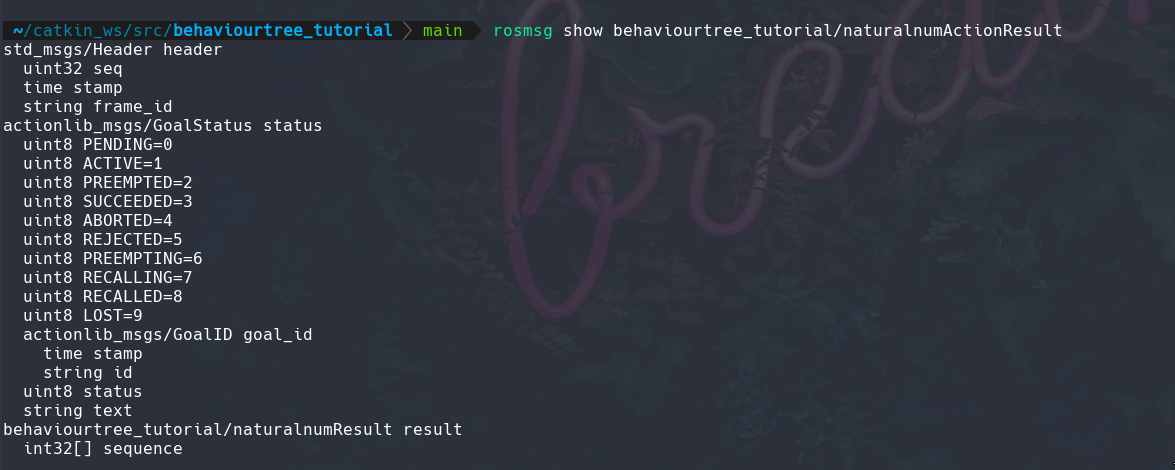
ActionResult
Action (run - rosmsg show behaviourtree_tutorial/naturalnumAction)
behaviourtree_tutorial/naturalnumActionGoal action_goal
  std_msgs/Header header
    uint32 seq
    time stamp
    string frame_id
  actionlib_msgs/GoalID goal_id
    time stamp
    string id
  behaviourtree_tutorial/naturalnumGoal goal
    int32 num_steps
behaviourtree_tutorial/naturalnumActionResult action_result
  std_msgs/Header header
    uint32 seq
    time stamp
    string frame_id
  actionlib_msgs/GoalStatus status
    uint8 PENDING=0
    uint8 ACTIVE=1
    uint8 PREEMPTED=2
    uint8 SUCCEEDED=3
    uint8 ABORTED=4
    uint8 REJECTED=5
    uint8 PREEMPTING=6
    uint8 RECALLING=7
    uint8 RECALLED=8
    uint8 LOST=9
    actionlib_msgs/GoalID goal_id
      time stamp
      string id
    uint8 status
    string text
  behaviourtree_tutorial/naturalnumResult result
    int32[] sequence
behaviourtree_tutorial/naturalnumActionFeedback action_feedback
  std_msgs/Header header
    uint32 seq
    time stamp
    string frame_id
  actionlib_msgs/GoalStatus status
    uint8 PENDING=0
    uint8 ACTIVE=1
    uint8 PREEMPTED=2
    uint8 SUCCEEDED=3
    uint8 ABORTED=4
    uint8 REJECTED=5
    uint8 PREEMPTING=6
    uint8 RECALLING=7
    uint8 RECALLED=8
    uint8 LOST=9
    actionlib_msgs/GoalID goal_id
      time stamp
      string id
    uint8 status
    string text
  behaviourtree_tutorial/naturalnumFeedback feedback
    int32[] sequence
The description regarding to the auto_start flag could be found here
Full API Reference for simpleActionServer
Full API Reference for simpleActionClient
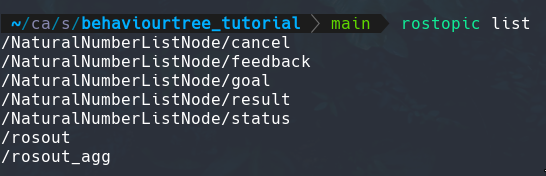
- Found that action name that you specify in the action server should be same the as the action name that you specify in the action client! Henceforth, in the tutorial given at ROS wiki didnt explicitly mention this but , "fibonacci" is the one! In the tutorial scripts we created, "NaturalNumberListNode" is the one! Further, this is the action name. The action client and server communicate over a set of topics, described in the actionlib protocol. The action name describes the namespace containing these topics, and the action specification message describes what messages should be passed along these topics.
- We can also use axclient from actionlib which provides a graphical way to send the goals to the action server.