
A macOS BigSur-like theme for your GTK apps
The theme is adapted for Cinnamon/XFCE-based desktops. Numerous bug fixes and improvements over the original theme. Nord Color Scheme themes, right or left placement of Nemo or Nautilus titlebuttons, laptop size, nautilus-style "Glassy".
Just copy the Whitesur theme files to the Cinnamon theme directory: ~/.themes or /usr/share/themes
Since the release of Gnome 43.0, more and more built-in apps use libadwaita now, and libadwaita does not support custom themes, which means we cannot change the appearance of app using libadwaita through gnome-tweaks or dconf-editor. For users who love custom themes, it's really sucks!
Anyway if anybody who still want to custom themes we can only do this way:
that is to use the theme file to overwrite the gtk-4.0 configuration file. The result is that only Fixed making all gtk4 apps use one theme and cannot be switched (even can not switch to dark mode) If you want to change a theme, you can only re-overwrite the gtk-4.0 configuration file with a new theme, I know this method is not perfect, But at the moment it is only possible to continue using themes for libadwaita's apps ...
Just unpack gtk-4.0.tar.gz and copy the files into the configuration folder at $HOME/.config/gtk-4.0.


Added some missing icons, added sizes for places icons 16x16, 22x22, 24x24 (for now only for blue and green themes, but the theme will be updated).
To install Whitesur Icon Theme for Cinnamon, run in the terminal: ./install.sh [OPTIONS...]
| OPTIONS: | |
|---|---|
| -d, --dest | Specify theme destination directory (Default: $HOME/.local/share/icons) |
| -n, --name | Specify theme name (Default: WhiteSur) |
| -t, --theme | Specify theme color variant(s) [default/purple/pink/red/orange/yellow/green/grey/all] (Default: blue) |
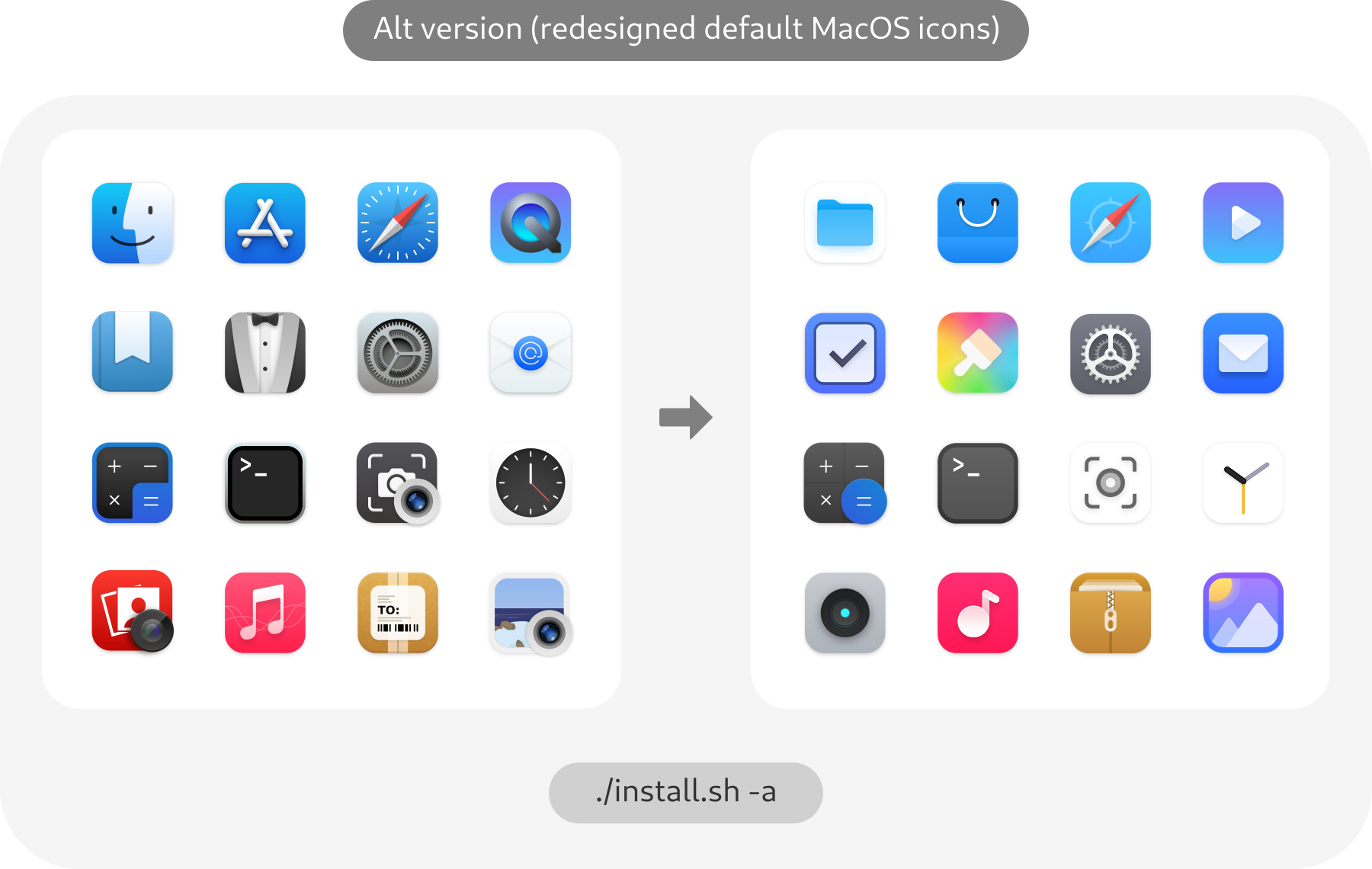
| -a, --alternative | Install alternative icons (redesigned MacOS default icons) |
| -b, --bold | Install bold panel icons version |
| --black | Black panel icons version |
| -r,--remove,-u,--uninstall | Uninstall (remove) icon themes |
| -h, --help | Show this help |
Note for snaps: To use these icons with snaps, the best way is to make a copy of the application's .desktop located in
/var/lib/snapd/desktop/applications/name-of-the-snap-application.desktopinto$HOME/.local/share/applications/. Then use any text editor and change the "Icon=" to "Icon=name-of-the-icon.svg"
For more information, run:
./install.sh --help
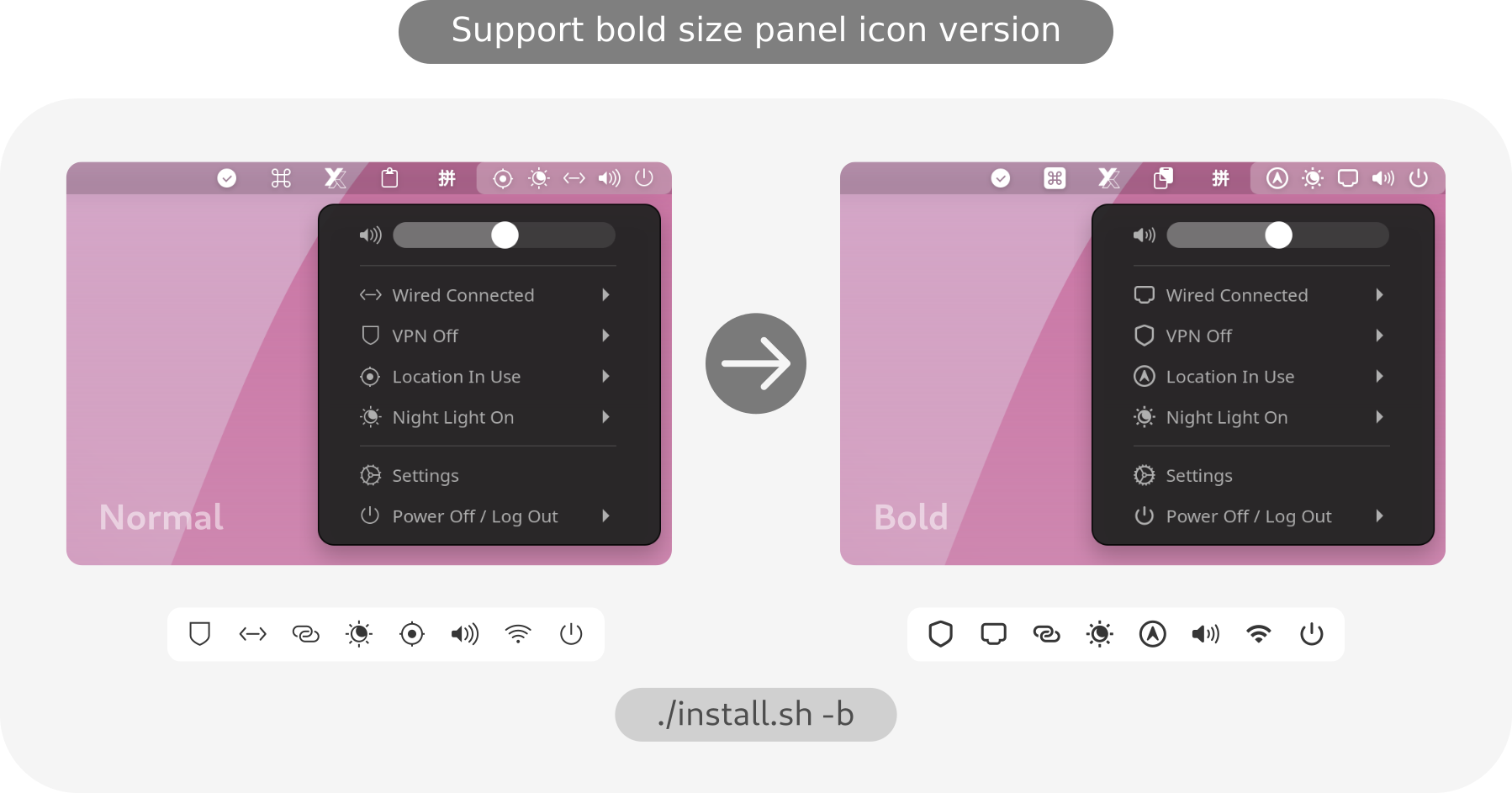
Bold version suggested use in
High resolution displaylike 4k display with 200% scale!


WhiteSur-icon-theme
WhiteSur-gtk-theme
If you'd like to show your appreciation, please send your thanks to Vinceliuice (the author of the original theme for Gnome-based desktops).