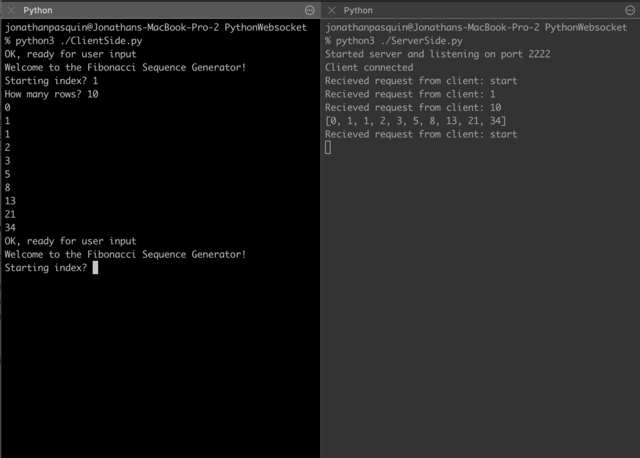
- Start by running ServerSide.py using the command 'python3 ServerSide.py'
- In a seperate session, run ClientSide.py using the command 'python3 ClientSide.py'
- Once connected, enter the index of a Fibonacci number and the amount of rows you would like to see
- Results!
The first input provided by the user is the index of a Fibonacci number, the second input is the amount of rows desired to be displayed after. Using a websocket, the client connects to the server which then sends a response expecting values from the user. The values are then computed and the server sends an encoded result back to the client.