City Map
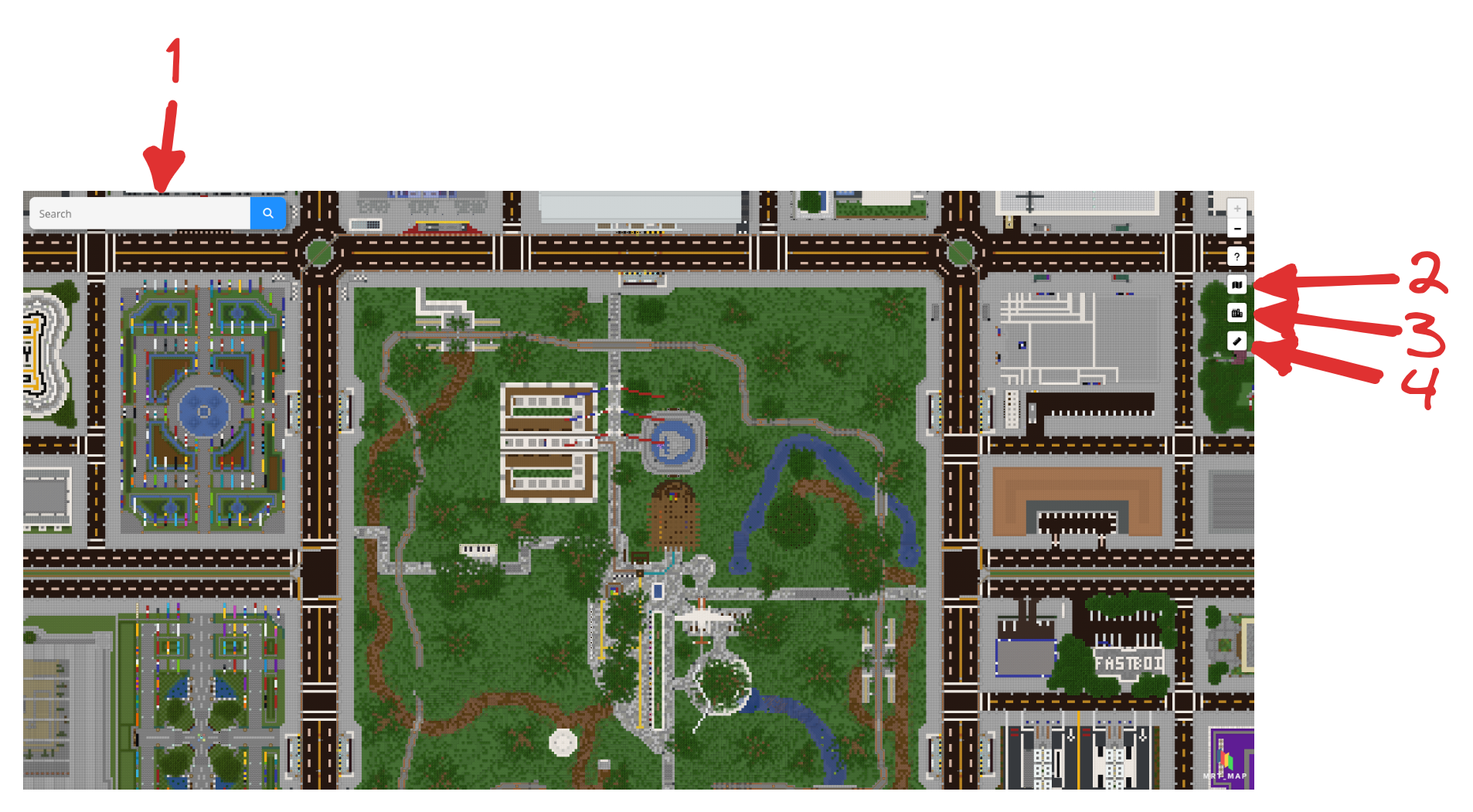
There is a search bar on the top-left or top of the map, at [1]. Input the name of the town/city, or a player (former usernames are supported), and markers will show on the towns/cities found. Clear the search bar to exit.
To show/hide the markers of towns, click [3] on the top-right. This might help in reducing some lag.
Click [2] to toggle the street map.
To launch Airportcalc, click [4] on the top-right.
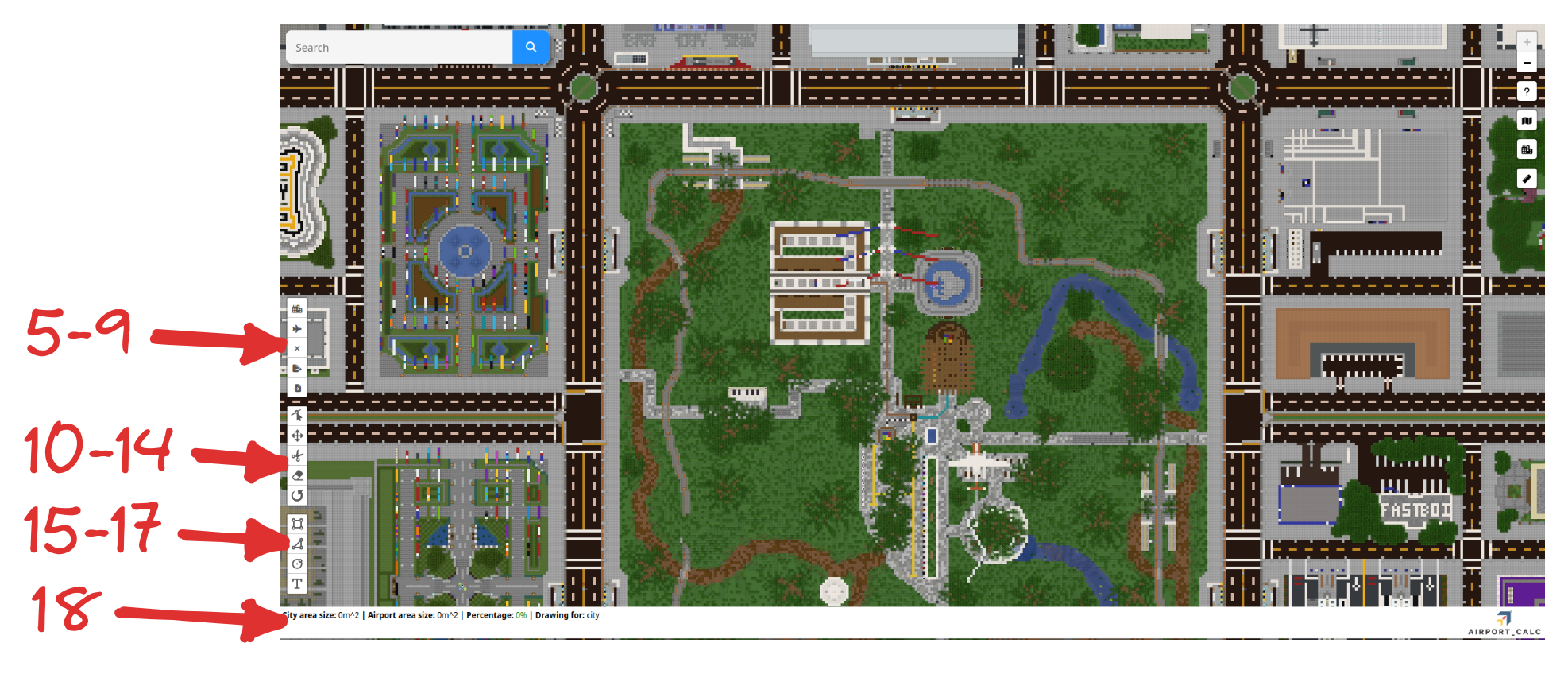
At the bottom-left, there are three options: Rectangle [15], Polygon [16] and Circle [17]. Use these to mark out the area of the city/airport.
There are also options to edit the nodes of [10], move [11], cut holes in [12], delete [13], and rotate [14] polygons.
Select [5] this to indicate that you are marking out the city. Alternatively, select [6] to indicate that you are marking out the airport.
The statistics for the areas will be shown in [18].
Select [7] to clear all polygons, [8] to export the current measurement as a .apc file, and [9] to import a measurement.
The measurement would be saved if you close and reopen, or reload the page.