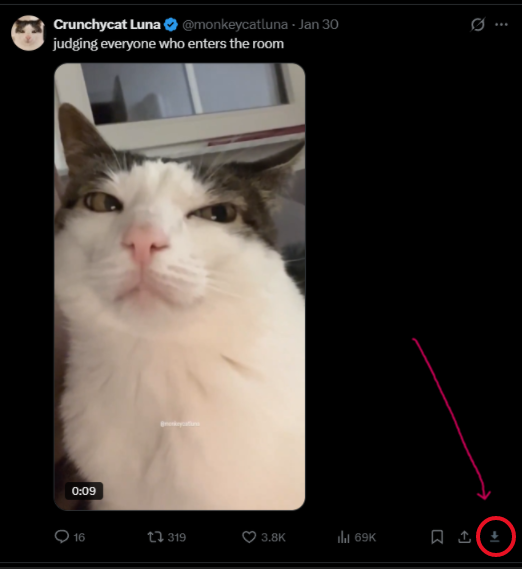
A Chromium extension that adds a download button to tweets with video, GIFs, or images.
Twitter "GIFs" are actually MP4s. Most downloaders hand you that MP4 or send you to EzGIF. XSave converts them to real .gif files in-browser — no upload, no extra steps.
-
Download the repo — either click the green Code button → Download ZIP and unzip it, or:
git clone https://github.com/SSalem00/Xsave.gitKeep the folder somewhere permanent. The browser loads files from it directly.
-
Go to
chrome://extensions -
Turn on Developer mode (top right).
-
Click Load unpacked and pick the folder you just downloaded (the one with
manifest.json).
Open twitter.com or x.com and you'll see a ↓ button on any tweet with video, GIFs, or images.
Right-click the extension icon → Options.
- GIF conversion — toggle on/off (off saves the original MP4 instead)
- Quality preset — Low (360p · 10fps), Medium (480p · 15fps), High (720p · 24fps)
- Filename template — uses
{username},{tweetid},{date},{type},{index}tokens
- GIF conversion progress shows live on the button — it won't look frozen.
- Doesn't work on private/protected tweets.
- Higher quality presets produce larger files and take longer. Medium is a good default.
- Uses X's public syndication endpoint. Personal use only — respect X's ToS.
Plain JS, MV3, no build step. gifenc handles GIF encoding inside an offscreen document.