



Translations: Chinese (Simplified)
Project Tiny Context Harness is repo-native project memory for AI coding agents and a repo-native context contract.
project-tiny-context-harness ships Project Tiny Context Harness through the ty-context CLI. It installs Minimal Context Harness: a compact project_context/** fact source, a short AGENTS.md startup router, role Skills, priority guidance for Context/code/evidence, and a validate-context gate so fresh agents can recover project intent, boundaries, verification entry points and next safe actions quickly.
It is not another full Tiny Context ceremony. The Harness maintains context quality; project tests, reviews, CI and human acceptance still own product quality.
Think of it as durable project memory behind AGENTS.md, plus priority rules for Context/code/evidence, not another agent, process framework or task manager.
Best for:
- repos where coding agents keep rediscovering project intent
- teams using multiple agents or frequent fresh chats
- maintainers who want durable context without a full planning ceremony
Not for:
- replacing tests, review, CI or issue trackers
- autonomous Tiny Context execution
- codebase semantic indexing or external docs retrieval
Concrete shift:
Before: ask a fresh agent to read the repo and tell you what matters.
After: ask it to read AGENTS.md and project_context/** first, then summarize goal, non-goals, architecture boundaries and validation paths before proposing code.
What gets added:
flowchart LR
  A["Fresh agent session"] --> B["AGENTS.md startup router"]
  B --> C["project_context/** durable facts"]
  C --> D["Goal, non-goals, architecture boundaries, validation paths"]
  D --> E["Code proposal starts with repo intent loaded"]
  F["Tests / CI / review"] --> G["Product quality evidence"]
  C -. "does not own" .-> G
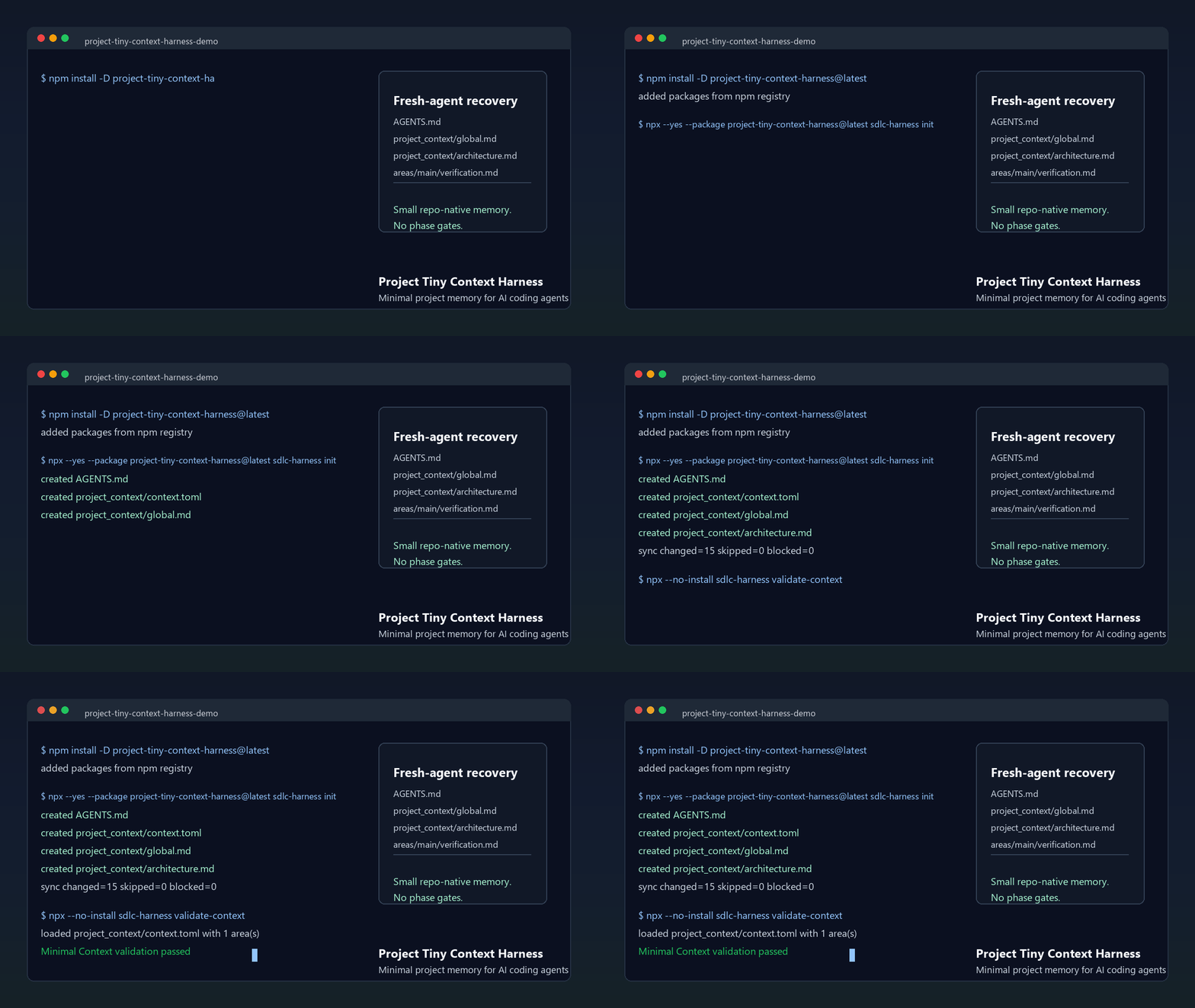
The demo shows the core loop: initialize AGENTS.md and project_context/**, run validate-context, then ask a fresh agent to recover intent before proposing code. Use the npm install path below, or inspect the no-install previews first.
Install:
npm install -D project-tiny-context-harness@latest
npx --yes --package project-tiny-context-harness@latest ty-context init
No-install preview:
- Read the fresh-agent recovery walkthrough.
- Inspect the Minimal Context sample guide.
- Browse a tiny generated sample repository at examples/minimal-context-sample/.
Source checkout preview:
Browser preview:
Open https://codespaces.new/Seven128/project-tiny-context-harness
When the Codespace finishes npm ci, run:
npm run smoke:quickstart
npm run preview:pack
Local preview:
git clone https://github.com/Seven128/project-tiny-context-harness.git
cd project-tiny-context-harness
npm ci
npm run smoke:quickstart
npm run preview:pack
That smoke packs the local workspace, installs it into a disposable repo, runs ty-context init and validates the generated Minimal Context files. Use this path for package development, source-preview testing or private review.
npm run preview:pack
cd /path/to/your/test-repo
npm install -D /path/to/project-tiny-context-harness/tmp/ty-context/source-preview/package/project-tiny-context-harness-0.2.71.tgz
npx --no-install ty-context init --adopt
make validate-context
If the source preview path fails, open a Source preview report with the command, environment and shortest useful output.
Use it when coding agents repeatedly lose project intent across new chats, handoffs, RFC/debug turns or tool changes. The intended tradeoff is: keep durable intent and recovery paths; leave execution evidence to code, tests and review.
Coding agents can move quickly inside one thread and still drift when a new chat, model, tool, reviewer or debugging session loses the project-specific facts that were never encoded anywhere stable.
Most repositories already have README files, specs, tests and issue history, but fresh agents need a small, explicit recovery path: what the project is trying to do, what it must not do, where architecture boundaries live, how to validate changes and what durable facts changed after the last task. Minimal Context Harness makes that recovery path a first-class repo surface without adding a full planning ceremony.
The concrete failure mode is not only "the agent did not read enough files." In an ABCD module chain where A/B/C are upstream of downstream D, a D feature may reveal a missing capability. Without Context, the agent can satisfy D by changing upstream A/B because the current code makes that path available. What is missing is a repo-owned intent layer that says whether D may change upstream A/B, whether the gap belongs in C's contract, or whether the task must stop for a Context Delta before implementation continues. Current code can show what is possible; it cannot decide whether that is allowed project intent.
Tiny Context has two core layers. Minimal Context is the durable fact layer: it says what project facts live in project_context/** or DESIGN.md. The workflow contract is the agent behavior layer: it says to read Context first, let foundation/contract/rationale/architecture Context interpret current-code convenience, decide Context Delta, compile a Task Contract, use plan.md when complex work needs a visible execution surface, implement against those constraints and finish with Contract Conformance plus Context drift check.
The product lesson is: keep the memory, drop the ceremony. Earlier stage-based workflows externalized requirements, design, implementation, review, test and release into explicit phase artifacts. Modern coding agents already internalize much of that ordinary software loop. Project Tiny Context Harness keeps the useful part: the smallest high-density repo context that survives fresh chats without forcing every task through phase transitions, work-product validation or Tiny Context-stage context splits.
For short tasks, use the workflow contract and Context layer directly:
workflow contract + project_context/** -> implementation -> verification -> drift check
For long-running tasks, externalize the target first. Use explicit Skill invocation instead of broad keyword triggering:
Web GPT or another external planning model produces the long-task source inputs
-> /normal-long-task produces the full checklist and optional generic target-mode prompt
-> /superpowers-long-task consumes Product / Architecture Source + Technical Realization Plan + Acceptance Checklist when Superpowers execution is needed
-> Superpowers derives concrete implementation slices
-> execution maintains a plan-conformance matrix and final acceptance verdict
-> each slice follows the workflow contract + project_context/**
For ordinary target-mode preparation, a two-document upstream input remains enough: a Development Plan for execution direction and plan traceability, and an Acceptance and Tests packet for acceptance authority. Source Pack exports are temporary upload material for external planning, not durable Context.
The ordinary long-task path uses /normal-long-task. It is the non-Superpowers acceptance pass: it can generate or reuse the full acceptance checklist and can produce a generic target-mode prompt.
The Superpowers long-task path uses /superpowers-long-task when three inputs already exist: Product / Architecture Source, Technical Realization Plan and Acceptance Checklist. The product/architecture source preserves original intent and scope; the technical realization plan is the execution blueprint and plan-conformance source; the checklist is the acceptance authority. Two-document compatibility is allowed only when the first document clearly contains both product/architecture source and technical realization plan sections. If only a product/architecture source and checklist exist, the Skill stops for a missing Technical Realization Plan instead of generating one. The prompt is Tiny Context's adapter layer, not a Superpowers official schema. It requires Product Context Delta and Technical Context Delta checks before implementation, a plan-conformance-matrix.* process trace for implementation drift and a final AC-by-AC final-acceptance-verdict.* before completion.
The recommended Superpowers layer is the specific obra/Superpowers plugin/workflow, not a generic planning substitute. Use superpowers:writing-plans when the target-mode prompt or source plan still needs bite-sized implementation tasks, then prefer superpowers:subagent-driven-development when subagents are available and superpowers:executing-plans otherwise. Behavior changes should use superpowers:test-driven-development, and completion claims should use superpowers:verification-before-completion against both the plan-conformance matrix and final acceptance verdict, followed by ty-context validate-plan-acceptance <dir>.
The reason is drift control. The workflow contract plus Context layer is intentionally a soft constraint. It works well for short tasks, and Context can still capture the expected facts for long tasks, but long execution makes the Context-to-code step drift as the context window grows, work is handed off, subagents split scope or validation loops multiply. A product/architecture source, technical realization plan, acceptance checklist, explicit long-task Skill invocation, target-mode prompt, plan-conformance matrix, final acceptance verdict and optional Superpowers execution layer make implementation conformance and completion evidence recoverable without restoring a phase-gated workflow.
For high-risk product, architecture, technical-plan or acceptance-plan inputs, the workflow contract should be made visible in plan.md or an equivalent temporary plan surface before implementation. That plan surface separates Source-to-Context Coverage from Context-to-Implementation Binding. Source-to-Context maps each durable source constraint to an existing Context hit, a required Context update, a task-local-only decision, an explicit out-of-scope decision, a user decision or an under-scoped gap. Context-to-Implementation then maps Context facts to implementation obligations, expected surfaces, implemented paths, forbidden shortcuts and verification paths. validate-plan-contract can check the temporary plan for internal consistency, referenced path existence and declared binding consistency; it still does not prove product quality.
Small code tasks should not use that full plan surface. A small code task is a local implementation task where existing Context is sufficient and the change does not alter durable product, architecture, API/schema/data, runtime/state/recovery, verification/deployment, security/redaction or surface-ownership facts. This is semantic, not line-count based: a one-line schema change can be high risk, while a broad mechanical cleanup can remain small.
| Adjacent tool type | Use it for | Harness stance |
|---|---|---|
| Spec-first kits | Turning a feature idea into structured specs and implementation plans. | Complementary. Specs can define a feature, but they do not automatically maintain repo-wide module boundary intent across every later task. |
| BMAD-style workflows and full Tiny Context processes | Coordinated role/process ceremonies on high-risk work. | Lighter default. Preserve context quality without shipping phase gates or work-product trees. |
| Superpowers-style execution | Turning approved requirements into plans, subagent execution, TDD, review and finish discipline. | Complementary. Use it to execute; keep Tiny Context as the durable repo intent and acceptance-priority layer. |
| Task Master-style planners | Backlog decomposition and task execution state. | Complementary. Harness does not own task state; it owns durable project memory and module boundary facts. |
| Context7/Serena-style retrieval or code-intelligence tools | Pulling external docs, symbols or repository facts on demand. | Complementary. They improve retrieval and editing, but do not answer whether downstream D may change upstream A/B; Harness keeps that local project truth in repo. |
| IDE or agent memory | Tool-specific continuity inside one product surface. | Portable fallback. Harness files are plain repo assets that any agent can read. |
mkdir project-tiny-context-harness-demo
cd project-tiny-context-harness-demo
git init
npm init -y
npm install -D project-tiny-context-harness@latest
npx --yes --package project-tiny-context-harness@latest ty-context init
make validate-context
Then open AGENTS.md, project_context/global.md and project_context/architecture.md. Those files are the small recovery surface a fresh agent should read before changing the project.
Expected result:
AGENTS.md
project_context/
  context.toml
  global.md
  architecture.md
  areas/main.md
  areas/main/verification.md
Fresh-agent test prompt:
Read AGENTS.md and project_context/** first. Summarize the project goal, non-goals, architecture boundaries, validation entry points and next safe action before proposing code changes.
If the agent can answer that without rediscovering the repo from scratch, the Harness is doing its job.
A useful first answer should recover the project goal, non-goals, architecture boundaries, validation entry points and next safe action. It should not invent benchmark results or claim tests passed.
Maintainers can verify the local package artifact with the same flow:
npm run launch:check
npm run smoke:quickstart
Copy-ready launch materials live in docs/launch/README.md.
For the stable product/design rationale, see PROJECT_SPEC.md.
Feedback from real repositories is especially useful right now. If you try the Harness, open an adoption report with what your agent was forgetting, what Minimal Context made easier and what recovery facts were still missing.
Early feedback and starter issues:
- If the README, sample repo or generated Context leaves a fresh-agent recovery fact unclear, open a Context recovery gap.
- Share what worked or failed in the pinned adoption reports issue.
- Pick a starter issue: demo, sample walkthrough, benchmark rerun or launch FAQ.
- Keep claims narrow: recovery evidence is useful; benchmark speedup claims need fresh Minimal Context benchmark runs.
For current priorities and non-goals, see the roadmap.
For benchmark boundaries, read Benchmarking And Evidence.
For contribution, support, security, conduct and governance, see CONTRIBUTING.md, SUPPORT.md, SECURITY.md, CODE_OF_CONDUCT.md and GOVERNANCE.md.
For concrete examples, read the fresh-agent recovery walkthrough, the Minimal Context sample guide and the browseable sample repository.
For the longer technical argument, read Fresh coding-agent sessions need project memory, not more ceremony.
For adjacent-tool fit, read the comparison guide.
For existing repositories, read the adoption guide. For Codex, Claude Code, Cursor, Gemini CLI, OpenCode and other tool-specific setup notes, see agent surface recipes.
For common launch and adoption questions, see the FAQ.
This repository is both the source workspace and a reference workspace for project-tiny-context-harness. It contains three product areas:
- Harness source code:
packages/ty-context/src/**, package assets, validators, migrations and source-sync logic. - npm package release logic: package metadata, build/test scripts and source asset drift checks for
project-tiny-context-harness. - Delivery benchmark logic:
examples/delivery-benchmark/**, used to compare baseline coding against Harness-assisted delivery under the same quality bar.
Earlier stage-based workflow assets have been removed from the current source tree. The historical design and convergence reason are summarized in PROJECT_SPEC.md; new package consumers default to project_context/**.
npm install -D project-tiny-context-harness@latest
npx --yes --package project-tiny-context-harness@latest ty-context init
For an existing project:
npx --yes --package project-tiny-context-harness@latest ty-context init --adoptinit creates:
AGENTS.mdproject_context/context.tomlproject_context/global.mdproject_context/architecture.mdproject_context/areas/main.mdproject_context/areas/main/verification.md<harnessRoot>/config.yaml<harnessRoot>/skills/context_product_plan/SKILL.md<harnessRoot>/skills/context_uiux_design/SKILL.md<harnessRoot>/skills/context_development_engineer/SKILL.md<harnessRoot>/skills/context_surface_contract/SKILL.md<harnessRoot>/skills/context_full_project_export/SKILL.md<harnessRoot>/skills/context_harness_upgrade/SKILL.md<harnessRoot>/skills/normal-long-task/SKILL.md<harnessRoot>/skills/superpowers-long-task/SKILL.md<harnessRoot>/ty-context-managed/context_templates/**<harnessRoot>/ty-context-managed/make/ty-context.mktools/**- a root
Makefileinclude block .github/workflows/harness.yml
The generated workflow runs only the selected Harness gate: validate-context, validate-code-modularity or the composite validate-harness. validate-plan-contract and validate-plan-acceptance are explicit commands for complex plan surfaces and long-task artifacts, not default workflow gates. Maintainer-only package tests and source-drift checks are intentionally kept out of consumer projects.
init does not create business Product Surface Contract files, lifecycle state, plan state, stage skills or stage work-product trees by default.
Why not just write a better README?
README is for humans and broad orientation. Minimal Context is a smaller machine-readable recovery path for fresh agents: durable intent, non-goals, boundaries, validation commands and context drift notes.
Is this only for Codex?
No. The generated files are plain repository assets. Codex, Claude Code, Cursor, Gemini CLI, Cline, Roo or a human reviewer can read the same facts.
The support assets can live in a tool-specific harness folder such as .codex, .claude, .cursor, .cline, .roo, .gemini or a custom folder; the durable recovery contract stays in root AGENTS.md and project_context/**. See agent surface recipes.
Is this an English-only or Chinese-only tool?
Neither. Public docs, npm copy, launch posts, CLI help/errors, generated Skill activation and default artifact names must be fully usable in English. Generated Skills may include multilingual trigger examples, but those examples are additive compatibility; every supported non-English trigger needs an equivalent narrow English trigger.
Does validate-context prove the project works?
No. It checks that recovery facts exist and avoids fake test-result claims. Product quality still belongs to tests, CI, review and human acceptance.
Will this create documentation burden?
It should stay smaller than a full process. Ordinary bug fixes and local refactors do not update Context unless they produce durable product, architecture, API, state or validation facts.
The default Skills are Minimal Context helpers for explicit product-planning, UI/UX-design, development-engineering, Product Surface Contract, full-project-export, Tiny Context upgrade and explicit long-task requests. Product, screen-flow, surface responsibility and durable engineering conclusions go to project_context/**; visual identity and design tokens go to root DESIGN.md. Export artifacts are temporary files under tmp/ty-context/context-exports/**, not Context. Long-task artifacts are temporary files under tmp/ty-context/plan-acceptance/**; they define completion criteria or execution evidence for a referenced plan but do not execute it or become durable Context. The ordinary long-task Skill is invoked as /normal-long-task: if the plan already contains an explicit concrete checklist, it reuses that checklist verbatim in the separate full-checklist file. For a two-document upstream input, the external planner should provide a Development Plan and an Acceptance and Tests packet; /normal-long-task preserves both source roles and, only when strict-mode required fields are fully parseable from both documents, turns them into the full checklist plus optional generic target prompt. When a generated prompt references a full checklist, that checklist is the authoritative acceptance standard; the compact prompt summary is only navigation and priority guidance. The Superpowers long-task Skill is invoked as /superpowers-long-task: it consumes Product / Architecture Source, Technical Realization Plan and Acceptance Checklist, emits the Superpowers-specific target-mode prompt, requires Product Context Delta, Technical Context Delta, plan-conformance-matrix.* and final-acceptance-verdict.* during future execution, is not a Superpowers official schema, and stops if required fields are missing. The Harness upgrade Skill handles requests such as “upgrade Tiny Context” and “use the Tiny Context upgrade skill to upgrade this project” by following the release update mode, using upgrade for migration-bearing releases, and limiting manual cleanup to migration-scoped follow-up.
Multilingual trigger phrases are compatibility details. Public README, npm and launch copy stay English-first, and public/package-managed surfaces must remain English-complete; literal non-English examples are documented only where they explain generated Skill matching and must not be the sole activation path.
For high-risk product, UI/UX and engineering tasks that affect durable architecture or module ownership, API/Schema/data contracts, state/runtime behavior, dependency direction, verification/deployment semantics or design-rationale tradeoffs, the default Skills compile a short current-task contract before implementation. The contract starts with Context Delta: none|required; required preserves context-first behavior, while none means the task can proceed against existing Context. When an input is a product/architecture source or technical implementation plan, the same judgment is refined into Product Context Delta: none|required and Technical Context Delta: none|required; either required means overall Context Delta: required. Product Context Delta covers product logic, flows, surface responsibility, information architecture, status meaning, operation boundaries and acceptance semantics. Technical Context Delta covers API/schema/data/event contracts, module ownership, dependency direction, worker/runtime-state semantics, verification/deployment paths and durable technical tradeoffs. For external product/architecture/technical/acceptance sources, plan.md or an equivalent temporary plan surface should also include Source-to-Context Coverage with covered, new_context_required, context_updated, task_local_only, out_of_scope_explicit, needs_user_decision or under_scoped status. For high-risk implementation work, the same plan surface should include Context-to-Implementation Binding with bound, partial, missing, blocked, out_of_scope_explicit, needs_user_decision or contradicted_by_current_state status. It can name Architecture Context Hit and Decision Rationale Hit: existing|required|none so agents explicitly check the controlling Context and rationale state. When module design principles are relevant, the same contract still uses Applicable Module Design for the principles, design logic and rationale controlling the current choice. For engineering, RFC and implementation work, the existing Task Contract still includes Modularity Check: none|required|exception so oversized touched files trigger split-or-exception reasoning without becoming an architecture gate. Ordinary bug fixes, local styling, small refactors, package/release chores, test repairs and spikes are not forced into architecture/rationale ceremony unless they produce durable facts. The task contract, Source-to-Context Coverage, Context-to-Implementation Binding and Contract Conformance are handoff or temporary execution evidence, not new PRD, tech-plan, ADR or implementation-document surfaces.
Technical architecture support is a Minimal Context capability: use restrained architecture.md, area Module Design Capsules and existing contract / decision-rationale roles when durable architecture or rationale matters. Do not invent rationale; store stable reasons, rejected alternatives or tradeoffs only in the smallest durable Context surface when they will affect future implementation or verification choices.
For long-running plans, RFCs or implementation proposals, invoke /normal-long-task to turn a plan plus relevant Context into a falsifiable acceptance checklist and an optional generic paste-ready goal/target-mode prompt. It also supports a two-document upstream input from Web GPT or another external planner: Development Plan for execution direction and Acceptance and Tests for target-mode acceptance input. If the plan already contains an explicit concrete acceptance checklist, the Skill copies that checklist verbatim into a separate full-checklist file instead of generating a competing checklist. The two-document packet path is strict mode: when required fields cannot be fully parsed from both documents, the Skill preserves the inputs, reports the missing fields, and stops without generating a checklist or goal/target-mode prompt. This is one pre-execution acceptance pass, not a task planner or workflow engine: it stores temporary inputs under tmp/ty-context/plan-acceptance/**, asks for confirmation when durable assumptions are unclear, and leaves execution evidence to the future executor, tests, CI, review or human acceptance. The generated prompt may require a local audit under the same temporary directory so future sessions can recover acceptance progress; that audit is not Context, not a quality proof and not a replacement for the project's Tiny Context workflow contract. The full checklist is the acceptance authority, while any compact prompt summary exists for navigation, priority and recovery after context compaction.
When the next step explicitly needs Superpowers, invoke /superpowers-long-task on the Product / Architecture Source, Technical Realization Plan and Acceptance Checklist. It emits the Superpowers input packet and execution binding so the future executor sees which inputs feed Context Delta assessment, superpowers:writing-plans, superpowers:subagent-driven-development, superpowers:executing-plans, TDD, superpowers:verification-before-completion, local audit, plan-conformance-matrix.* and final-acceptance-verdict.*. This is Tiny Context's adapter layer, not a Superpowers official schema. It cannot replace /normal-long-task for ordinary checklist preparation, and it does not derive a technical plan from a product plan; a two-document packet is accepted only when the first document explicitly contains both product/architecture source and technical realization plan sections.
Important usage note: Minimal Context intentionally keeps Context read order, Context/code priority and drift checks as agent-level soft constraints rather than machine-enforced gates. That tradeoff works well for short tasks, but long tasks with large context windows, multiple handoffs or many verification loops are expected to drift unless product intent, technical implementation target and acceptance target are externalized. Use /normal-long-task before long-running execution when ordinary checklist preparation is needed; use /superpowers-long-task when the three upstream inputs already exist and Superpowers execution is desired. Treat the plan-conformance matrix as process trace, the final verdict as final AC-by-AC acceptance evidence, and the local audit only as temporary progress/recovery state.
For Product Surface work, context_surface_contract turns broad product/page/UI principles into project-owned surface responsibilities. A Product Surface can be a Web page, mobile screen, desktop window, game UI/HUD/menu, CLI/TUI output, extension UI or embedded/device interface. Cross-surface contracts use the existing contract role; area-owned screen facts stay in area or subdomain; repeatable validation paths use verification. The Harness does not add a new surface-specific role or create business surface contracts during init or upgrade. Product Surface Context authoring is not a default product-quality validator; plan validators only check declared temporary surface bindings for structural consistency. Projects that want mandatory task blocks should add a separate project-local Skill, while product-surface-contract.md is only a compact managed template for optional Context authoring.
To create Product Surface Context in a user project, use the Skill through an agent because the package cannot safely infer business-specific screen duties from code alone. For a new project, init installs the Skill, template and routing guidance; as the project grows, ask the agent to run Product Surface Audit / Compile when a durable surface appears or when a product/UI/engineering task changes main/drilldown ownership. For an existing project, first run ty-context upgrade; then ask the agent to backfill the current surface responsibilities, review the proposed contract, and only then apply it to project_context/**:
Use context_surface_contract in Audit + Compile mode for this repo. Inspect current user-facing routes, screens, panels, CLI/TUI outputs and relevant Context. Propose Product Surface Contract Context using existing roles only. Do not edit product code.
After review, apply the approved contract:
Apply the approved Product Surface Contract to project_context/**, update project_context/context.toml if a new contract file is needed, keep roles to contract/area/subdomain/verification, and run make validate-context.
ty-context check-modularity supports that field by auditing selected handwritten source files for physical line-count risk. It is warning-only by default as a report command, while validate-code-modularity and validate-harness run it as a hard gate. The gate is not validate-context: validate-context remains pure Context recoverability. When policy is scoped_waivers, over-limit exceptions must be backed by <harnessRoot>/config.yaml modularity.waivers entries with path, narrow category, reason and future_split_boundary; handoff prose alone is not a machine waiver.
Newly generated Harness configs default to strict_except_generated, which enforces the touched/PR handwritten source limit without legacy waivers:
modularity:
  limit: 300
  policy: strict_except_generated
Generated and non-source files are still auto-skipped when they match existing lock/build/dist/path exclusions or generated-file headers such as @generated / Code generated ... DO NOT EDIT. strict_except_generated does not allow modularity.waivers; any configured waiver fails the modularity gate.
Use scoped_waivers when a small number of legacy exceptions must be explicit and time-bounded:
modularity:
  limit: 300
  policy: scoped_waivers
  waivers:
    - path: src/legacy/big-file.ts
      category: legacy_migration
      reason: "Existing legacy module exceeds the hard source size bound."
      future_split_boundary: "Extract provider adapters and retry policy."
Omitting policy behaves the same as scoped_waivers for compatibility with existing projects. Allowed waiver categories are generated, third_party_reference, legacy_migration, aggregate_styles and fixture_snapshot.
For complex task-contract work, agents use plan.md or an equivalent temporary plan surface as scratch space for Source-to-Context Coverage, Context-to-Implementation Binding, Context Delta, Task Contract, implementation steps and Conformance notes. It is execution cache only: durable facts must be extracted into project_context/** or DESIGN.md, and temporary plans are not Context, not registered in context.toml and not default project assets. Small code tasks must not create plan.md, full trace tables, Source-to-Context Coverage or Context-to-Implementation Binding unless they discover durable Context changes, receive an external source packet or expand into high-risk/multi-surface work. If coverage still contains unresolved new_context_required, needs_user_decision or under_scoped rows, the implementation cannot be described as fully aligned to the source. If binding still contains partial, missing, blocked, needs_user_decision or contradicted_by_current_state rows, the implementation cannot be described as fully aligned to Context. Use ty-context validate-plan-contract <plan.md|dir> when that artifact should be machine-checked for self-consistency and referenced path existence.
For Product Surface work, frontend layout, UI/UX, product module boundaries or decisions about where information belongs, agents should run a lightweight product/page positioning check before deciding whether the change is context-first. The check asks what judgment the user needs to make on the surface, what information/actions/feedback the product must provide, what should not be persistent, what belongs on the main surface versus drilldown, operations, diagnostics, evidence or detail, and whether layout and information density match the surface task. If ownership is unclear, inspect the relevant surfaces and Context first, and use context_surface_contract for a focused audit. The check is input to change classification: it does not by itself require a Context update, new role, new document chain or validator gate.
The expected Context Priority Ladder is: read Context first, run the product/page positioning or Surface Contract check when applicable, classify durable-fact impact or use Context Delta inside task-contract scenarios, choose context-first or code-first, then perform Contract Conformance when applicable and Context drift check before handoff. This is prompt-level guidance, not an edit-order validator.
Managed AGENTS.md guidance is intentionally a startup router, not a full manual. It should contain fact-source entry points, hard boundaries, key triggers and shortest validation commands; package consumers default long design reasoning to Context unless they already have a local spec/design convention. In this source workspace, PROJECT_SPEC.md holds stable Harness workflow rationale. Role procedures belong in Skills and human usage guidance in README. The recommended 40-70 line range is a soft budget, not a validator gate.
The default context_* Skills and package-managed utility Skills are generated files. sync overwrites them, so project-specific product/design/development/surface-contract rules should live in separate project-local Skills such as .codex/skills/product_plan/SKILL.md, .codex/skills/uiux_design/SKILL.md, .codex/skills/development_engineer/SKILL.md or .codex/skills/surface_contract/SKILL.md. When a project-local Skill and a default Skill both apply, agents should use the more specific project-local Skill first while keeping durable conclusions in project_context/** and DESIGN.md. Keep the project-local Skill front matter description triggers aligned with the matching default context_* Skill and the project AGENTS.md role-trigger rule; if a project adds or narrows product/design/development/surface keywords, update both the local Skill and the agent guidance together. The Surface Contract, Harness upgrade, /normal-long-task and /superpowers-long-task Skills are also package-managed; customize project semantics in Context or separate project-local Skills, not by editing those generated Skills.
The canonical npm package is project-tiny-context-harness; ty-context is the bin name. Prefer package-qualified npx commands for ad hoc use because bare npx ty-context can resolve an older package name or a stale local install. After init, the managed Makefile wrapper uses the canonical latest CLI by default and can be overridden with TY_CONTEXT=... when a project intentionally pins a local package.
Use npx --no-install ty-context ... only when you explicitly want the already installed local package, such as release smoke tests against a packed tarball.
| Command | Purpose |
|---|---|
npx --yes --package project-tiny-context-harness@latest ty-context init |
Non-destructively installs Minimal Context Harness into the current project. |
make ty-context-sync or npx --yes --package project-tiny-context-harness@latest ty-context sync |
Refreshes managed guidance, default Skills, Makefile include, tools and templates. It does not run migrations or generate project semantics; it may block only direct asset-refresh safety issues such as invalid managed blocks or deprecated managed Skill overrides. |
make ty-context-upgrade or npx --yes --package project-tiny-context-harness@latest ty-context upgrade |
Use for releases marked upgrade-required or manual-required. Builds an upgrade plan, stops before writes when blocked items exist, otherwise applies safe_pending migrations, runs sync and doctor, and exits non-zero when manual follow-up or diagnostics remain. |
npx --yes --package project-tiny-context-harness@latest ty-context upgrade --check [--json] |
Checks the upgrade plan without writing files. Reports safe_pending, manual_required and blocked; exits non-zero when any work remains. |
npx --yes --package project-tiny-context-harness@latest ty-context export-context --source-pack [--check] |
Creates a bounded Source Pack under tmp/ty-context/context-exports/latest/ with upload-ready Context, code index and optional bundles, removing old timestamped rounds. |
npx --yes --package project-tiny-context-harness@latest ty-context export-context --code-index [--check] |
Creates a temporary implementation navigation index and manifest without full source bodies. |
npx --yes --package project-tiny-context-harness@latest ty-context export-context --task-context <name> [--profile <id>] [--check] |
Creates a bounded focused task handoff pack from profile or explicit include selectors. |
npx --yes --package project-tiny-context-harness@latest ty-context export-context --all [--check] |
Creates both default temporary exports under tmp/ty-context/context-exports/**. |
npx --yes --package project-tiny-context-harness@latest ty-context export-context --full [--output tmp/ty-context/context-exports/name.md] [--check] |
Creates a temporary project Context summary Markdown artifact. |
npx --yes --package project-tiny-context-harness@latest ty-context export-context --code [--output tmp/ty-context/context-exports/name.md] [--check] |
Creates a temporary single-file code implementation Markdown artifact. |
npx --yes --package project-tiny-context-harness@latest ty-context check-modularity --touched [--limit 300] [--fail-on-warning] |
Reports selected handwritten source files over the physical line-count limit; --file <path> and --base <ref> select explicit files or branch changes, and config waivers are reported distinctly. |
npx --yes --package project-tiny-context-harness@latest ty-context validate-context |
Checks minimum project recovery fields, Context graph metadata, declared paths/roles and fake test-execution claims. |
npx --yes --package project-tiny-context-harness@latest ty-context validate-plan-contract <plan.md|dir> |
Checks Source-to-Context Coverage and Context-to-Implementation Binding for structural consistency, referenced path existence and weak-proof complete/bound contradictions. |
npx --yes --package project-tiny-context-harness@latest ty-context validate-plan-acceptance <dir> |
Checks long-task plan-conformance matrix and final verdict JSON for contradictory complete claims, dangling evidence references, weak-proof complete rows, missing plan/AC cross-references and declared surface/architecture binding gaps. |
make validate-context |
Makefile wrapper for validate-context. |
make validate-code-modularity |
Hard gate for touched handwritten source modularity; CI can set TY_CONTEXT_MODULARITY_BASE=<ref> to audit PR/base changes. |
make validate-harness |
Composite gate for validate-context and validate-code-modularity. |
ty-context package sync-source |
Maintainer-only command to sync source workspace assets into packages/ty-context/assets/**. |
ty-context package check-source |
Maintainer-only drift check for package canonical assets. |
After updating the package, run ty-context upgrade. It is the default update entry because it checks local migration state, applies safe migrations when needed, refreshes managed assets and runs diagnostics. For releases marked sync-only, direct sync is an allowed shortcut only when you explicitly want managed-asset refresh without the upgrade diagnostics.
npm install -D project-tiny-context-harness@latest
npx --yes --package project-tiny-context-harness@latest ty-context upgrade --check
npx --yes --package project-tiny-context-harness@latest ty-context upgrade
For sync-only releases where you explicitly want only managed-asset refresh, this shortcut is allowed:
npx --yes --package project-tiny-context-harness@latest ty-context syncRelease notes and release readiness use this update mode vocabulary:
| Update mode | What to run | Meaning |
|---|---|---|
sync-only |
Default: ty-context upgrade; shortcut: ty-context sync |
The release changes only package-managed assets. No new migrations are expected. |
upgrade-required |
ty-context upgrade |
The release includes safe mechanical migrations and managed asset refresh. |
manual-required |
ty-context upgrade, then manual follow-up |
The release includes items that cannot be mechanically changed without user intent. |
upgrade --check prints the plan without writing files. The plan groups work as:
| Status | Meaning |
|---|---|
safe_pending |
The Harness can prove the change is inside a known Harness-owned schema, config or path convention and can apply it mechanically. |
manual_required |
The file is in migration scope, but the Harness cannot prove the right semantic role or user intent. It prints the path and follow-up. |
blocked |
A safe target cannot be written, usually because the destination already exists or another conflict would require overwriting user content. Blocked items stop upgrade writes until resolved. |
upgrade promises to refresh package-managed assets, apply known safe migrations when no blocked target conflict exists, avoid overwriting user custom content, expose manual-required migration scope, and run doctor / validate-context style diagnostics so remaining problems are visible. It does not automatically understand the user's project semantics, decide every Context role, repair project-local Skills, invent business verification paths, update product/deployment facts or turn an old project into the current best-practice shape.
Examples:
project_context/modules/main.md->project_context/areas/main.mdis a safe mechanical migration when the target does not already exist.- A missing
project_context/context.tomlcan receive a conservative baseline manifest. project_context/areas/main/verification.mdcan be registered as averificationrole by path convention.project_context/areas/payment/api.mdwithout a manifest role is reported asmanual_required; the Harness does not guess whether it is an area, contract, foundation or implementation index.- If
project_context/areas/main.mdalready exists whileproject_context/modules/main.mdstill exists, the migration isblocked;upgradestops before migrations orsync, and no file is overwritten. - Projects installed before the rename from
sdlc-harnessmay containpackage.json#sdlcHarness,sdlc-harness.config.json,<harnessRoot>/pjsdlc_managed/**,sdlc-harness.mkorpjsdlc:sdlc-harnessmanaged markers.upgrade --check --jsonreports these underlegacy-sdlc-harness-rename; safe cases copy canonicaltyContext/ty-context.config.jsonand refresh managed paths, while root conflicts, old override skills, unknown old managed content and target conflicts aremanual_requiredorblocked.
project_context/global.md is the first file a fresh agent should read. It contains:
- project goal
- non-goals / boundaries
- background
- project-wide design rationale, including former ADR-level decisions, rejected alternatives and tradeoffs that still matter
- architecture context link
- product / delivery brief for durable product goals, users, flows and acceptance signals
- UX / screen brief for durable screen, interaction, responsive and accessibility facts
- short verification context pointers
- current state
- next safe action
- context index
project_context/architecture.md is the restrained architecture document. It contains:
- system boundary
- component map
- data / control flow
- architecture-level design rationale, rejected alternatives and tradeoffs
- constraints and tradeoffs
- verification implications
- open risks
project_context/context.toml is the Schema v4 Context graph manifest. init creates a default main product/domain area for ordinary projects and registers project_context/areas/main/verification.md as its default verification role Context. upgrade creates a conservative baseline manifest for existing projects by registering current project_context/areas/**/*.md files as areas, except obvious verification.md and deployment.md role files. Larger projects can add [[areas]] and [[context]] entries with role, trigger/read policy, default children and monorepo boundary metadata such as forbidden_runtime_dependencies.
project_context/areas/<unit>.md contains product/domain ownership context by default. For larger projects, areas/ may contain nested files such as areas/<area>/README.md, areas/<area>/contracts/*.md, areas/<area>/foundation/*.md, areas/<area>/verification.md, areas/<area>/deployment.md or other durable context nodes:
- responsibility
- user / system contract
- core data, API or state
- module design capsule when stable principles, design logic or rationale should affect future work
- key constraints
- code entry points
- related role context pointers
- open risks
A module design capsule should stay small and decision-shaped: Principles are stable execution constraints, Design Logic is the minimum choose/reject/degrade/compose logic, and Design Rationale keeps only reasons, rejected alternatives and tradeoffs that change later implementation or verification decisions. Current thresholds, commands and probe parameters belong in the relevant contract or verification Context as execution instances, not as permanent principles.
Use the smallest durable rationale surface: project-wide tradeoffs in global.md#Design Rationale, architecture choices in architecture.md#Design Rationale, module reasons in an area Module Design Capsule, cross-domain interface rationale in contract role Context, larger cross-cutting reasons in decision-rationale, and visual identity or token rationale in DESIGN.md. Do not record implementation summaries, PR notes, command output, test-passed claims, screenshot review notes, debug history, agent reasoning or rationale inferred only from current code shape.
Additional Markdown context files under project_context/** can declare context_role in front matter or receive a role from context.toml. Roles are semantic labels that help agents choose when and how to read context; validate-context checks graph structure, paths and field shapes rather than enforcing a writing template for each role:
global: project-level fact source and reading entry point.architecture: durable system boundary, component relationship and architecture constraints.area: a primary product/domain ownership context; ordinary projects usually have onemainarea.domain: a business-oriented area label for product-family or monorepo contexts.subdomain: a smaller context unit inside an area.contract: cross-area or cross-subdomain interface, event, API or schema semantics.foundation: durable theory, vocabulary or conceptual source material.verification: critical test, smoke, CI, probe or validation repeat-execution paths for an owning area or cross-domain project path.deployment: critical deploy, CI/CD, cloud/bootstrap, runtime topology, service initialization, health-check or rollback/degradation repeat-execution paths.archive: historical or external source index that should not be read by default.implementation-index: code navigation map for owned paths, responsibilities and tests.decision-rationale: stable reasons behind durable design choices.
Product Surface Contracts use these existing roles. Use contract for cross-surface or cross-area files such as project_context/areas/product-surface-contracts.md; use area or subdomain for owned screen contracts inside one domain; use verification for repeatable UI/app/CLI surface checks. Do not add roles such as surface-contract, product-surface, web-contract, app-contract or game-surface.
init gives new projects the Product Surface Contract capability, not a pre-filled business contract. The first durable contract is created when a user or agent explicitly audits/compiles a surface responsibility and writes the approved facts into project_context/**. Existing projects receive the same Skill and template after upgrade, but upgrade intentionally does not inspect current screens or guess their responsibilities; treat Product Surface Context backfill as an explicit follow-up task.
When authoring, migrating or cleaning up project_context/areas/**, run a soft role placement scan before registering every Markdown file as an [[areas]] entry. Keep area / domain for product ownership, use subdomain only for a smaller owned product context, move interface semantics into contract, stable theory or vocabulary into foundation, repeatable test/deploy execution paths into verification / deployment, code maps into implementation-index, design reasons into decision-rationale, and non-default historical or external material into archive. This is prompt-level guidance, not a validator gate.
Automatic migration moves legacy project_context/modules/**/*.md files into project_context/areas/**/*.md, creates a usable graph baseline and does not infer deep semantic roles. If an existing deep area file is really a foundation, contract, archive or implementation index, a later agent should update context.toml explicitly. Boundary rules are metadata only; Harness does not scan source imports or build a runtime dependency graph.
Use export-context --source-pack as the default external LLM / Web GPT planning path:
npx --yes --package project-tiny-context-harness@latest ty-context export-context --source-pack
npx --yes --package project-tiny-context-harness@latest ty-context export-context --source-pack --check
This writes tmp/ty-context/context-exports/latest/ as ordinary files/directories for Windows compatibility and removes old timestamped export rounds. A standard Source Pack is capped at 5 files: source-pack-manifest.json, full-project-context.md, code-index.md, and at most code-bundle-core.md plus code-bundle-extended.md; small projects may omit bundle files. The manifest schema is source-pack-v1, uses repo-relative artifact paths and hashes, records warnings/omitted files, and recommends upload sets.
Recommended upload sets:
- Daily planning:
full-project-context.md,code-index.md. - Cross-module review: daily planning files plus
code-bundle-core.mdand, if needed,code-bundle-extended.md. - Focused task handoff:
full-project-context.md,code-index.md,task-contexts/task-context-<name>.md. - Full fallback: daily planning files plus legacy
code-level-implementation.mdfrom--code.
Use export-context --code-index when implementation navigation is enough and full source bodies are not needed:
npx --yes --package project-tiny-context-harness@latest ty-context export-context --code-indexcode-index.md includes export metadata, repository shape, Context mapping, entry/API/UI/CLI-worker/test/oversized indexes and a Source File Index with path, type, lines, characters, SHA256, deterministic summary, bundle and tags. It does not include complete source bodies.
Use export-context --task-context <name> for focused handoff. Profiles live in <harnessRoot>/config.yaml under source_packs; they are export selectors only, not durable facts, and their verification entries are listed without being executed:
npx --yes --package project-tiny-context-harness@latest ty-context export-context --task-context apex-trend-map --profile apex-trend-map
npx --yes --package project-tiny-context-harness@latest ty-context export-context --task-context demo --include-context project_context/areas/main.md --include-code 'src/demo/**'
Source Pack modes always keep secret redaction enabled. --redaction-strict exits non-zero if any secret/token/cookie/password/api_key/credential/bearer/authorization assignment required redaction. --max-pack-files defaults to 5 and cannot exceed 5 for Source Pack or task packs. --prune <count> is accepted for older scripts, but Source Pack modes now keep only latest/ by default.
Legacy exports remain for compatibility and full fallback.
Use export-context --all when you want both one-off project exports for copying into an external tool or discussion:
npx --yes --package project-tiny-context-harness@latest ty-context export-context --all
npx --yes --package project-tiny-context-harness@latest ty-context export-context --all --check
This generates both default artifacts with the same timestamp: tmp/ty-context/context-exports/full-project-context-<timestamp>.md and tmp/ty-context/context-exports/code-level-implementation-<timestamp>/code-level-implementation.md. --all does not accept --output; use the single-artifact commands below for custom names.
Use export-context --full when you need only the project Context bundle:
npx --yes --package project-tiny-context-harness@latest ty-context export-context --full
npx --yes --package project-tiny-context-harness@latest ty-context export-context --full --output tmp/ty-context/context-exports/my-export.md
npx --yes --package project-tiny-context-harness@latest ty-context export-context --full --check
The default artifact path is tmp/ty-context/context-exports/full-project-context-<timestamp>.md. The file title is # Full Project Context Export. The file header says Export artifact. Do not reference from project_context/context.toml. The export includes Context files, key README / AGENTS / DESIGN documents, managed Skill guidance, Makefile verification-entry summaries, a directory tree summary and Context code-entry indexes.
Use export-context --code when an external model needs the current implementation state in one uploadable Markdown file:
npx --yes --package project-tiny-context-harness@latest ty-context export-context --code
npx --yes --package project-tiny-context-harness@latest ty-context export-context --code --output tmp/ty-context/context-exports/my-code-export.md
npx --yes --package project-tiny-context-harness@latest ty-context export-context --code --check
The default code artifact path is tmp/ty-context/context-exports/code-level-implementation-<timestamp>/code-level-implementation.md. The file title is # Code-Level Implementation Export. It scans main source and engineering configuration files, adds each file path, type, line count, character count, SHA256, a heuristic one-sentence summary and a fenced redacted code block. It does not split output into multiple Markdown files.
All export modes exclude .env* except safe examples such as .env.example, secret/token/cookie-oriented files, raw captures, licensed payload dumps, node_modules, build output, caches, coverage, test reports, logs and existing export artifacts; obvious sensitive assignment values are redacted and reported as warnings.
Exports are not long-lived fact sources. The CLI refuses project_context/** and non-temporary output paths, and validate-context rejects obvious export artifact names such as code-level-implementation, full-project-context, legacy Chinese export names, project-overview, context-bundle, context-summary or context-export if someone tries to register them in project_context/context.toml.
The Context should be short enough to read at session start and specific enough to prevent fresh-agent drift. It should not copy code, test logs, release ledgers or implementation narration that the code already makes obvious.
Verification and deployment role Context are narrow exceptions for reusable execution knowledge. Do not record one-off test logs, full command output, temporary JSON, CI artifacts, test reports, release ledgers, secrets, tokens, cookies, device ids or raw payloads. When a test, smoke, CI, deployment, bootstrap or runtime path has durable recovery value, record only the special preparation, shortest command/path, expected stage or signal, acceptable warnings and dead ends already ruled out. Verification paths are reusable execution instances, not independent definitions of capability, metric or acceptance targets; first use the owning module's design Context to decide what claim should be proven, then choose the command or probe. These paths should live in the owning area's verification or deployment role Context; use project-level references only for truly cross-domain paths.
project_context/** is authoritative for intended responsibility, ownership, product intent, architecture boundaries, integration direction, allowed or forbidden dependencies and verification/deployment entry paths. Source code is authoritative for current implementation state. When code shape, keyword search results or nearby implementations disagree with Context, agents should treat the difference as implementation drift, missing work or stale Context that must be called out, not as evidence that overrides Context-declared ownership or intent.
Before the first code edit, agents should classify the change instead of relying on a fixed timer. Long-term fact changes include product ownership or plans, module responsibilities, information architecture, API / Schema, state-machine or scheduler semantics, cross-area boundaries and verification/deployment entry paths. If a task hits one of these categories, Context-first is the default path and the first update should be the relevant project_context/** entry with enough durable context to guide implementation, without a fixed line-count limit:
context -> implementation -> verification -> context drift check
Code-first is a controlled exception for ordinary bug fixes, local styling changes, local implementation-drift repairs, test fixes and exploratory spikes; those should not update Context unless they produce a durable fact. Once code discovery produces one, the agent should update Context before final alignment or handoff:
implementation discovery -> context update if long-term fact changed -> implementation alignment -> verification
This ordering is guidance, not a new validator gate. validate-context checks recoverability and fake verification claims; it does not infer whether Context or code was edited first. Automation may warn about possible context-first drift, but should not block work. Handoffs should report only a lightweight status such as Context: updated ... or Context: no durable fact change.
Product, UI/UX and development engineer Skills are prompts for keeping that Context sharp. They may help draft a product plan, screen design or implementation plan, but the long-lived asset is still the compact Context.
Projects customize these workflows by adding separate project-local Skills, not by editing package-managed default Skills:
mkdir -p .codex/skills/uiux_design
$EDITOR .codex/skills/uiux_design/SKILL.md
The project-local Skill should mention when it supersedes the package-managed default Skill and should either reuse the default Minimal Context workflow or state the narrower project workflow directly. Its front matter description should preserve the same role-trigger intent as AGENTS.md and the matching default context_* Skill, with any project-specific keyword additions reflected in both places. sync does not merge Skill overrides and does not overwrite these separate local Skills. Existing .codex/ty-context-managed/override_skills/*.md files should be migrated into standalone project-local Skills before running sync.
init creates root DESIGN.md beside Context as the design-system fact source, and upgrade creates it for existing Harness projects when missing. It starts as a neutral starter baseline with visual tokens, background/color logic, typography, spacing, component states and do/don't guidance; user-authored design rules take precedence once present. Use npx @google/design.md lint DESIGN.md to validate its structure when the file is changed.
Harness installs Impeccable as a default package dependency. For design drafts, redesigns, visual polish, frontend redesign/styling or existing-UI review work, agents should run Impeccable by default when there is a scan target such as UI source, page files, build output or a local/remote URL:
npx impeccable detect src/Impeccable is a default design-review step when a scan target exists, but it is not a validate-context gate. If there is no suitable target or the command cannot run, the agent should say why and continue. Its findings are design-review signals, not a replacement for screenshots, project tests or human review.
The former stage-based Harness is no longer shipped as a runnable default, compatibility layer or migration command. Existing users have completed migration, so the package keeps only the current Minimal Context surface.
The design reason is evidence-driven: delivery benchmark pilots showed that full Tiny Context document chains and frequent workflow gates create real time/token friction on ordinary and medium-complexity tasks, while modern agents already handle much of single-stage product/test work internally. The vNext default keeps the part with the clearest expected return: a minimal durable context for recovery, iteration, debug and requirements changes.
examples/delivery-benchmark/ remains repo-local. It is used to test whether Harness changes improve same-quality lifecycle delivery efficiency. Historical stage-based result summaries were removed from the public report; future Harness prompts use Minimal Context and require fresh reruns.
The benchmark should not prove that Harness is always faster. It should find the break-even curve: which complexity, risk and recovery conditions make context maintenance pay back its cost.
Read Benchmarking And Evidence for the claim boundary and evidence rules. Open the static report at examples/delivery-benchmark/results/index.html.