Windows Network Print Server for local printers.


English | 繁體中文
PrtEasyServer turns a Windows local printer into a TCP/IP network printer server. It focuses on simple RAW 9100 sharing, avoids SMB printer sharing, and lets client PCs install printers through IP port setup without Windows file sharing credentials.
- Share one or more local printers at the same time
- RAW 9100 print server for standard TCP/IP printer port setup
- No SMB printer sharing, no network neighborhood password prompt
- Built-in web page for printer list and installer download
- Installer BAT is generated dynamically for each shared printer
- Chinese and English UI, web page, and installer messages
- Hostname-first printer connection flow for changing LAN IP environments
- Auto firewall rule check when app starts or services start
- Minimize to tray and startup support


Click the preview below to watch the YouTube demo:
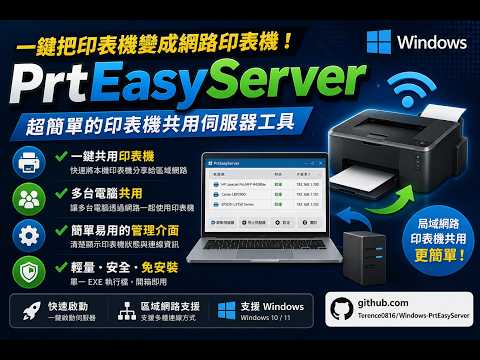

- YouTube: https://youtu.be/uwNWGIuaMrA
- Latest releases: Releases
- Official
v1.0.0.0download: PrtEasyServer.exe - The release page also shows the current download count for the official build
- Connect your printer to the Windows PC.
- Select one or more printers in PrtEasyServer and assign ports such as
9100,9200, or9300. - Start the server.
- Open the built-in web page from another PC and download the installer BAT for the target printer.
- Run the BAT on the client PC to create the TCP/IP port and install the printer with the matching driver.
Windows print server, network printer server, RAW 9100, TCP/IP printer sharing, USB printer sharing, printer host, no SMB printer sharing, IP printer setup, Windows local printer to network printer
This project is based on PrinterOne by xtieume.
Original project: https://github.com/xtieume/PrinterOne
Original attribution:
- Original Copyright (c) 2025 xtieume@gmail.com
- This repository contains modifications, UI changes, multilingual support, web installer download flow, multi-printer support, and packaging updates by Terence0816
This repository is released under the MIT License. See LICENSE.
PrtEasyServer 是一個 Windows 網路印表機伺服器,可以把本機印表機轉成 TCP/IP 網路印表機。它主打簡單的 RAW 9100 分享方式,不需要使用 Windows 網芳或 SMB 印表機分享,也不需要讓用戶碰到帳號密碼提示。
- 可同時分享多台本機印表機
- 採用 RAW 9100 列印服務,適合標準 TCP/IP 連接埠安裝
- 不使用 SMB 印表機分享,不會跳出網芳帳密問題
- 內建網頁頁面,可列出所有分享中的印表機
- 每台印表機都可下載專屬安裝 BAT
- 介面、網頁、安裝訊息支援中文與英文
- 以主機名稱為優先建立連線,較適合內部 IP 會變動的環境
- 程式啟動或伺服器啟動時可自動檢查防火牆規則
- 支援最小化到系統匣與開機自動啟動
點擊下方預覽圖即可開啟 YouTube 示範影片:
- YouTube 影片連結:https://youtu.be/uwNWGIuaMrA
- 版本下載頁面:Releases
- 正式版
v1.0.0.0:PrtEasyServer.exe - GitHub 發行頁右側與上方徽章都可以看到目前的下載次數
- 將印表機接到 Windows 電腦。
- 在 PrtEasyServer 中選擇一台或多台印表機,並指定
9100、9200、9300等連接埠。 - 啟動伺服器。
- 在其他電腦開啟內建網頁,下載對應印表機的安裝 BAT。
- 在用戶端執行 BAT,自動建立 TCP/IP 連接埠,並用對應驅動安裝印表機。
- 公司或家庭中有 USB 印表機,需要快速分享成 IP 印表機
- 不希望使用 Windows 網芳分享
- 不想讓使用者碰到帳號密碼驗證
- 分享主機的區網 IP 可能變動,但電腦名稱固定
Windows 印表機伺服器、網路印表機伺服器、RAW 9100、TCP/IP 列印、USB 印表機分享、IP 印表機、無 SMB 分享、無網芳帳密、印表機安裝 BAT
本專案基於 PrinterOne 修改而成。
原始專案:https://github.com/xtieume/PrinterOne
原作資訊:
- Original Copyright (c) 2025 xtieume@gmail.com
- 本專案由 Terence0816 進行後續修改,包含介面調整、多語系、內建網頁、安裝 BAT、多印表機支援與封裝調整
本儲存庫目前使用 MIT License,詳見 LICENSE。