



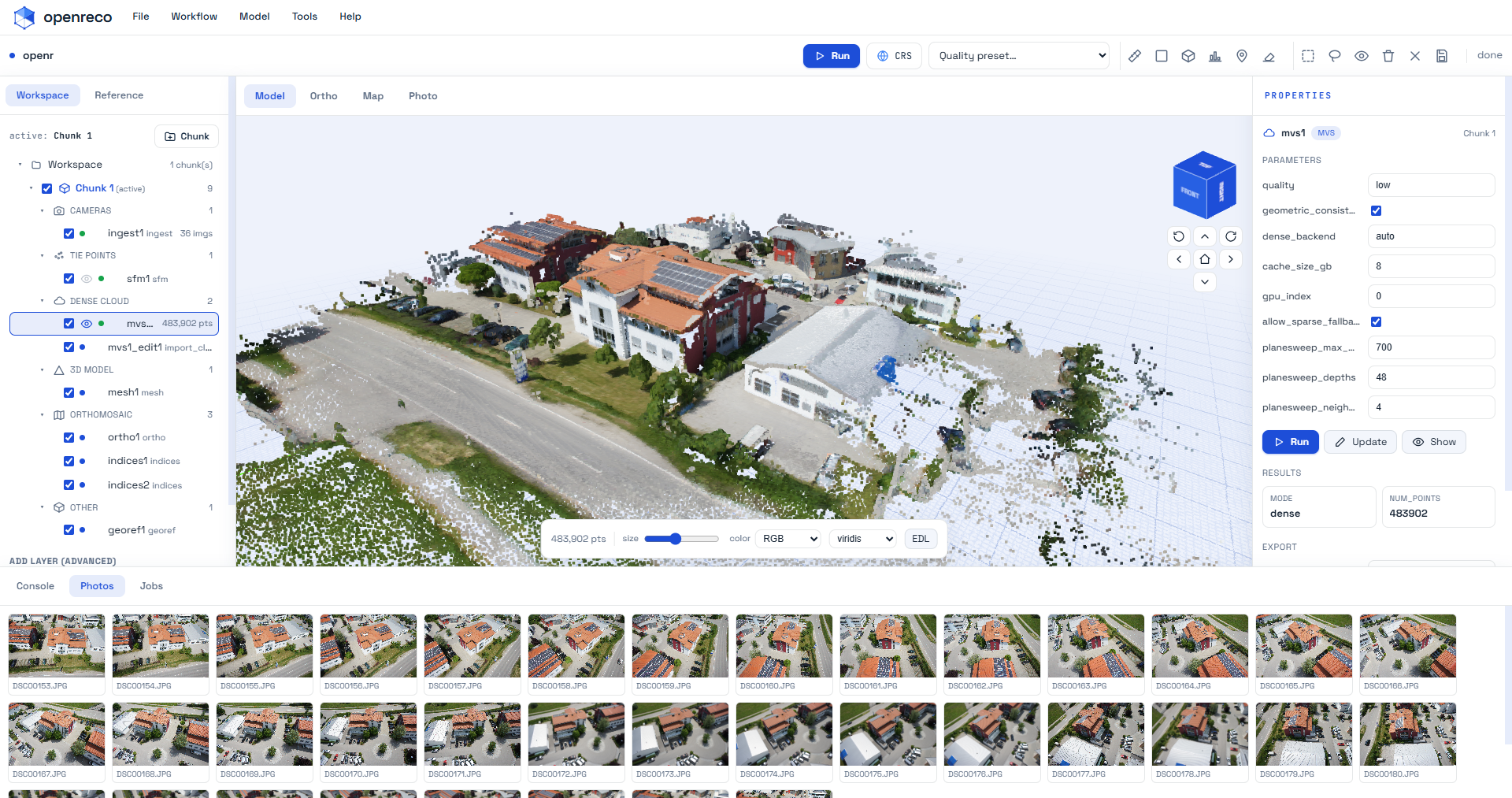
An open-source photogrammetry & 3D reconstruction platform — drone/aerial photos → georeferenced point cloud, mesh, DSM/DTM, orthomosaic, contours, and a shareable 3D web view.
The mission: build a genuinely better, fully open-source alternative to commercial photogrammetry suites — GPU-agnostic, scriptable, reproducible, and fusing classic survey-grade geometry (SfM/MVS) with modern neural appearance (3D Gaussian Splatting) over time. Built clean-room from published research and permissively-licensed open source only (BSD/MIT/Apache — no copyleft, no non-commercial). No third-party code, UI assets, or trademarks: capability parity, not copying.
Status: functional end-to-end for the UAV mapping pipeline and validated on real drone data. Early but real — see Maturity for the honest picture of what's solid vs. approximate vs. not-yet-built.
What works today · Install · Quickstart · Neural branch · Maturity · Repository layout · Contributing · Roadmap · License
photos ─▶ ingest ─▶ sfm ─▶ georef ─▶ mvs ─▶ mesh ─▶ dsm ─▶ dtm
  (EXIF/GPS,        (SIFT,   (GPS or   (dense   │      (raster  (ground
   blur cull)       incr./   GCP →     or       │       surface) filter)
                    GLOMAP)  UTM)      sparse)   ▼
                                              contours, coverage, ortho ─▶ export
                                                                              │
   PLY · LAS · OBJ · glTF · GeoTIFF · GeoJSON · three.js viewer ◀────────────┘
Everything runs on a typed DAG engine with a content-addressed cache (re-runs are no-ops; change one parameter and only the affected sub-graph recomputes; every run is reproducible and auditable). Same engine drives the CLI and the Python API.
- Pipeline stages: ingest · SfM (incremental or GLOMAP global) · georeference (EXIF-GPS or ground-control points) · dense MVS · mesh · DSM · DTM + nDSM · contours · coverage/overlap map · orthophoto · export.
- Measurements: cut/fill volume, elevation cross-section profiles.
- Exports: PLY, LAS, OBJ, glTF (.glb), GeoTIFF (DSM/DTM/ortho/coverage), GeoJSON (contours/profiles), plus a static three.js web viewer with distance measurement.
- Reproducible project format: a
project.toml"pipeline-as-code" manifest + an HTML processing report (registration, reprojection error, GPS/GCP residuals, overlap, reproducibility).
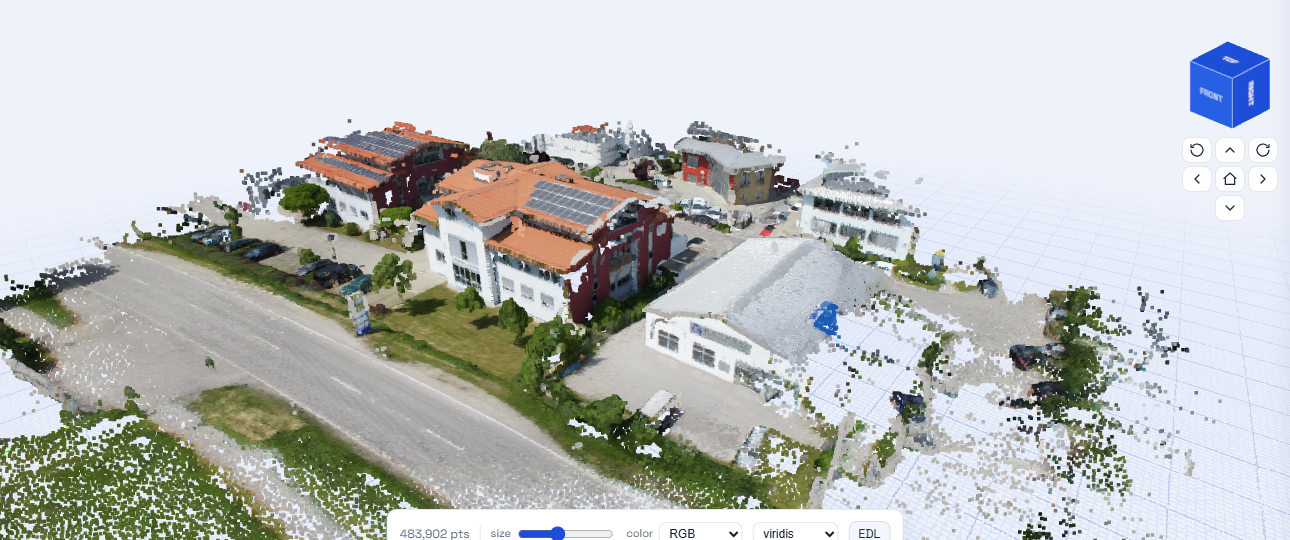
Dense MVS → mesh → texture, run end-to-end from drone photos.
- 11-image close-range set (Sceaux Castle): 11/11 registered, 0.63 px reprojection error.
- 48-image UAV set (Colorado): 48/48 registered; auto-picked EPSG:32613 (UTM 13N); GPS RMS 2.74 m, GCP RMS 0.04 m; true-elevation DSM (mean 1902 m); 38 contour levels; 21.3 M m³ volume over 6.4 ha. GeoTIFFs open correctly georeferenced in QGIS.
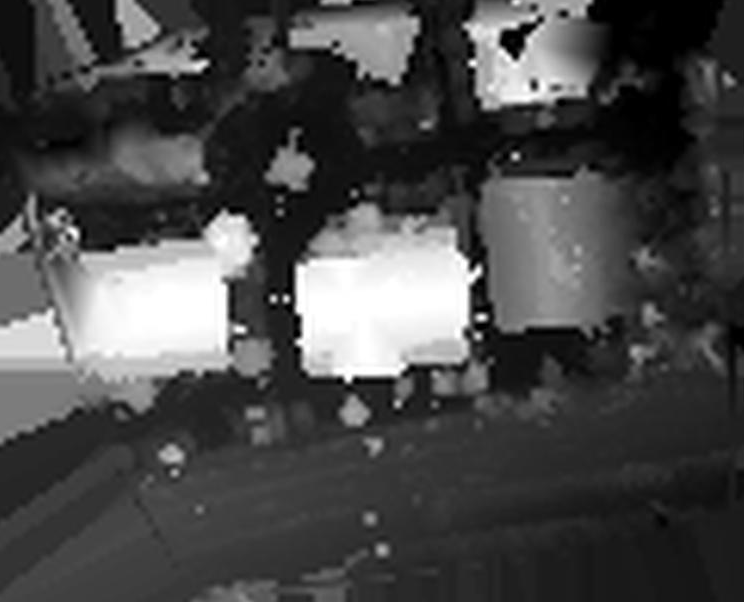
DSM — the raster the contours and volume are computed from. |
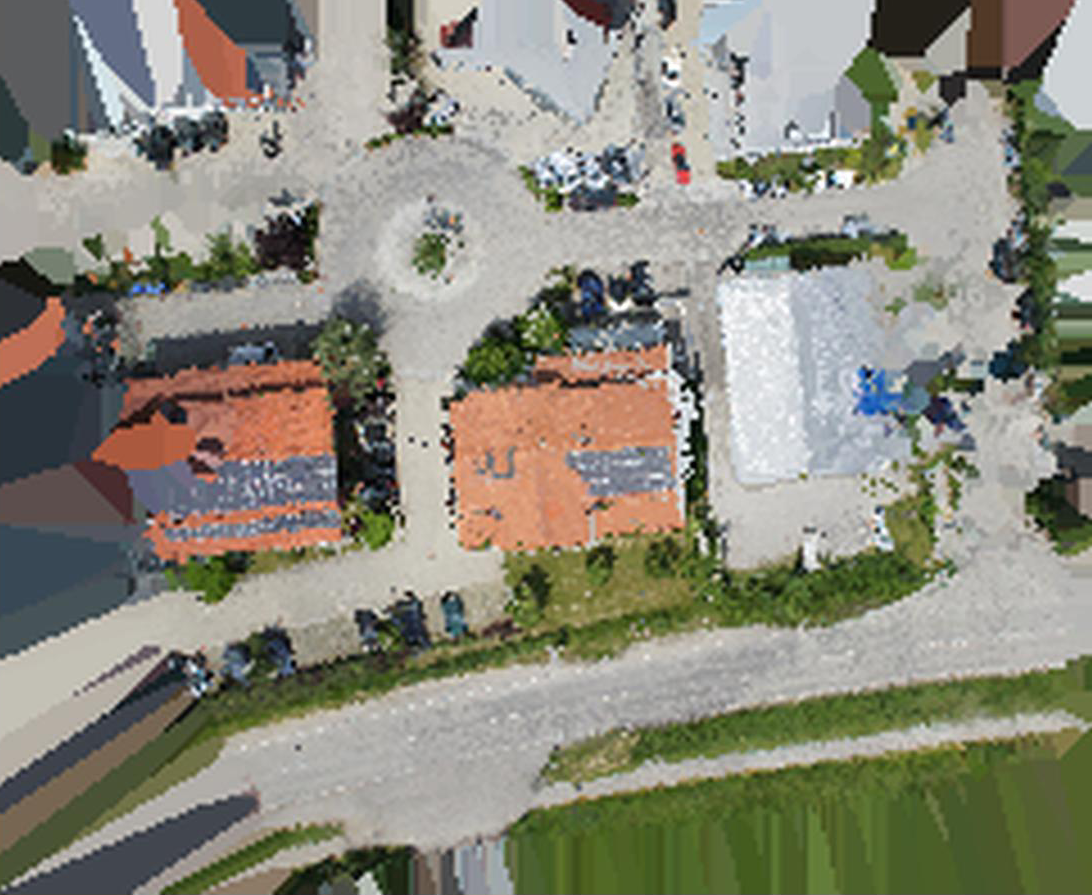
Orthomosaic GeoTIFF, opens correctly georeferenced in QGIS. |
1. Standalone executable (no Python needed). A single self-contained openreco binary per OS
(built with PyInstaller — packaging/openreco.spec). Download from CI/releases, then:
./openreco doctor                    # GPU / COLMAP / dep status
./openreco init myproject --images /photos --crs EPSG:32613
./openreco ui myproject              # or:  ./openreco run myproject
Builds for all three platforms come from the build-binaries GitHub Actions workflow — push a
version tag (v1.2.3) and it builds on Windows, macOS and Linux runners (PyInstaller can't
cross-compile) and publishes a Release with:
| Platform | Asset | Notes |
|---|---|---|
| Windows | openreco-windows-x64.zip (openreco.exe) |
SmartScreen → More info ▸ Run anyway (unsigned) |
| macOS | openreco-macos-arm64.tar.gz (openreco) |
Gatekeeper: xattr -dr com.apple.quarantine ./openreco, or right-click ▸ Open (unsigned/un-notarized) |
| Linux | openreco-linux-x64.tar.gz (openreco) |
runs on a recent glibc (Ubuntu 22.04+) |
torch is excluded to keep the size down — NVIDIA dense runs via a CUDA COLMAP binary (Windows/
Linux + NVIDIA driver), and CPU sparse always works. GPU acceleration needs the machine's own NVIDIA
driver (can't be bundled); macOS has no CUDA, so it uses the CPU path. Run openreco doctor to see
what's active on any machine.
2. From Python. If you already run Python, openreco bootstrap detects and pip-installs the
reconstruction deps for you:
pip install openreco            # base package (stdlib only)
openreco bootstrap              # detect & install the 'slice' deps (pycolmap, rasterio, …)
openreco doctor # confirmpip install -e ".[slice]" # permissive deps: pycolmap, pyproj, rasterio, scipy, laspy, pillow
openreco doctor # check GPU / CUDA-COLMAP / torch / deps are all present
python scripts/fetch_sample.py # 11-image Sceaux Castle sample (~13 MB)
openreco run samples/sceaux # photos -> shareable bundle in samples/sceaux/output/
cd samples/sceaux/output && python serve.py # then open http://localhost:8000/Start your own project — openreco init scaffolds a correctly-wired, validation-clean
pipeline (ingest → sfm → georef → mvs → mesh → texture → dsm → ortho):
openreco init myproject --images /path/to/photos --crs EPSG:32613
openreco run myproject               # headless, or:
openreco ui  myproject               # interactive desktop/web UI
openreco doctor prints the same compute probe shown in the UI's Preferences ▸ Compute, and
the Run button (and init) validate the stage wiring up front, so mis-wirings are reported
with fixes instead of failing mid-run.
GPU dense reconstruction (NVIDIA): PatchMatch stereo is CUDA-only and the PyPI pycolmap is
CPU-only, so dense MVS is driven by a CUDA-enabled COLMAP binary. The easiest path on Windows is
openreco fetch-colmap, which downloads the official CUDA build into your user data dir and wires
it in automatically (the UI also offers this on launch when an NVIDIA GPU is present but COLMAP is
missing). Otherwise point OPENRECO_COLMAP at a colmap executable (or drop the official
colmap-x64-windows-cuda build under tools/). On Linux install COLMAP via apt/conda or a
CUDA source build; macOS has no CUDA, so it uses the portable plane-sweep backend instead. The
mvs stage then runs real dense reconstruction automatically and falls back to the sparse cloud
when no GPU is present.
Desktop UI: openreco ui [project] launches a local web app — a layer tree (the DAG's
stages with live status), schema-driven parameter panels, an Add-layer palette, a Run
button with live progress, and a 3D viewport (three.js). Editing edits the manifest; the
content-addressed cache gives undo-via-diff + cheap re-runs.
CLI: run · resume · diff a.toml b.toml (predict recompute) · report · stages ·
batch <dir> · export <product> --to <fmt> · ui ·
volume <dsm.tif> --base min|mean|<elev> · profile <dsm.tif> --from X,Y --to X,Y.
Python API (mirrors the CLI 1:1):
import openreco
proj = openreco.Project.open("samples/sceaux")
out = proj.run()                       # cache-aware; re-run is a no-op
out.ok, out.stage("sfm").metrics, out.report
openreco.measure_volume("aerialdata/output/dsm.tif", base="min")
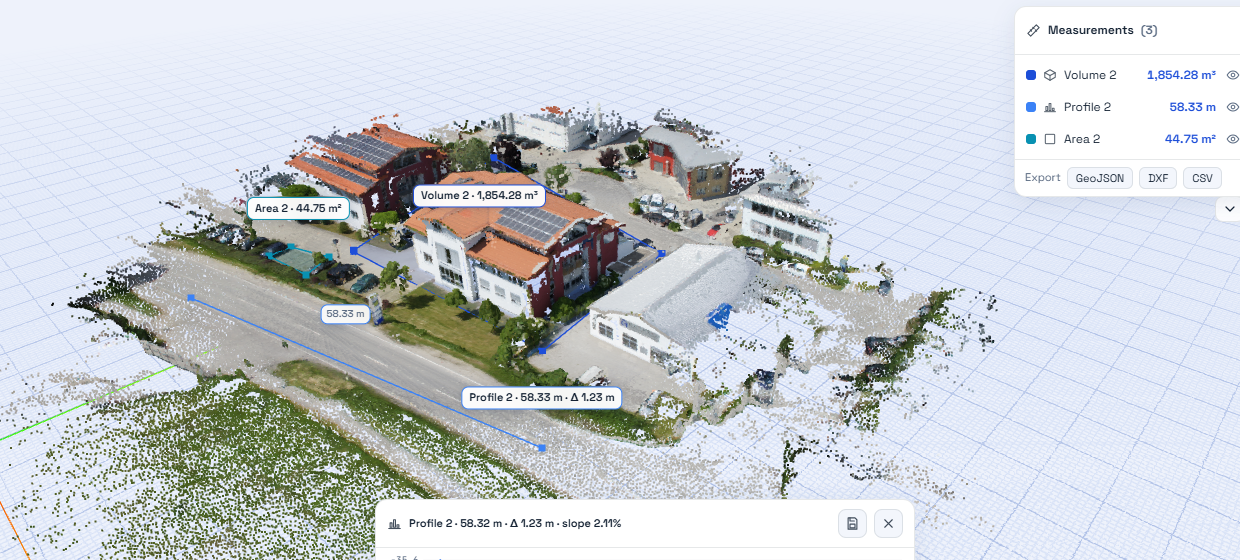
Cut/fill volume and elevation profile, computed straight off the DSM.
The splat stage trains a 3D Gaussian Splatting model on the same SfM camera solution as the
metric geometry — the hybrid that goes beyond a single fixed output: a measurable mesh and a
photoreal, real-time, view-dependent splat from one capture. It initializes Gaussians from the
sparse cloud, optimizes position/scale/rotation/opacity/color against the images via
gsplat.rasterization, and exports a standard 3DGS .ply for any splat viewer.
Setup (CUDA GPU required):
pip install torch --index-url https://download.pytorch.org/whl/cu124   # match your CUDA
pip install gsplat                                                     # JIT-compiles CUDA kernels on first use
gsplat compiles its kernels on first use, so it needs a working CUDA toolchain (nvcc + CUDA
headers + a host C++ compiler). On Linux a CUDA Toolkit install suffices; on Windows you need
the full CUDA Toolkit and MSVC — the pip nvcc wheel alone is not enough. Then add a stage:
{ id = "splat", type = "splat", inputs = ["refine", "ingest"] }.
| Area | State |
|---|---|
| DAG engine, caching, CLI, Python API, project format, report | Solid |
| SfM (incremental + GLOMAP), GPS/GCP georeferencing, DSM, contours, coverage, volumes, exports | Solid, validated on real data |
| Dense MVS (hardware-agnostic) | NVIDIA: COLMAP PatchMatch CUDA (highest quality; 265k pts on the sample). Any GPU/CPU: a portable PyTorch plane-sweep backend (CUDA/Apple-MPS/AMD-ROCm/CPU — validated on CUDA and CPU; 2.6M pts on the sample). No GPU & no torch: sparse-cloud fallback. Auto-selected by compute.select_dense_backend. |
| Orthophoto, DTM | Approximate — point-cloud (not image-resampled) ortho; morphological (DSM-based) DTM |
| Texturing | Solid — decimate + UV-unwrap (xatlas) + atlas bake from the best source image → textured OBJ/MTL/PNG. (Single best image per face; multi-image blending / PBR are next.) |
| Multi-image texture blending / PBR · GUI · cloud/collaboration · learned matching · USD/COPC/3D-Tiles | Not yet — see roadmap |
Neural 3D Gaussian Splatting (splat stage) |
Implemented, environment-gated — trains on the shared SfM poses via gsplat, exports a standard 3DGS .ply. Needs torch+CUDA and a gsplat-capable CUDA toolchain (nvcc + headers + host compiler); not validated on this Windows box (no full CUDA Toolkit). See Neural branch. |
openreco/
  engine/     DAG scheduler · content-addressed cache · Stage protocol · manifest · runner · report
  stages/     ingest sfm georef mvs mesh dsm dtm contours coverage ortho export  (one file each)
  io/         images(EXIF) · pointcloud(PLY/LAS/OBJ) · gltf · raster(GeoTIFF)
  geo/        crs · align(GCP triangulation+Umeyama) · footprint · contour
  measure.py  volume + cross-section profile
  api.py      Project (open/create/add_stage/run/diff/save) ; cli.py
  viewer/     static three.js template
docs/         01 discovery · 02 product plan · 03 architecture · 04 pipeline spec · 05 roadmap
tests/        200+ tests (engine + stage math); `pytest -m "not slow"` for the fast set
scripts/      fetch_sample.py · check_licenses.py (permissive-only CI gate)
Design and decisions live in docs/ — start with 03-architecture.md and 05-roadmap.md.
- Add a stage: implement the
Stageprotocol (openreco/engine/stage.py), register it, declareinputsin a manifest. The engine handles caching/scheduling/reporting. Bump a stage'sversionwhen its output semantics change so the cache invalidates correctly. - Keep it permissive:
python scripts/check_licenses.py --extras slicemust pass — no copyleft/non-commercial dependencies. This is enforced in CI. - Tests + lint:
pytest -m "not slow"andruff check .before a PR; prefer pure-function cores (e.g.geo/align.py,geo/contour.py) so math is testable without heavy deps.
Multi-image texture blending + de-lighting → PBR · neural branch (3D Gaussian Splatting on shared SfM poses) · learned matching · point-cloud ground classification (true DTM) · USD/COPC/3D-Tiles streaming · desktop GUI & browser collaboration. Full plan in docs/05-roadmap.md.
MIT — see LICENSE. OpenReco depends only on permissively-licensed components.