





Like the project? Have too much money? Buy me a coffee or something! ☕️
A self-hosted web app for creating, sharing and collaborating on wishlists - without ruining the surprise.
Share gift ideas, see which ones are already taken, and avoid the awkward “oh… you also bought that…” moment.
- Create wishlists and add wishes
- Collaborate with friends & family on the shared wishlists
- Create groups to share wishlists with multiple people
- Claim wishes anonymously (others see it's taken - owner does not)
- UI is not yet fully optimized for small screens
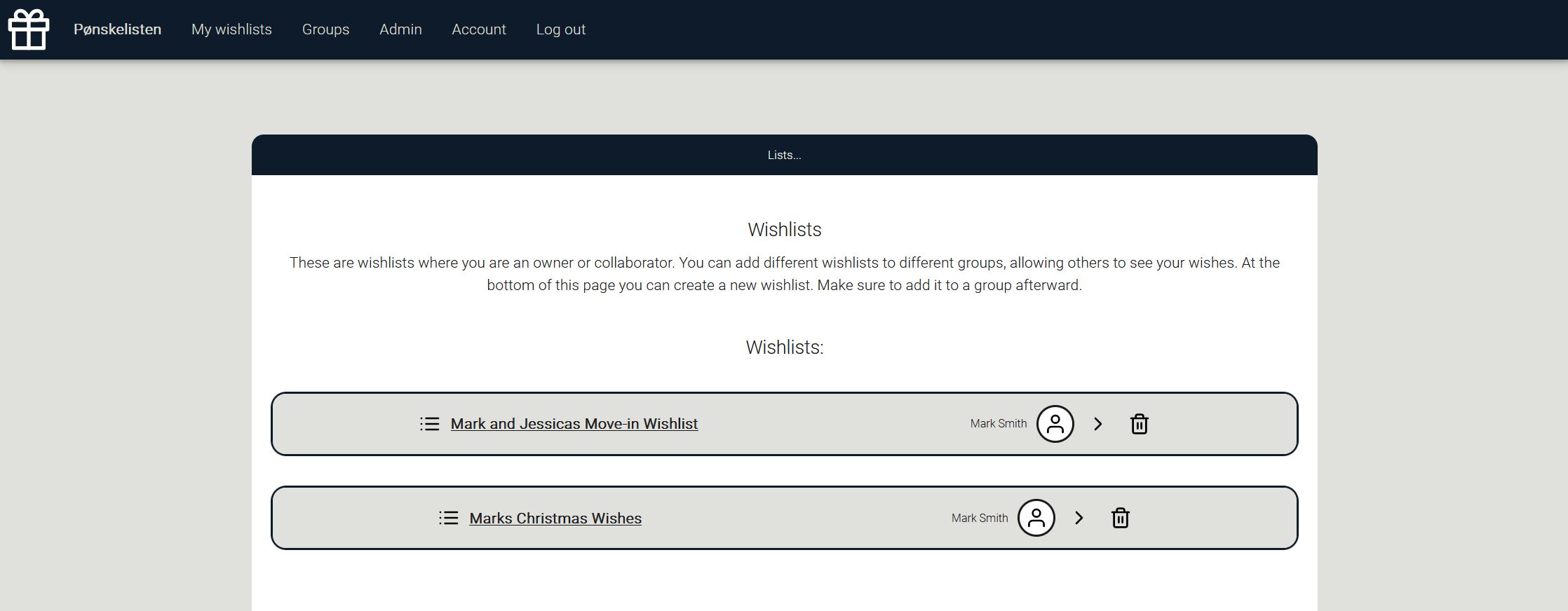
Pønskelisten is flexible to host. Choose your path:
| Method | Difficulty | Notes |
|---|---|---|
| ⭐Docker | Easiest | You need to run your instance in a Docker container |
| Download executable | Easy | Choose the correct executable for your system |
| Build from source | Medium | You need to have Go installed |
Pønskelisten currently supports:
| Database | Status | Notes |
|---|---|---|
| ⭐SQLite | ✅ Fully supported | DB file is handled by Pønskelisten |
| PostgreSQL | ✅ Fully supported | Requires a running PostgreSQL instance |
| MySQL | ✅ Fully supported | Requires a running MySQL instance |
You can configure Pønskelisten in three different ways:
| Method | Ideal for | Notes |
|---|---|---|
| ⭐Environment variables | Docker | Add the environment variables to your Dockerfile or docker-compose.yaml |
| Startup flags | Executables | Adding a flags to the startup command alters something in the configuration file |
| config.json | Access to file system | Pønskelisten generates the file on the first run. Can be altered in a text editor afterward |
| Config file entry | Startup flag | Environment variable | Type | Description |
|---|---|---|---|---|
| poenskelisten_port | port | port | int | Port to run on (default: 8080) |
| poenskelisten_external_url | externalurl | externalurl | string | Public URL of the instance |
| poenskelisten_environment | environment | environment | string | production or test |
| poenskelisten_test_email | testemail | testemail | string | E-mail destination when in test |
| poenskelisten_name | name | name | string | Display name of the app |
| poenskelisten_description | description | description | string | Description of the app |
| poenskelisten_log_level | loglevel | loglevel | string | How detailed the logs are. info, debug or trace |
| timezone | timezone | timezone | string | E.g. Europe/Oslo |
N/A |
generateinvite | generateinvite | bool | Generate an invite code on startup. Do generateinvite true |
| db_type | dbtype | dbtype | string | sqlite, postgres or mysql |
| db_ip | dbip | dbip | string | DB host |
| db_port | dbport | dbport | int | DB port |
| db_username | dbusername | dbusername | string | DB username |
| db_password | dbpassword | dbpassword | string | DB password |
| db_name | dbname | dbname | string | Database name |
| db_ssl | dbssl | dbssl | bool | Use SSL for DB |
| smtp_enabled | disablesmtp | disablesmtp | bool | Disable/enable email functions |
| smtp_host | smtphost | smtphost | string | SMTP host |
| smtp_port | smtpport | smtpport | int | SMTP port |
| smtp_username | smtpusername | smtpusername | string | SMTP user |
| smtp_password | smtppassword | smtppassword | string | SMTP password |
| smtp_from | smtpfrom | smtpfrom | string | Sender email address |
services:
  poenskelisten-app:
    container_name: poenskelisten-app
    image: ghcr.io/aunefyren/poenskelisten:latest
    restart: unless-stopped
    ports:
      - "8080:8080"
    environment:
      PUID: 1000
      PGID: 1000
      dbtype: sqlite
      timezone: Europe/Oslo
      generateinvite: true
    volumes:
      - ./files/:/app/files/:rw
      - ./images/:/app/images/:rw
Remove generateinvite after first run to stop generating codes on start up.
services:
  db:
    container_name: poenskelisten-db
    image: postgres:16
    restart: unless-stopped
    environment:
      POSTGRES_DB: poenskelisten
      POSTGRES_USER: myuser
      POSTGRES_PASSWORD: mypassword
    volumes:
      - ./db/:/var/lib/postgresql/data/:rw

  poenskelisten-app:
    container_name: poenskelisten-app
    image: ghcr.io/aunefyren/poenskelisten:latest
    restart: unless-stopped
    ports:
      - "8080:8080"
    environment:
      PUID: 1000
      PGID: 1000
      dbtype: postgres
      dbip: db
      dbport: 5432
      dbname: poenskelisten
      dbusername: myuser
      dbpassword: mypassword
      timezone: Europe/Oslo
      generateinvite: true
    depends_on:
      - db
    volumes:
      - ./files/:/app/files/:rw
      - ./images/:/app/images/:rw
Remove generateinvite after first run to stop generating codes on start up.
-
Reverse proxy for access outside of home network (Caddy, Traefik, Nginx)
-
Adminer or phpMyAdmin (if you like UI DB tools, but not required anymore)
-
First registered user becomes admin
-
Additional invite codes can be created in the admin panel
-
If you lose access: restart with generateinvite=true
Requires Go installed:
go build
./poenskelisten
Add flags to configure:
./poenskelisten -port 9000 -dbtype postgres -generateinvite trueA Norwegian wordplay. “Ønskeliste” = wishlist, “pønske” = plot/plan. So… “The plotting list”.
Not at the moment.
Yes - improvements planned.
Contributions, issues and feature requests are welcome. Feel free to open a Pull Request or Issue.
If you enjoy using Pønskelisten and want to support development:
Buy me a coffee