██████╗ ██████╗ ███╗   ███╗██╗         ████████╗ ██████╗
██╔══██╗██╔══██╗████╗ ████║██║         ╚══██╔══╝██╔═══██╗
██║  ██║██████╔╝██╔████╔██║██║            ██║   ██║   ██║
██║  ██║██╔══██╗██║╚██╔╝██║██║            ██║   ██║   ██║
██████╔╝██████╔╝██║ ╚═╝ ██║███████╗       ██║   ╚██████╔╝
╚═════╝ ╚═════╝ ╚═╝     ╚═╝╚══════╝       ╚═╝    ╚═════╝

███████╗ ██████╗ ██╗     ███╗   ███╗ ██████╗ ██████╗ ███████╗██╗
██╔════╝██╔═══██╗██║     ████╗ ████║██╔═══██╗██╔══██╗██╔════╝██║
███████╗██║   ██║██║     ██╔████╔██║██║   ██║██║  ██║█████╗  ██║
╚════██║██║▄▄ ██║██║     ██║╚██╔╝██║██║   ██║██║  ██║██╔══╝  ██║
███████║╚██████╔╝███████╗██║ ╚═╝ ██║╚██████╔╝██████╔╝███████╗███████╗
╚══════╝ ╚══▀▀═╝ ╚══════╝╚═╝     ╚═╝ ╚═════╝ ╚═════╝ ╚══════╝╚══════╝






Generate FastAPI + SQLModel + FastCRUD + SQLAdmin applications from a DBML schema.
dbml-to-sqlmodel turns a DBML database schema into a ready-to-run,
modular FastAPI project: SQLModel models, FastCRUD routers, an optional SQLAdmin panel,
and a wired-up application — in a single command.
- Generate SQLModel models from a DBML schema
- Auto-generate CRUD routers powered by FastCRUD
- Produce a FastAPI application with ready-to-use endpoints
- Optional SQLAdmin admin panel
- Preview mode to inspect changes before applying them
- Protection for your manual edits in generated files (
USER_MODIFIEDmarker) - Reverse conversion: generated code back to DBML
- Interactive CLI and direct commands
- Python 3.11+
- uv (recommended) or any other Python environment manager
pip install dbml-to-sqlmodel# Install with runtime dependencies
pip install "dbml-to-sqlmodel[runtime]"
# Or install the runtime dependencies separately in your project
pip install "fastapi[all]" sqlmodel fastcrud sqladmin aiosqlite
# Or, when working inside this repository
uv sync --extra runtimeCreate a schema.dbml file describing your database. For example:
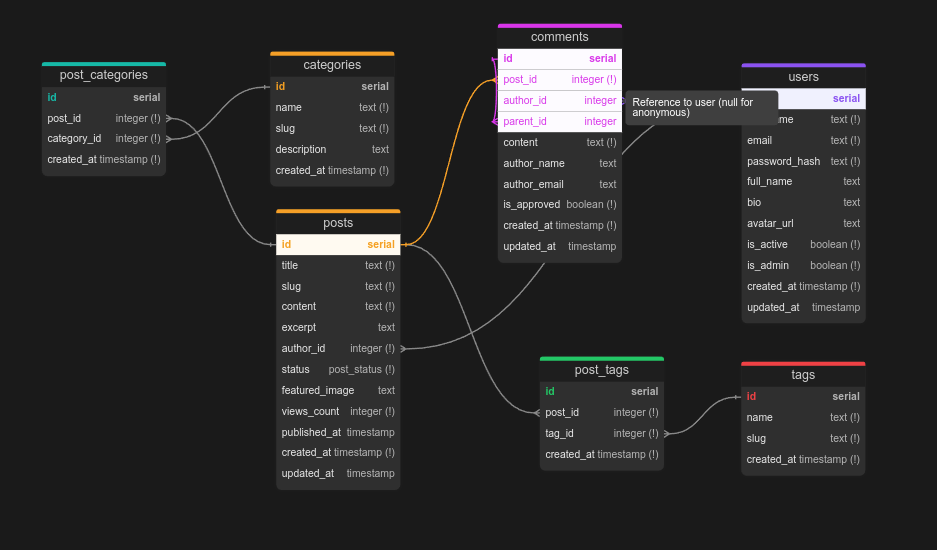
Table users {
  id integer [primary key]
  username varchar(255) [not null, unique]
  email varchar(255) [not null, unique]
  created_at timestamp [default: `now()`]
}

Table posts {
  id integer [primary key]
  title varchar(255) [not null]
  content text
  user_id integer [ref: > users.id]
  created_at timestamp [default: `now()`]
}
dbml-to-sqlmodel generate schema.dbml -o outputOr launch the interactive mode:
dbml-to-sqlmodel
# or the alternative command
dbml2sm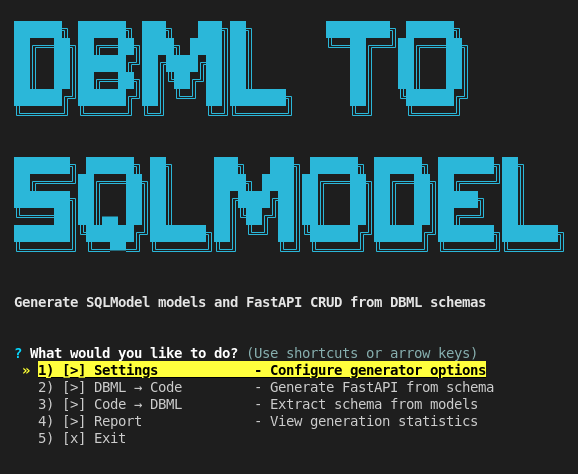
After generation, all SQLModel objects and their FastCRUD routers are created
automatically in the target directory.
cd output
echo "DATABASE_URL=sqlite+aiosqlite:///./database.db" > .env

# Install the runtime dependencies if they are not installed yet
pip install "dbml-to-sqlmodel[runtime]"python main.py
# From this repository you can also run it via Make.
# `make run` first installs the runtime dependencies (uv sync --extra runtime)
# and then starts the server; `make dev` does the same with hot reload.
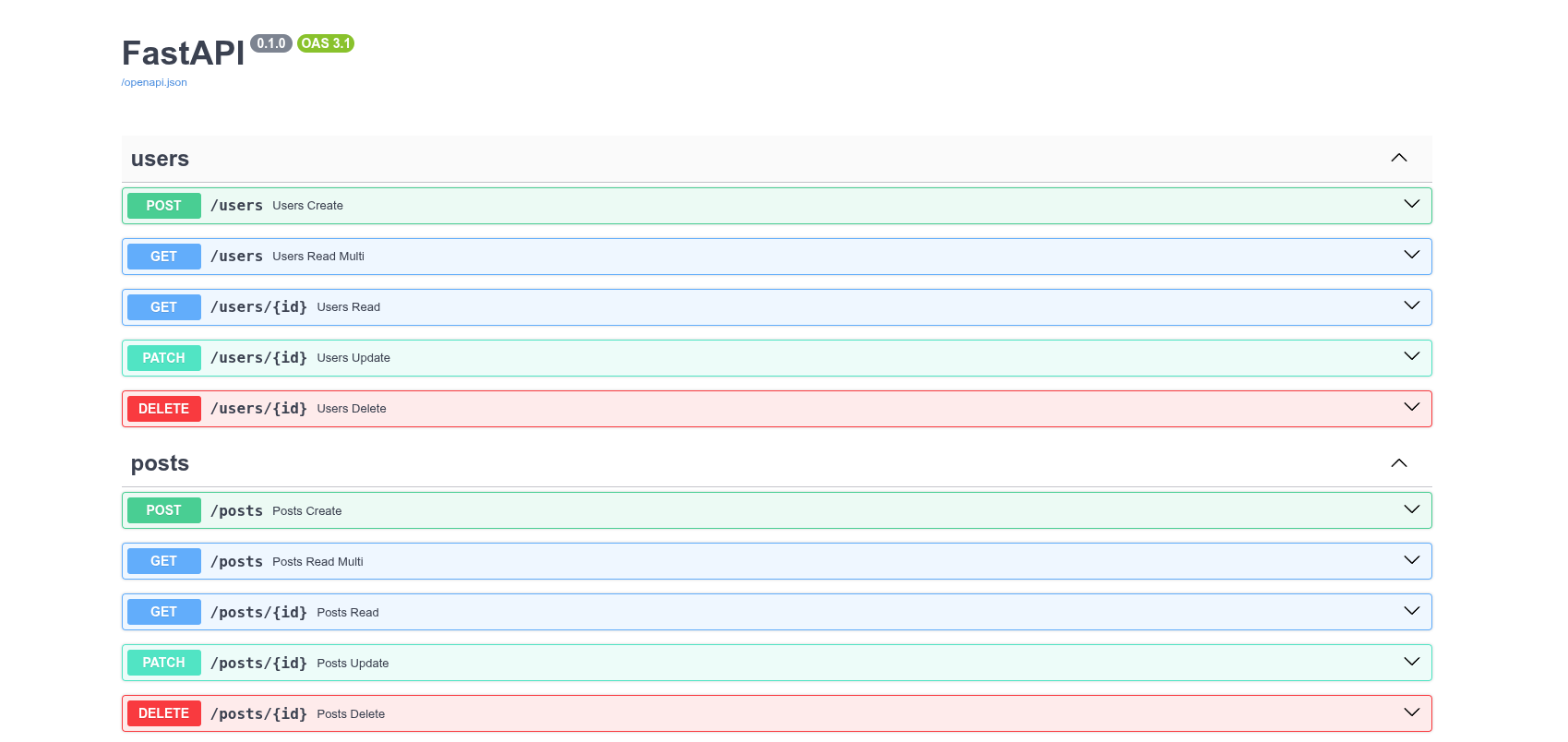
make run- API documentation:
http://localhost:8001/docs
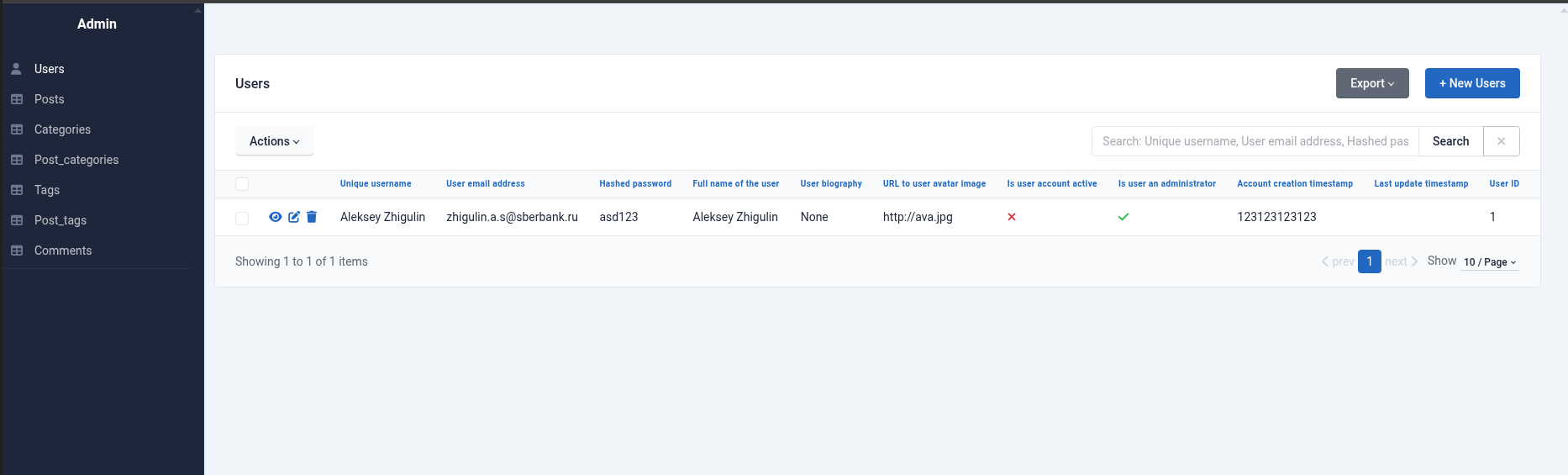
- SQLAdmin panel:
http://localhost:8001/admin
The generator produces a modular project with a dedicated directory per table:
output/
├── main.py              # FastAPI application
├── admin.py             # SQLAdmin configuration
├── requirements.txt     # Dependencies
└── models/
    ├── __init__.py      # Exports all models
    ├── users/
    │   ├── model.py     # SQLModel classes (Users, UsersCreate, UsersUpdate)
    │   ├── crud.py      # FastCRUD router
    │   └── __init__.py
    ├── posts/
    │   ├── model.py
    │   ├── crud.py
    │   └── __init__.py
    └── ... (one directory per table)
For a detailed description of the structure, see the CLI Guide.
dbml-to-sqlmodel is a code generator: you need it while developing (to scaffold
and regenerate code from your schema), but the running application never imports it.
The recommended setup is therefore:
- add the generator itself as a development dependency, and
- add the libraries the generated app uses as your project's runtime dependencies.
# uv (recommended)
uv add --dev dbml-to-sqlmodel

# Poetry
poetry add --group dev dbml-to-sqlmodel

# pip (e.g. into requirements-dev.txt)
pip install dbml-to-sqlmodelThe generated project imports FastAPI, SQLModel, FastCRUD, SQLAdmin and an async database driver. Add them as regular (runtime) dependencies of your project:
uv add "fastapi[all]" sqlmodel fastcrud sqladmin aiosqlite greenlet
greenletis required by SQLAlchemy's async engine and is not auto-installed on every platform/Python combination, so add it explicitly — otherwise the app fails to start withthe greenlet library is required.
- Keep
schema.dbmlunder version control and treat it as the single source of truth. - Regenerate the code whenever the schema changes:
uv run dbml-to-sqlmodel generate schema.dbml -o output
- Preview the changes before applying them to an existing project:
uv run dbml-to-sqlmodel preview schema.dbml -o output
- Protect any file you edit by hand with a
# USER_MODIFIEDmarker (see Protecting Your Modifications); such files are kept on regeneration unless you pass--force. - If you adjusted the models by hand, you can sync the schema back from the code:
uv run dbml-to-sqlmodel code-to-dbml output -o schema.dbml
- Commit both
schema.dbmland the generated code so the repository stays reproducible.
Full CLI reference: CLI Guide.
Everywhere dbml-to-sqlmodel can be replaced with the shorter dbml2sm.
# Interactive CLI mode
dbml-to-sqlmodel

# Generate the application
dbml-to-sqlmodel generate schema.dbml -o output

# Preview changes
dbml-to-sqlmodel preview schema.dbml

# Schema information
dbml-to-sqlmodel info schema.dbml

# Reverse conversion: code -> DBML
dbml-to-sqlmodel code-to-dbml output -o schema.dbml

# Show the installed version
dbml-to-sqlmodel --versionCreate a .env file in the project root:
DATABASE_URL=sqlite+aiosqlite:///./database.dbTo enable authentication for the admin panel:
dbml-to-sqlmodel generate schema.dbml --admin-authAdd the following to .env:
ADMIN_USER=admin
ADMIN_PASS=your-secure-password
ADMIN_SECRET=your-secret-key-must-be-at-least-32-characters-long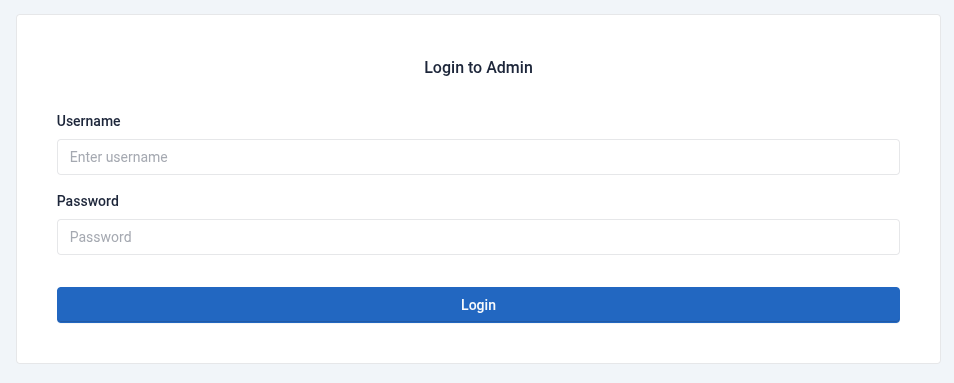
Other configuration options are described in the CLI Guide.
If you edit generated files and want to protect them from being overwritten on regeneration, add the following comment at the top of the file:
# USER_MODIFIEDFiles with this marker are not overwritten unless you pass the --force flag.
Supported relationship types:
- One-to-Many:
ref: > table.column - Many-to-One:
ref: < table.column - One-to-One:
ref: - table.column
Example:
Table posts {
  id integer [primary key]
  user_id integer [ref: > users.id]  // Many-to-One
}
- CLI Guide — full command reference and usage examples
- Changelog
- Contributing
Contributions are welcome! Please read the contributing guidelines before opening a pull request.
This project is licensed under the terms of the MIT License.