Tesla custom light-show set to Happy Birthday. See instructions below for using it in your car and feel free to raise a pull-request to improve it further!
Demo video:
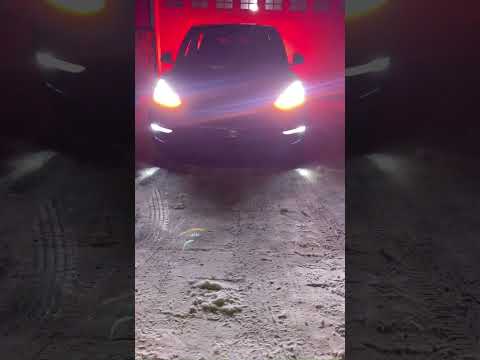
Xlight sequence:

Like it? Consider donating to St. Jude Children Hospital.
The process is very easy - don't be overwhelmed by the steps below. You just need 2 files in a USB flash drive for your car to read from. Please see the detailed steps below.
- Must be formatted as exFAT, FAT 32 (for Windows), MS-DOS FAT (for Mac), ext3, or ext4. NTFS is currently not supported.
- Must not contain a base-level TeslaCam folder.
- Must not contain any map update or firmware update files.
- Must contain a base-level folder called "LightShow" (without quotation marks and case sensitive).
- The LightShow folder must contain 2 files:
- "lightshow.fseq"
- "lightshow.mp3" or "lightshow.wav" (wav is recommended)
- Instructions for getting the contents of LightShow folder below.
-
You need a flash-drive to load the light-show files into your vehicle. Make sure it is prepared as described above.
-
Download the latest Happy Birthday light-show files from releases here.
-
Uncompress the .zip file into a folder named LightShow in the root of your flash-drive.
-
Insert the flash drive into one of the front USB or USB-C ports, or glovebox USB port, then wait a few seconds.
-
In Toybox, select Light Show and tap Start The Show. If the files on the USB flash drive meet the requirements, then the custom show will be used instead of the built-in show.

-
As the custom light show loads, the status at the bottom of the popup cycles through "Loading lightshow.fseq" and "Loading light show...". When the status becomes "Light show ready!", you can exit the vehicle and the custom show will start.


- Follow the instructions in teslamotors/light-show repo.
- [
⚠️ important] Instead of the examples sequence mentioned in the instructions above, use the sequence in this repo.
- Happy Birthday song credit: Alexander Blu
- Song: Happy Birthday Piano Music (Traditional Song)
- Licence: The song is permitted for non-commercial use under license ìAttribution-NonCommercial 4.0 International (CC BY-NC 4.0)î"
- From: http://www.orangefreesounds.com/
- Tesla Motors for adding support for custom light shows!