

Classroom Manager is a FastAPI web dashboard, built as a JupyterHub service for classroom management for teachers. It provides an intuitive dashboard for non-technical staff to manage a cohort ot students on Jupyter notebooks.
Classroom Manager allows staff to add students, manage their server statuses, and assign students to classrooms.
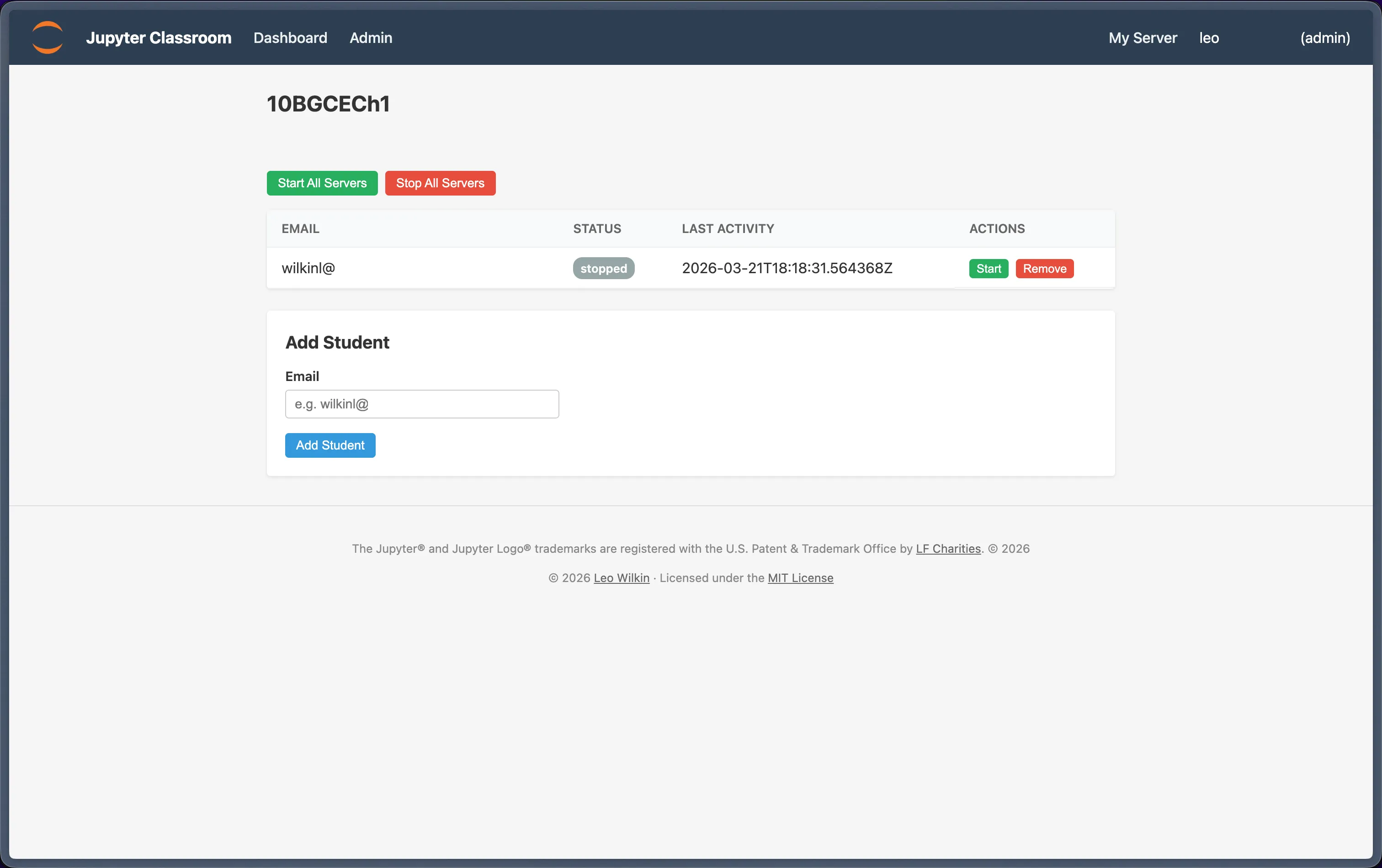
This doesn't need a database, so there's no extra infrastructure overhead - JupyterHub manages the deployment.
Authentication is managed by JupyterHub itself, so if you want to use something like Microsoft Azure authentication, or Google OAuth, configure this with JupyterHub as you'd usually do.
- JupyterHub 5.x+
- Python 3.10+
jupyter-collaboration(for real-time collaboration features)
sudo /opt/tljh/hub/bin/pip install jupyter-classroomFor a full quick-start guide, see the documentation.
Add this to your jupyterhub_config.py:
c.JupyterHub.services = [
    {
        "name": "classroom-manager",
        "url": "http://127.0.0.1:10101",
        "command": ["jupyter-classroom"],
        "oauth_client_allowed_scopes": ["identify"],
    },
]

c.JupyterHub.load_roles = [
    {
        "name": "classroom-manager-role",
        "services": ["classroom-manager"],
        "scopes": [
            "list:users",
            "read:users",
            "admin:users",
            "admin:servers",
            "admin:groups",
            "read:groups",
            "list:groups",
        ],
    },
    {
        "name": "user",
        "scopes": [
            "self",
            "access:services!service=classroom-manager",
        ],
    },
]Teachers can join any student's notebook session in real-time for live collaboration. This requires jupyter-collaboration installed in the singleuser environment:
sudo /opt/tljh/user/bin/pip install jupyter-collaborationThen add this to your jupyterhub_config.py to enable collaborative mode on all servers:
c.Spawner.args = ["--LabApp.collaborative=True"]Alternatively, to enable it selectively (e.g. only for specific groups), use a pre_spawn_hook:
def pre_spawn_hook(spawner):
    # Enable RTC for all users
    spawner.args.append("--LabApp.collaborative=True")

c.Spawner.pre_spawn_hook = pre_spawn_hook
With RTC enabled, teachers can click "Join" on any running student server in the Classroom Manager dashboard to open the student's JupyterLab and collaborate in real-time.
We use nbgitpuller on our instance to make it easier to pull from our Jupyter notebook Git source! It's a fantastic tool for one-click setup, through links configured on nbgitpuller's documentation.