Live preview: execly-online.vercel.app
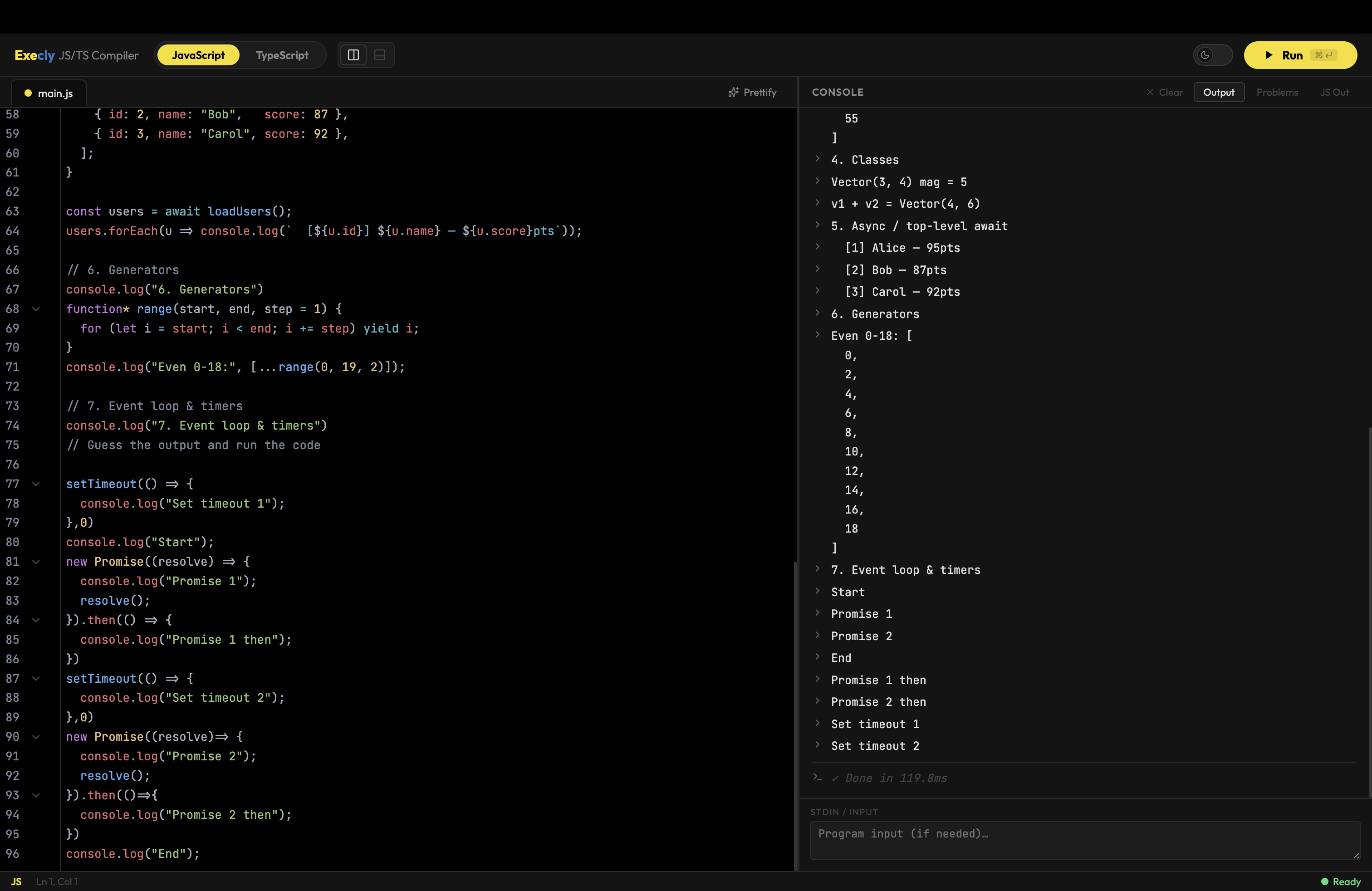
An in-browser JavaScript and TypeScript compiler/playground built with React + Vite. No server required — all compilation and execution happens in your browser tab.
- JavaScript execution via Babel transpilation + sandboxed
new Function - TypeScript compilation via the official
tscAPI (ts.transpileModule) and full type diagnostics (ts.createProgram) - CodeMirror 6 editor with syntax highlighting, bracket matching, inline lint markers, and custom SVG fold-gutter chevrons
- Light / Dark theme toggle — dark (One Dark) and light (Solarized Light) palettes, wired to CodeMirror via a dynamic compartment
- Layout toggle — switch between left/right and top/bottom split-pane arrangements
- Problems panel showing TS type errors / JS style warnings with line/col info
- JS Out panel showing the compiled output of your TS or Babel-transpiled JS
- Resizable editor / output split pane
- Status bar with cursor position and live error/warning count
stdininput area (available to code at runtime as needed)- SVG icon components for all UI controls (no emoji or unicode glyphs)
| Layer | Package |
|---|---|
| UI framework | React + Vite |
| Editor | CodeMirror (codemirror, @codemirror/*) |
| TS compilation | typescript (official npm package, runs in-browser) |
| JS transpilation | @babel/standalone |
| Dark theme | @codemirror/theme-one-dark |
| Light theme | Solarized Light (custom CodeMirror theme) |
| Linting | @codemirror/lint |
# Install dependencies
npm install

# Start dev server
npm run dev

# Build for production
npm run build
Then open http://localhost:5173.
src/
  components/
    TopBar.tsx        # Language switcher, layout toggle, theme toggle, Run button
    Editor.tsx        # CodeMirror editor (forwardRef), theme compartment
    OutputPanel.tsx   # Output / Problems / JS Out tabs + stdin + Clear button
    StatusBar.tsx     # Bottom bar — lang, cursor, error count
    Resizer.tsx       # Drag-to-resize handle between panes
    Icons.tsx         # SVG icon components (Play, Moon, Sun, LayoutLR, LayoutTB, …)
  utils/
    templates.ts      # Default JS and TS starter snippets
    linter.ts         # getJSLint, getTSDiagnostics, getCM6Diagnostics
    runner.ts         # compileTS (tsc), transpileJS (Babel), execute (sandbox)
    format.ts         # esc(), fmtArgs() helpers
  App.tsx             # Root component — all state lives here
  App.css             # All styles (dark/light themes, layout, CM6 overrides)
  main.tsx            # ReactDOM entry point
index.html
vite.config.js
| Shortcut | Action |
|---|---|
⌘ / Ctrl + Enter |
Run code |
⌘ / Ctrl + K |
Clear console |
⌘ / Ctrl + / |
Toggle comment (via CM6 default keymap) |
Tab |
Indent |
Shift + Tab |
Unindent |