
Through SpaceApp's maker, oll4.com, since October 2026. Membership in a program is not an endorsement of SpaceApp by Anthropic, OpenAI or NVIDIA.
© 2025 NVIDIA, the NVIDIA logo, and NVIDIA Inception are trademarks and/or registered trademarks of NVIDIA Corporation in the U.S. and other countries.
SpaceApp is a member of NVIDIA Inception.
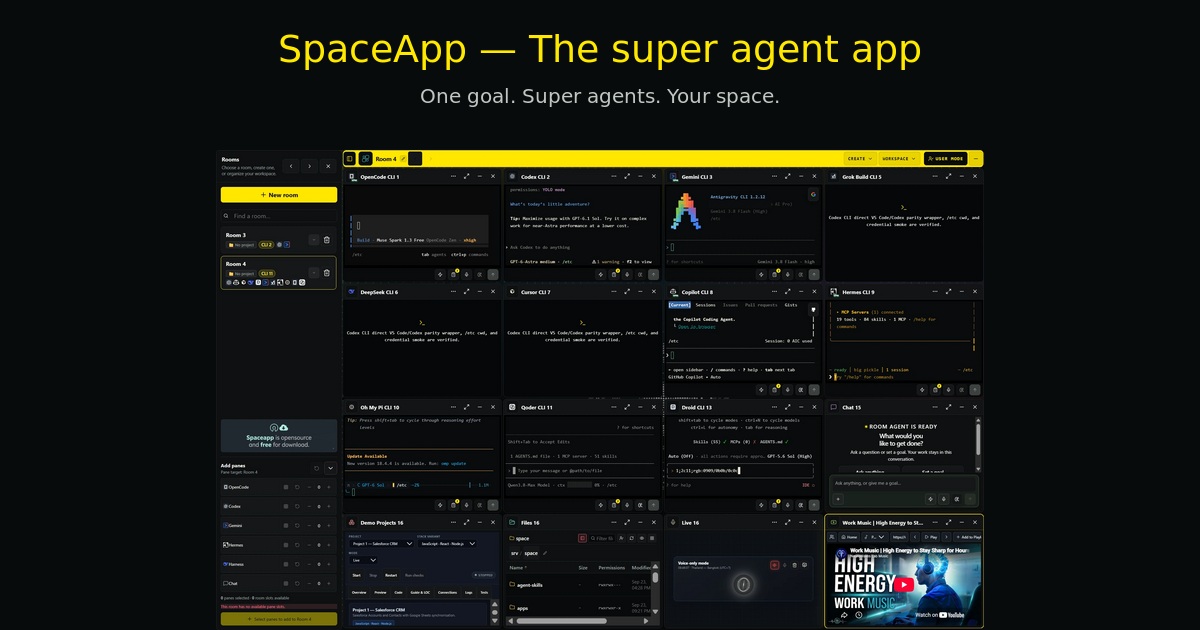
Your AI coding agents, one mind that runs them, your memory, your logins and your model accounts,
in one self-hosted workspace on any device.









Run OpenCode, OpenAI Codex, Claude Code, Google Gemini, Qwen, Kimi, Grok, and DeepSeek concurrently in persistent rooms on your own machine. Rooms organize sessions; they are not a security boundary between mutually untrusted users.
Install it on Linux, macOS or Windows 11 with one command. Docker is installed for you if it is missing:
npx --yes run-spaceapp@latest installFree to self-host · MIT License · your own AI accounts. Full install guide ↓
| Talk to one mind instead of to every agent. It does the routine work itself and brings you only the decisions that need you. | OpenCode, Codex, Claude Code, Gemini and twelve more side by side, each on your own account. | Mail, Job, Marketing, Freelance, Security and Monitoring: the work around the code, with as much autonomy as you choose. |
| Design, Video and App Studio make graphics, videos and mobile apps for any agent that asks. | The Vault fills your logins for agents without showing them; Space Gateway uses your subscriptions first and your API key last. | One install on your own machine, and the same rooms, panes and agents on your computer, phone or tablet. |
Nous (Greek νους, "mind") sees every room, pane, copilot and plan. You talk to it instead of to every agent: it does the routine work itself and brings you only the decisions that need you.
flowchart LR
    rooms["Your rooms<br/>panes · copilots · plans · releases"]
    nous(("Nous"))
    you["You<br/>release · delete · third parties · direction"]
    rooms -- "progress reports" --> nous
    nous -- "next steps, helpers, memory" --> rooms
    nous -- "only the decisions that need you" --> you
    classDef mind fill:#FFE14D,stroke:#111111,color:#111111,font-weight:bold;
    class nous mind;
- It knows what every agent does. It reads each pane's progress reports instead of its screen, so it knows what each agent works on and what it waits for.
- It does the routine work. It opens and closes panes, sends them their next step, runs helpers side by side and saves finished work to memory.
- It asks you only four kinds of decisions: releases, deletes, anything that reaches third parties or money, and the direction of the work.
- Goals. Type
/goaland your objective in your own words; Nous breaks it into plans, panes and helpers and keeps working on it in turns of its own until it is done. - Needs you. When an agent needs your hands or an answer, you get one request with a question and options, on screen, on your phone or in Telegram; requests for your hands wait for the morning.
- Plan map. Every open plan, what it waits on, its dates and what to unblock first.
- It watches your AI quotas and spends less while they run low.
Nous starts off on a new install; turn it on with Work on my behalf in its dock.
16 AI coding CLIs · 6 copilots · 3 studios · 10 more panes: every kind of work has its pane, side by side in your rooms. The tools guide describes each one.
| Tool | What it does |
|---|---|
| 🗂️ Rooms and panes | Up to 16 panes per room, and warm rooms that keep their sessions between switches. |
| 🤖 AI coding CLIs | OpenCode is set up with SpaceApp; more install with one launcher command each. Every CLI runs on your own account and shares the same skills, approved MCP servers and memory. All supported CLIs ↓ |
| 🛰️ Room Agent | Watches every pane in its room and answers the prompts that wait for you. |
| 🌐 Managed browsers | Chrome panes with tabs and device sizes, handed to you for a sign-in (large profile). |
| ⏰ Scheduled tasks | A task with a time or a repeat is typed into its CLI pane when the pane is free. |
| 👥 Team rooms | Each person gets a CLI container, and a room can be shared to view or to work in. |
| Tool | What it does |
|---|---|
| 🧠 Nous | One mind that runs your whole space and asks you only what it cannot decide. |
| 🙋 Needs you | One request when an agent needs your hands or an answer, with a question and options. |
| 🗺️ Plan map | Every open plan, what it waits on and what to unblock first. |
| 💾 Space Memory | Decisions and project knowledge that every agent session reads and writes, shown as a 3D graph. |
| 🏛️ Research Council | Several models answer on their own, score each other and agree a Top 3. |
| 🎙️ Live voice | Talk to your workspace; it opens panes and directs agents. |
| Tool | What it does |
|---|---|
| 🔐 Vault | Your browser encrypts every login. Agents and Nous ask the Vault to fill a login or a one-time code and get back a status, not the value. |
| 🚪 Space Gateway | One door to your model accounts: your subscriptions first and your API key last, a key per tool with its own models and daily limits. |
| 📊 Token usage | Tokens per model, provider and account, with their API value next to your real bill. |
Each copilot is a pane with its own CLI agent, memory and activity feed: you answer its questions and reviews in the rail, and how much it does alone is your choice.
| Copilot | What it does |
|---|---|
| ✉️ Mail Copilot | Works through your Gmail, drafts replies and learns how you handle mail. |
| 💼 Job Copilot | Applies to job postings in the pane browser and keeps your tracker. |
| 📣 Marketing Copilot | Drafts posts from your briefs and publishes them on your own accounts after your review. |
| 🤝 Freelance Copilot | Finds client work and writes proposals under daily limits. |
| 🛡️ Security Copilot | Watches new vulnerabilities and patches your hosts through a gate. |
| 📡 Monitoring Copilot | Explains your alerts and repairs what a playbook covers. |
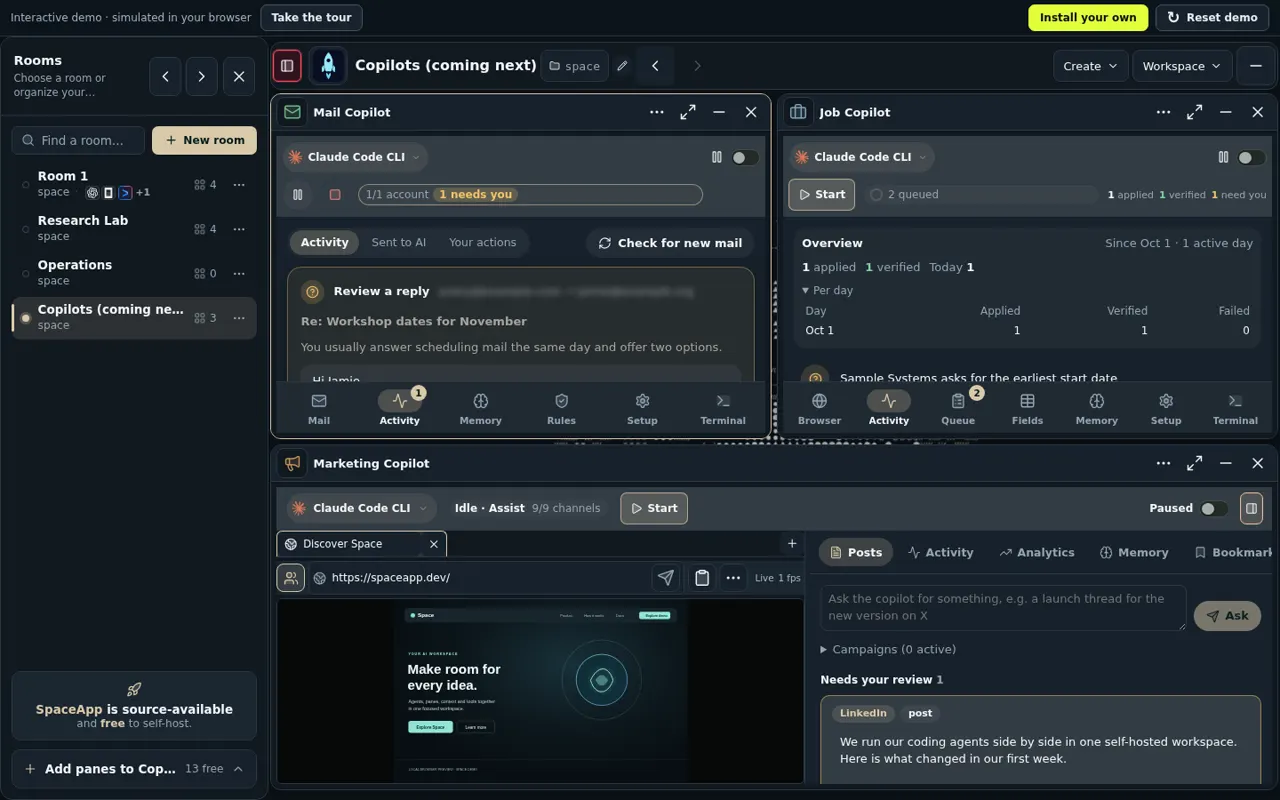
The Copilots room in the interactive demo, with invented data.
| Studio | What it does |
|---|---|
| ✏️ Design | Images, templates and brand kits that any agent can ask for. |
| 🎬 Video | Clips, captions, narration and music in every social format. |
| 📲 App Studio | Mobile apps with previews on ten phones and a test APK. |
| 📸 Media Studio | Screenshots and short videos of your own workspace. |
| Pane | What it does | Pane | What it does |
|---|---|---|---|
| 🌐 Browser | Managed Chrome, handed to you for a sign-in | 🎤 Live | Talk to your workspace |
| 📁 Files | Your project files | 🛢️ Databases | Browse and query your databases |
| Videos, summaries and music | 🖥️ VNC | A remote desktop in a pane | |
| 💬 Chat | A conversation with an agent | 🧪 DeepSeek Harness | The DeepSeek agent harness |
| 🧑💻 T3 Code | T3 Code on OpenCode | 🎁 Demo Projects | Ready-made projects to try |
Copilots and studios are optional modules: new installs start with none of them. Turn one on with
optionalModulesin the launcher'sconfig.json, then runnpx --yes run-spaceapp@latest repair. Copilots that use the pane browser need thelargeprofile. What a self-hosted install cannot do yet is listed in the Known Limitations.
SpaceApp is a self-hosted workspace engineered for developers who use AI coding assistants. Instead of juggling dozens of terminal windows, scattered browser tabs, and copy-pasting code between tools, SpaceApp brings your entire AI engineering team into a single, unified mission control interface.
With SpaceApp, you can:
- Run Multiple AI Coding Agents in Parallel: Pair program with Codex, Claude Code, Gemini, and OpenCode side-by-side on the same project repository or across separate workspaces.
- Control Your Deployment: Self-host the application and choose its providers and integrations. Remote model requests send the context needed for execution to the configured provider or gateway. Host filesystem access and credentials depend on deployment settings and explicit operator permissions; see the state and trust boundaries.
- Start with OpenCode: Setup presents OpenCode first. Available models, free tiers and authentication requirements depend on the installed CLI and its current provider catalog. Select and verify a model during setup.
- Shared Vector Memory (optional): When the memory graph is enabled for a deployment, SpaceApp stores memory records and their embeddings in PostgreSQL with
pgvectorand shows them as a 3D graph that agent sessions can query. Embeddings are computed by the configured embedding provider, so that provider receives the indexed text. - One-Command Setup: A single universal launcher command installs Docker prerequisites (if missing), configures containers, sets up database secrets, and launches the web application across Linux, macOS, and Windows 11.
Run up to 16 AI coding assistants, terminals, or workspace monitors simultaneously in a single coordinated room. Keep their terminals and task history accessible while working across projects. Context limits and continuation behavior depend on the runtime:
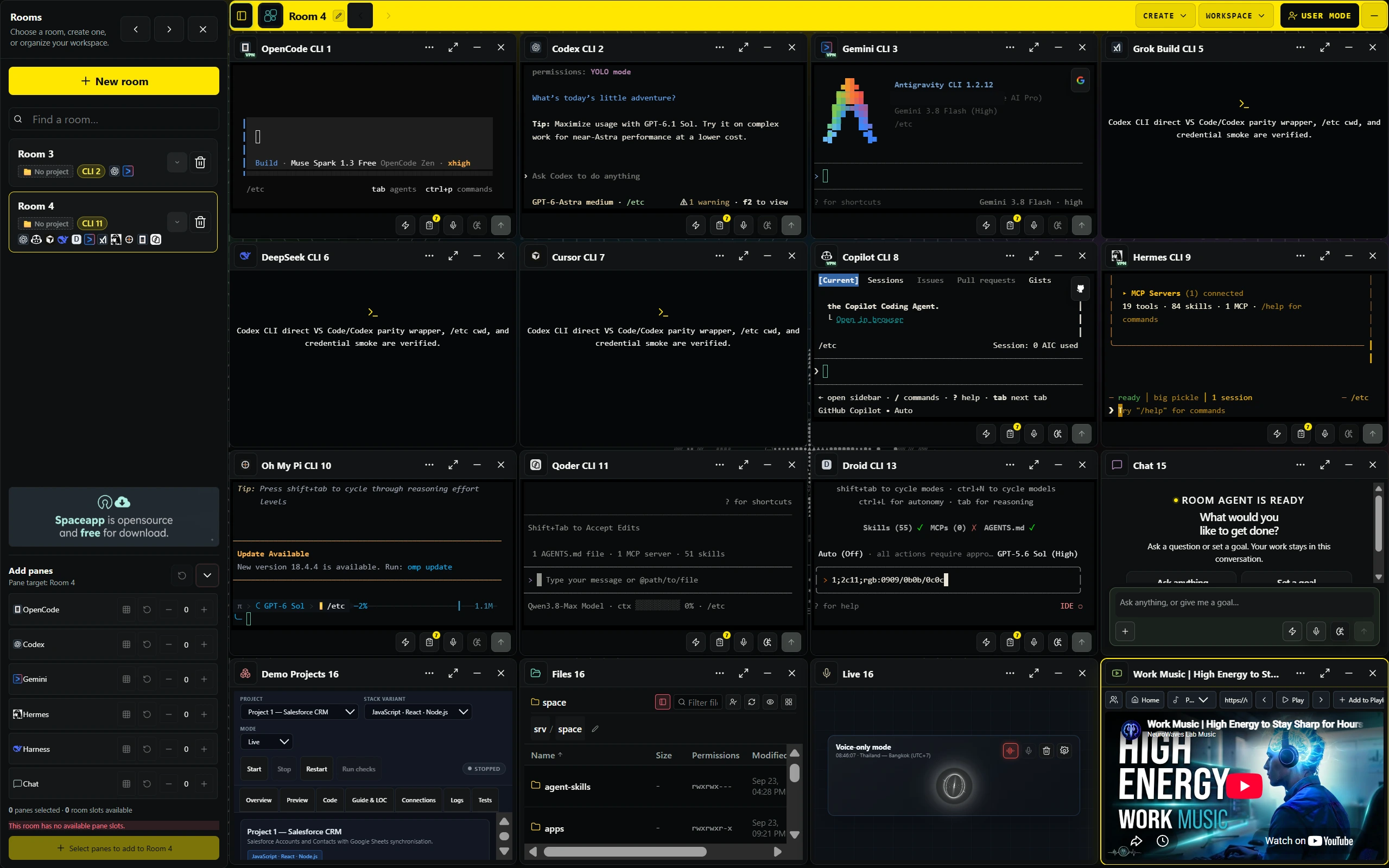
Above: SpaceApp running OpenCode, Codex, Gemini, Grok, DeepSeek, Cursor, Copilot and terminal tools in a live 16-pane room grid (screenshot of the maintainers' instance; Hermes and Droid there are not available in the public installer).
Watch agent output, shell commands and test runs as they stream from each pane. Token usage appears where the runtime reports it (for example Codex rollouts); otherwise it is shown as unavailable:
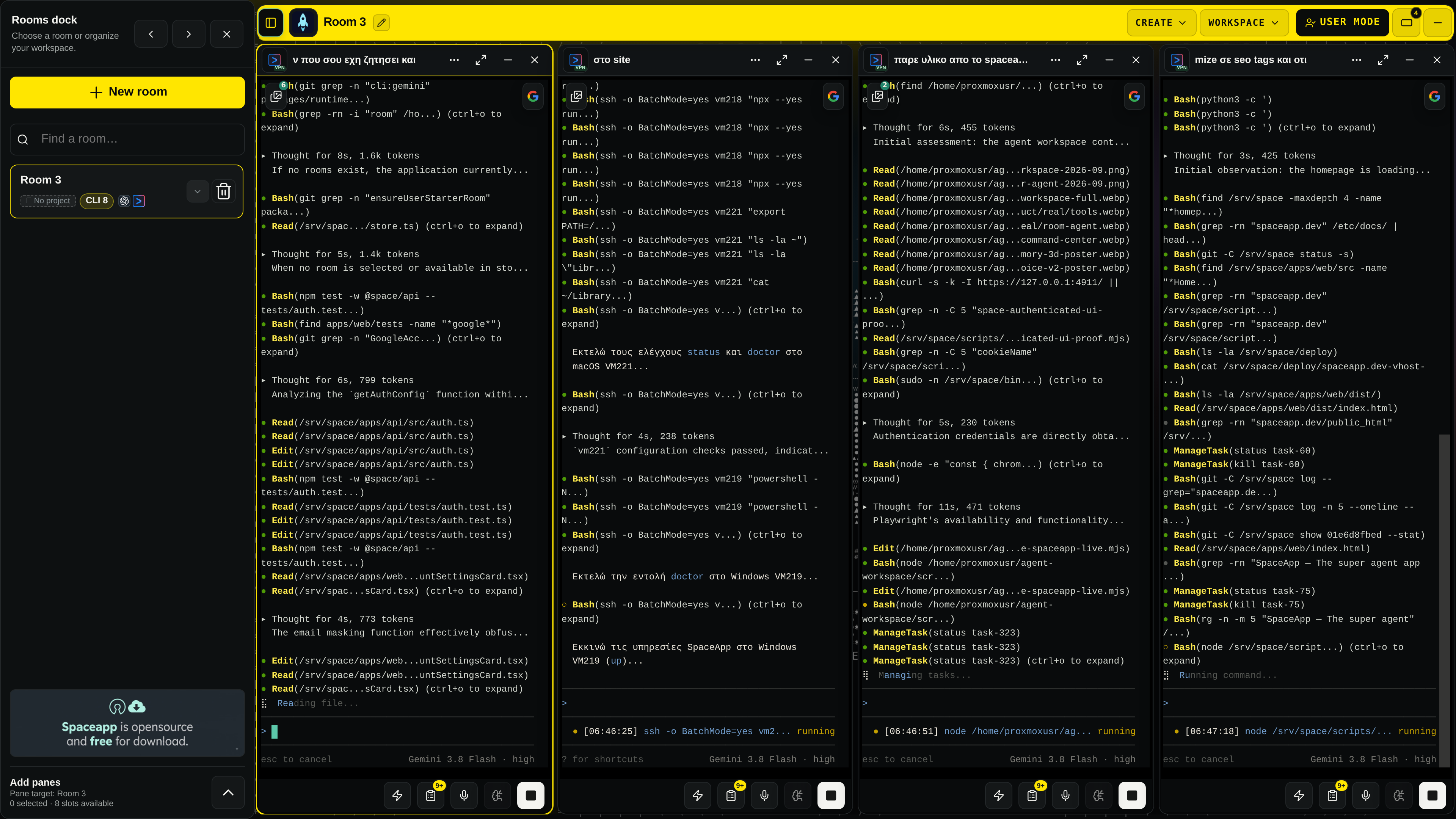
Above: Real-time execution captured from a live SpaceApp room running parallel Google Gemini 3.8 Flash agents handling test verification, codebase search, and file editing.
Access your entire engineering environment through the central SpaceApp overlay: switch rooms, inspect agent files, manage persistent clipboards, configure VPN routes, and monitor system resources:
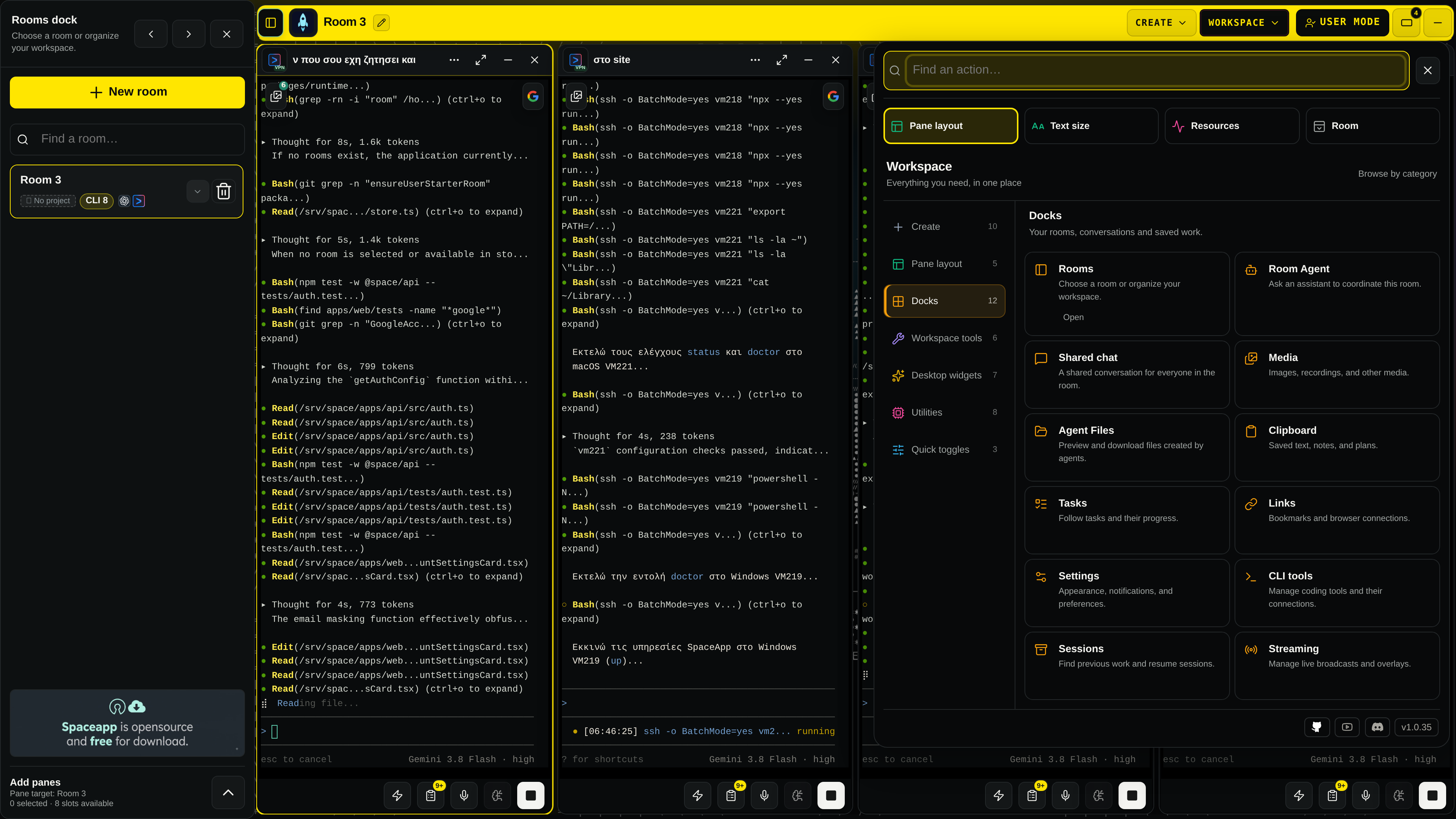
Above: The SpaceApp Actions & Docks center, a single entry point to Rooms, Room Agent, Shared Chat, Media, Agent Files, Tasks, Links, Settings, and CLI Tools.
SpaceApp features an integrated PostgreSQL pgvector database that indexes file modifications, architecture choices, and session history into an interactive 3D point cloud:
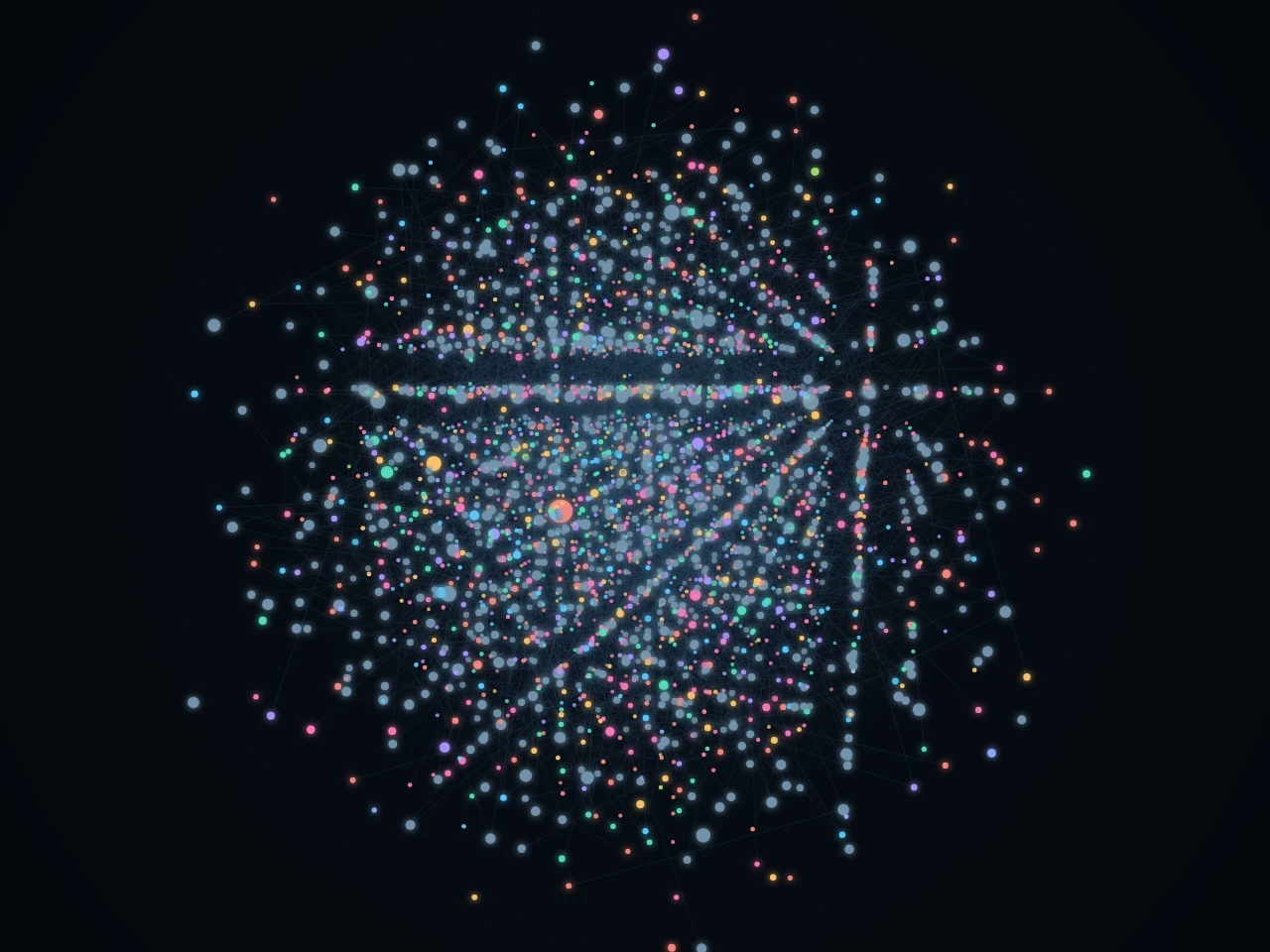
Above: 3D visualization of the persistent vector memory graph linking multi-session context, file relationships, and cross-agent discoveries.
Coordinate multi-step tasks conversationally through the Room Agent or speak naturally to your workspace using full-duplex Gemini Live voice streaming:
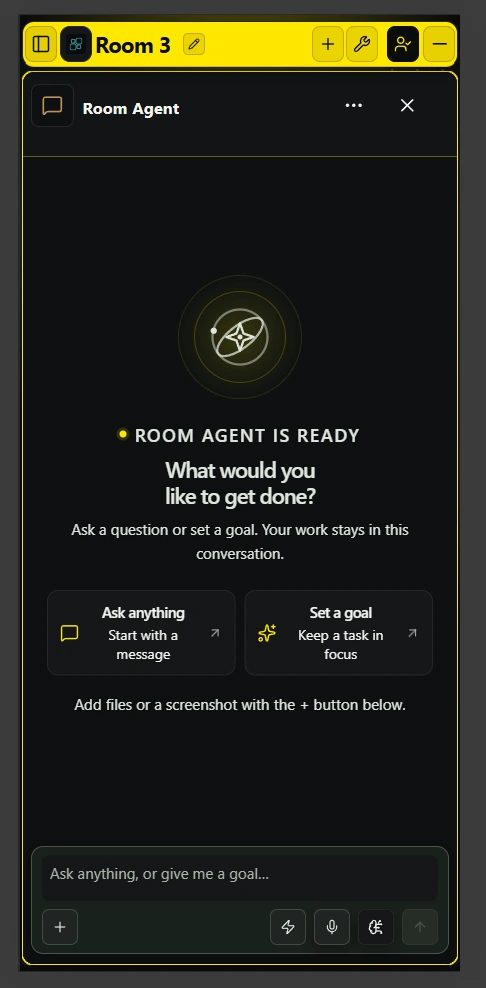
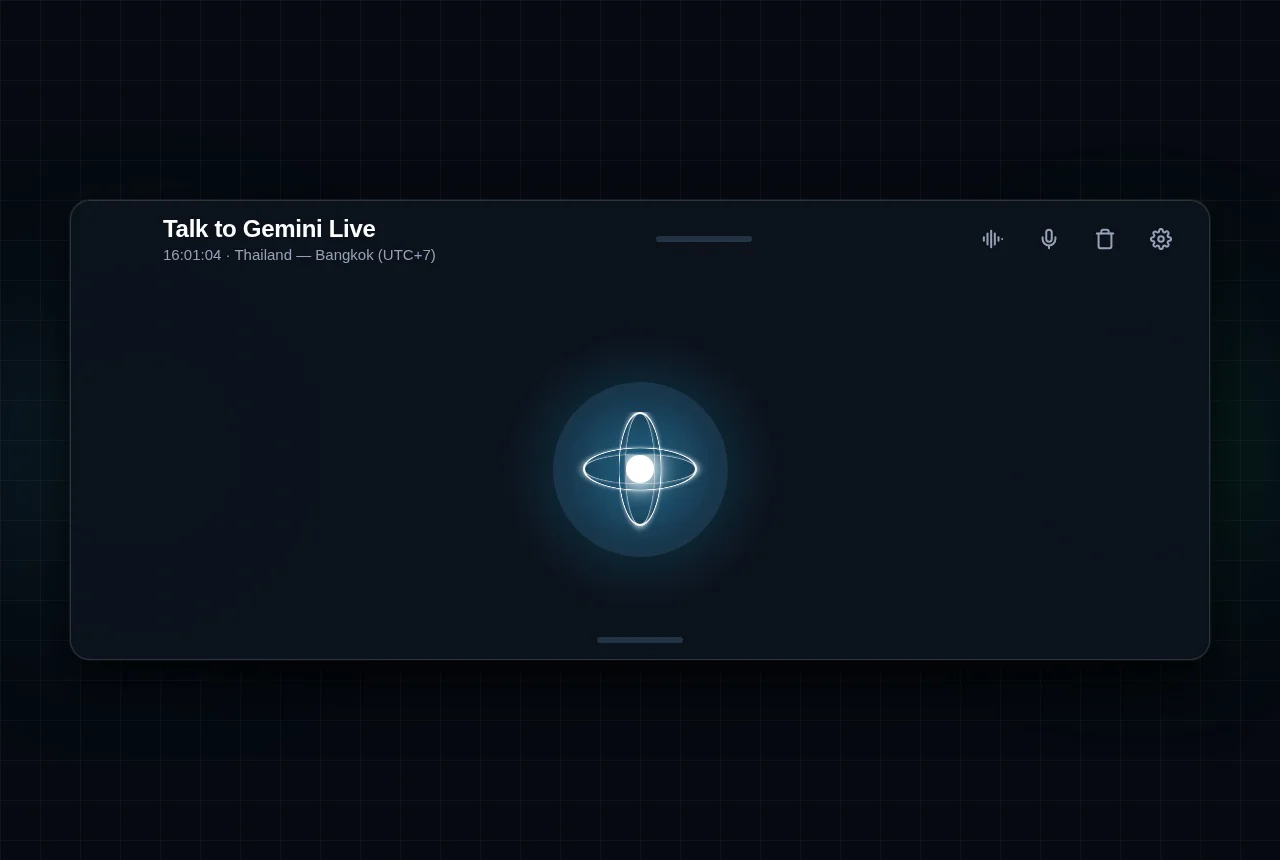
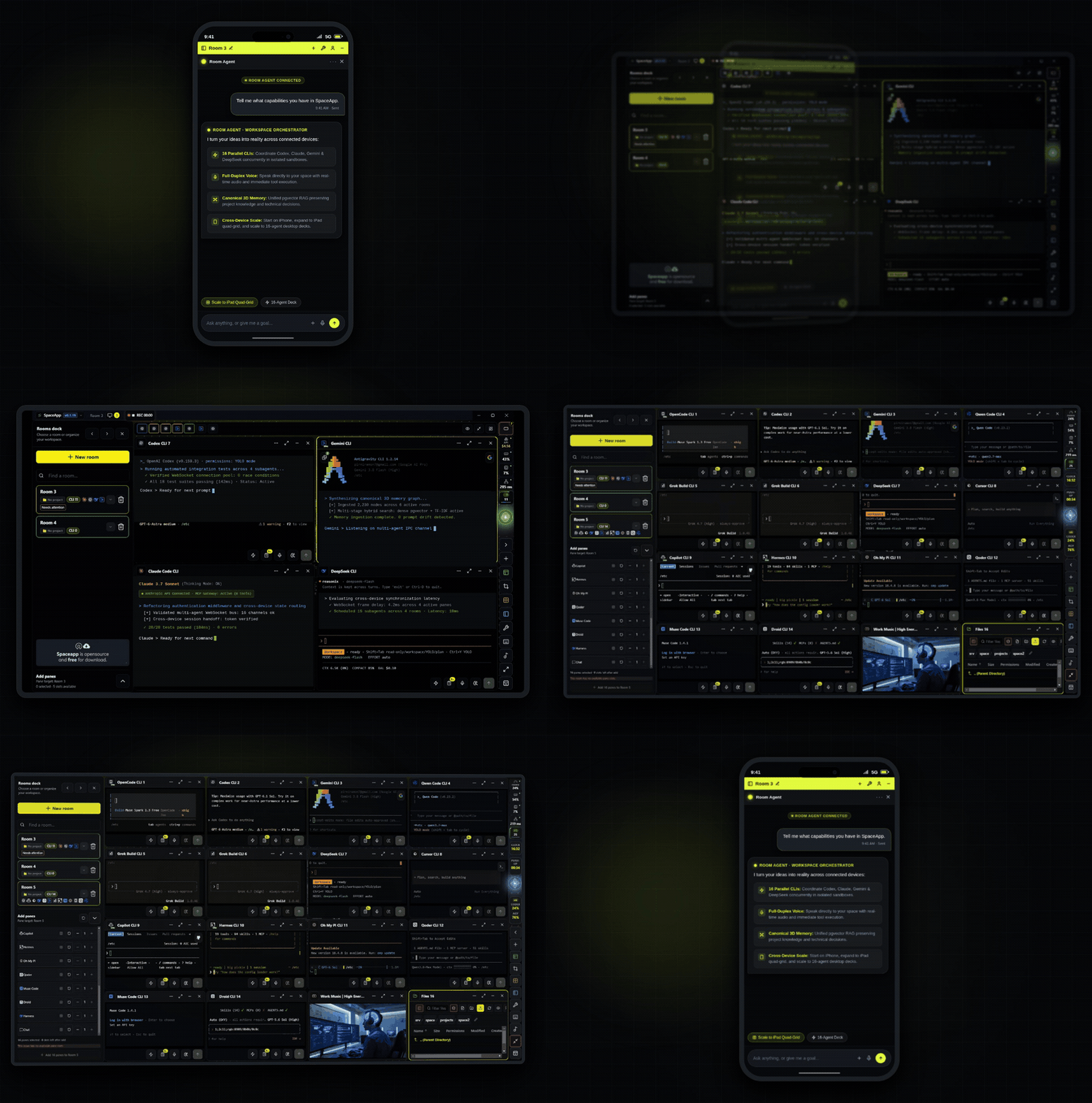
Above left: The Room Agent coordinator ready to receive goals and orchestrate sub-agents. Above right: Gemini Live full-duplex voice interface (latency depends on the provider and network and is not benchmarked here).
- Node.js: Follow the selected
run-spaceapplauncher version'senginesrequirement. Development of this monorepo requires >=22.12 <23; see Contributing. - Hardware:
- Minimum (
smallprofile): 4 CPU cores, 8 GB-class RAM (at least 7 GiB reported by the operating system), 6.5 GiB free disk. largeprofile (adds the managed browser): 8 CPU cores, 15 GiB RAM, 11 GiB free disk.
- Minimum (
- Docker: If Docker is not installed, the installer automatically installs official Docker Desktop (Windows/macOS) or Docker Engine (Linux).
Run the universal command in your terminal:
npx --yes run-spaceapp@latest installWindows 11 Tip: Use Command Prompt (
cmd.exe) or the Command Prompt profile in Windows Terminal. If PowerShell has a restricted execution policy, runnpx.cmd --yes run-spaceapp@latest install.
- System & Docker Verification: The launcher verifies CPU, RAM, and disk space, and installs/starts Docker if needed.
- Container Initialization: Pulls SpaceApp's images by the digest the npm package pins (from run-spaceapp 1.1.7; earlier packages by exact version tag; published with SBOM and provenance attestations that the release workflow verifies) and the third-party images pinned by digest, then starts the container stack.
- One-Time Setup Token: The terminal prints a secure 15-minute setup token and automatically opens
http://127.0.0.1:4911. - Create Your Operator Account: Paste the token into the setup screen, enter your email and password, and click Create Owner.
- Start Coding with OpenCode: Open the Getting Started room, verify the available provider/model and complete its authentication if required. Submit a small task and check its actual result.
To retain a global spaceapp command for future management, optionally install:
npm install -g run-spaceappThe run-spaceapp launcher provides a comprehensive set of commands to manage, troubleshoot, and operate your self-hosted instance.
You can run any command using npx --yes run-spaceapp@latest <command> or simply spaceapp <command> if installed globally.
| Command | Description | Example |
|---|---|---|
install |
Full setup: installs Docker if needed, creates secrets, starts stack, and opens browser. | npx --yes run-spaceapp@latest install --profile auto |
reinstall |
Clean reinstallation of containers while preserving existing data, credentials, and workspaces. | npx --yes run-spaceapp@latest reinstall --keep-data |
up |
Starts the Docker application containers in the background. | npx --yes run-spaceapp@latest up |
down |
Stops all SpaceApp containers cleanly without removing data. | npx --yes run-spaceapp@latest down |
status |
Checks running container status, health checks, and port bindings. | npx --yes run-spaceapp@latest status |
logs |
Shows the most recent container log lines (bounded tail) for troubleshooting. | npx --yes run-spaceapp@latest logs |
open |
Opens the SpaceApp web application (http://127.0.0.1:4911) in your default browser. |
npx --yes run-spaceapp@latest open |
uninstall |
Stops and removes containers. Keeps user data by default (--purge-data to delete). |
npx --yes run-spaceapp@latest uninstall |
| Command | Description | Example |
|---|---|---|
owner reset-password |
Forgot your password? Securely resets the operator account password from your terminal via masked input. | npx --yes run-spaceapp@latest owner reset-password |
owner rotate-setup-token |
Setup token expired? Generates a fresh 15-minute token if the first-run owner setup was not completed in time. | npx --yes run-spaceapp@latest owner rotate-setup-token |
factory-reset |
Fresh start: Creates a safety backup, purges all Docker volumes and database data, and resets to clean slate. | npx --yes run-spaceapp@latest factory-reset |
By default, the SpaceApp containers get no bind mount of your host filesystem: agents see only the directories you register. Container separation is not a sandbox against a hostile workload, and host-root access (below) removes this boundary; see the architecture and trust boundaries. Register the directories your AI agents may inspect and modify:
| Command | Description | Example |
|---|---|---|
workspace add <path> |
Registers a local repository directory so agents can read and edit its files. | npx --yes run-spaceapp@latest workspace add /home/user/my-project |
workspace add <path> --read-only |
Mounts a directory in read-only mode (ideal for reference repos or sensitive libraries). | npx --yes run-spaceapp@latest workspace add /docs/ref --read-only |
workspace list |
Lists all currently registered workspaces and their mount IDs. | npx --yes run-spaceapp@latest workspace list |
workspace remove <path> |
Unregisters a workspace from the SpaceApp environment. | npx --yes run-spaceapp@latest workspace remove /home/user/my-project |
Note:
workspace addandworkspace removeapply at once: they recreate the core and CLI services with the new mounts.
| Command | Description | Example |
|---|---|---|
provider install <name> |
Installs or updates a CLI agent into its own persistent volume (codex, claude, gemini, qwen, kimi, grok, deepseek, etc.). |
npx --yes run-spaceapp@latest provider install claude |
credentials set <provider> |
Securely saves an API key for a provider via masked standard input (never passed as CLI flags). | npx --yes run-spaceapp@latest credentials set claude |
credentials list |
Lists the provider names accepted by credentials set, grouped as bundled, owner-installed, and experimental. It does not show which keys are stored. |
npx --yes run-spaceapp@latest credentials list |
credentials remove <provider> |
Securely deletes stored credentials for a specific provider. | npx --yes run-spaceapp@latest credentials remove gemini |
| Command | Description | Example |
|---|---|---|
doctor [--fix] |
Diagnoses system prerequisites, Docker health, and config; --fix automatically repairs issues. |
npx --yes run-spaceapp@latest doctor --fix |
repair [--dry-run] |
Verifies and rebuilds container configurations and runtime files. | npx --yes run-spaceapp@latest repair |
support-bundle |
Generates a sanitized diagnostic JSON bundle to share when seeking help or opening issues. | npx --yes run-spaceapp@latest support-bundle |
update [version] |
Safely downloads updated Docker images and upgrades the application stack with automatic checkpointing. | npx --yes run-spaceapp@latest update |
rollback |
Switches back to the previously recorded runtime images and configuration. It does not revert database changes; use restore for that. |
npx --yes run-spaceapp@latest rollback |
backup |
Generates a portable, checksummed archive containing PostgreSQL data, app settings, and memory graph. | npx --yes run-spaceapp@latest backup |
restore |
Restores database, application data, and memory state from a previously generated backup archive. | npx --yes run-spaceapp@latest restore |
--plan: Dry-run mode. Displays what actions would be executed without making any changes.--profile <auto|small|medium|large>: Explicitly select the resource allocation profile.--non-interactive: Automated headless execution for CI/CD or scripted environments.--answers <json|path>: Pre-seeds wizard responses for silent installation.--json: Outputs structured JSON data for scripting and integration.--log-file <path>: Logs full execution output to a designated file.
The runtime registry declares 16 CLI adapters, listed below. Installed versions and available credentials determine what can run. See the compatibility evidence and limitations; a declared adapter is not an authenticated runtime proof.
| Assistant | Integration Type | Authentication | Description |
|---|---|---|---|
| OpenCode | First CLI in setup | Provider-dependent | Uses the installed CLI's provider catalog and native sessions. |
| OpenAI Codex | CLI adapter | Provider-supported login | Native session references and Codex control integration. |
| Anthropic Claude Code | CLI adapter | Provider-supported login | Uses the installed Claude CLI and its current model catalog. |
| Google Gemini CLI | CLI adapter | Native account authentication | Login availability and recovery support are capability-specific. |
| Qwen Code | CLI adapter | Provider-dependent | Uses the configured Qwen provider and current catalog. |
| Kimi Code | CLI adapter | Provider-supported login | Native behavior depends on the installed Kimi CLI. |
| Grok Build | CLI adapter | Provider-supported login | Account authentication and model availability are provider-controlled. |
| DeepSeek CLI | CLI adapter | Configured API credentials | Runtime and native-session format support remain version-specific. |
| Cursor / Copilot / Autohand | CLI adapters | Provider-dependent | Capabilities and recovery limitations are declared per runtime. |
| Hermes / Oh My Pi / Qoder / Muse / Droid | CLI adapters | Provider-dependent | Declared adapters; resume is limited to the provider's own session selection or unsupported. |
SpaceApp deploys a versioned Docker Compose stack. The installation profile decides which of the services below run; optional companion services are not shown:
┌────────────────────────────────────────────────────────────────────────┐
│                              Host Machine                              │
│  ┌───────────────────────┐             ┌────────────────────────────┐  │
│  │  run-spaceapp launcher│             │    Registered Workspaces   │  │
│  └───────────┬───────────┘             └─────────────┬──────────────┘  │
│              │                                       │ (Bind Mounts)   │
├──────────────┼───────────────────────────────────────┼─────────────────┤
│              ▼                                       ▼                 │
│  ┌───────────────────────┐             ┌────────────────────────────┐  │
│  │     spaceapp-core     │◄───────────►│        spaceapp-cli        │  │
│  │ (Web UI, API, Memory) │             │ (Codex, Claude, OpenCode)  │  │
│  └───────────┬───────────┘             └────────────────────────────┘  │
│              │                                                         │
│              ├──────────────────────┬──────────────────────────────────┤
│              ▼                      ▼                                  ▼
│  ┌───────────────────────┐ ┌─────────────────┐        ┌─────────────┐  │
│  │      PostgreSQL       │ │    Temporal     │        │  spaceapp-  │  │
│  │ (pgvector memory DB)  │ │(Workflow Engine)│        │   browser   │  │
│  └───────────────────────┘ └─────────────────┘        └─────────────┘  │
└────────────────────────────────────────────────────────────────────────┘
The launcher selects the largest profile that fits the available CPU, RAM, and free disk (and Docker's CPU and memory allocation when it can measure it), or you can pass --profile <name>:
| Profile | Target System | Allocated Services | Minimum Hardware |
|---|---|---|---|
small |
Laptops / Small VMs | spaceapp-core, spaceapp-cli, postgres |
4 CPUs, 7 GiB RAM, 6.5 GiB disk |
medium |
Standard Dev PC | Small stack + temporal (background workers & automated workflows) |
4 CPUs, 11 GiB RAM, 8 GiB disk |
large |
Workstations / Servers | Medium stack + spaceapp-browser (Chromium browser sessions in a separate service) |
8 CPUs, 15 GiB RAM, 11 GiB disk |
Forgot your operator password?
Run the following command in your terminal. You will be prompted to enter a new password securely:
npx --yes run-spaceapp@latest owner reset-passwordSetup token expired on first install?
If you did not complete the initial browser setup within 15 minutes, generate a fresh token:
npx --yes run-spaceapp@latest owner rotate-setup-tokenNeed host-root filesystem access on Linux?
On Linux, the launcher can mount the whole host filesystem into the CLI service. CLI sessions can then read and modify the entire host, so read the [trust boundaries](docs/architecture.md#trust-boundaries) first:
npx --yes run-spaceapp@latest install --access host-rootHost-root is supported only on Linux. Run npx --yes run-spaceapp@latest install --access isolated to remove the host mount again.
Need to perform a clean install from scratch?
To create a safety backup, wipe old containers/volumes, and return to factory state:
npx --yes run-spaceapp@latest factory-resetDocker permissions error on Linux?
Ensure your user is in the `docker` group. Run the diagnostic repair tool:
npx --yes run-spaceapp@latest doctor --fixLog out and log back in for group changes to take effect.
Windows PowerShell execution policy error?
Windows may block npm's `.ps1` shims by default. Switch to **Command Prompt** (`cmd.exe`) in Windows Terminal or run:
npx.cmd --yes run-spaceapp@latest install- Getting Started & Installation Guide
- CLI Providers, Models & Credential Setup
- Operations, Backup, Restore & Rollback
- Architecture, Trust Boundaries & Feature Status
- Security Model: Authentication, Rate Limits & Browser Capture
- Claims Audit: Performance, Isolation & Continuity Evidence
- Known Limitations (generated from the findings register)
- Clean-Room Verification Runbook
- Release Process & Pipeline
- Public Distribution Decision (ADR-010)
- Contributing Guidelines
- Community Support
- Security Disclosures
SpaceApp is licensed under the MIT License. The copyright holder is INTRATRADE SINGLE MEMBER P.C. (Greek: INTRATRADE ΜΟΝΟΠΡΟΣΩΠΗ Ι.Κ.Ε.), the company that develops SpaceApp. This summary is not legal advice; the LICENSE text governs.
- Use: You may use, copy, modify, merge, publish, distribute, sublicense and sell SpaceApp, including self-hosting and internal business operations, as long as the copyright and permission notice stay with every copy.
- Contributions: Contributions are accepted under the MIT License (inbound = outbound) with a Developer Certificate of Origin 1.1 sign-off; see CONTRIBUTING.md.
- Earlier releases: Every published version keeps the license it was released under: v0.1.3 to v1.0.2 under the Apache License, Version 2.0, and v1.0.31 to 1.1.6 under the Business Source License 1.1. SpaceApp is MIT from 1.1.7. The
run-spaceapplauncher was Apache-2.0 up to 1.1.6 and is MIT from 1.1.7. - Third-party code: Parts taken from other projects keep their own license and notices, for example the Apache-2.0 code listed in
THIRD_PARTY_LICENSES.
Integrated AI provider CLIs (Claude, Codex, Gemini, etc.) remain subject to their respective third-party licenses and terms. See Third-Party Notices.