Manage your .env files effortlessly - quickly add environment variables and automatically sync them to .env.example files for your team.
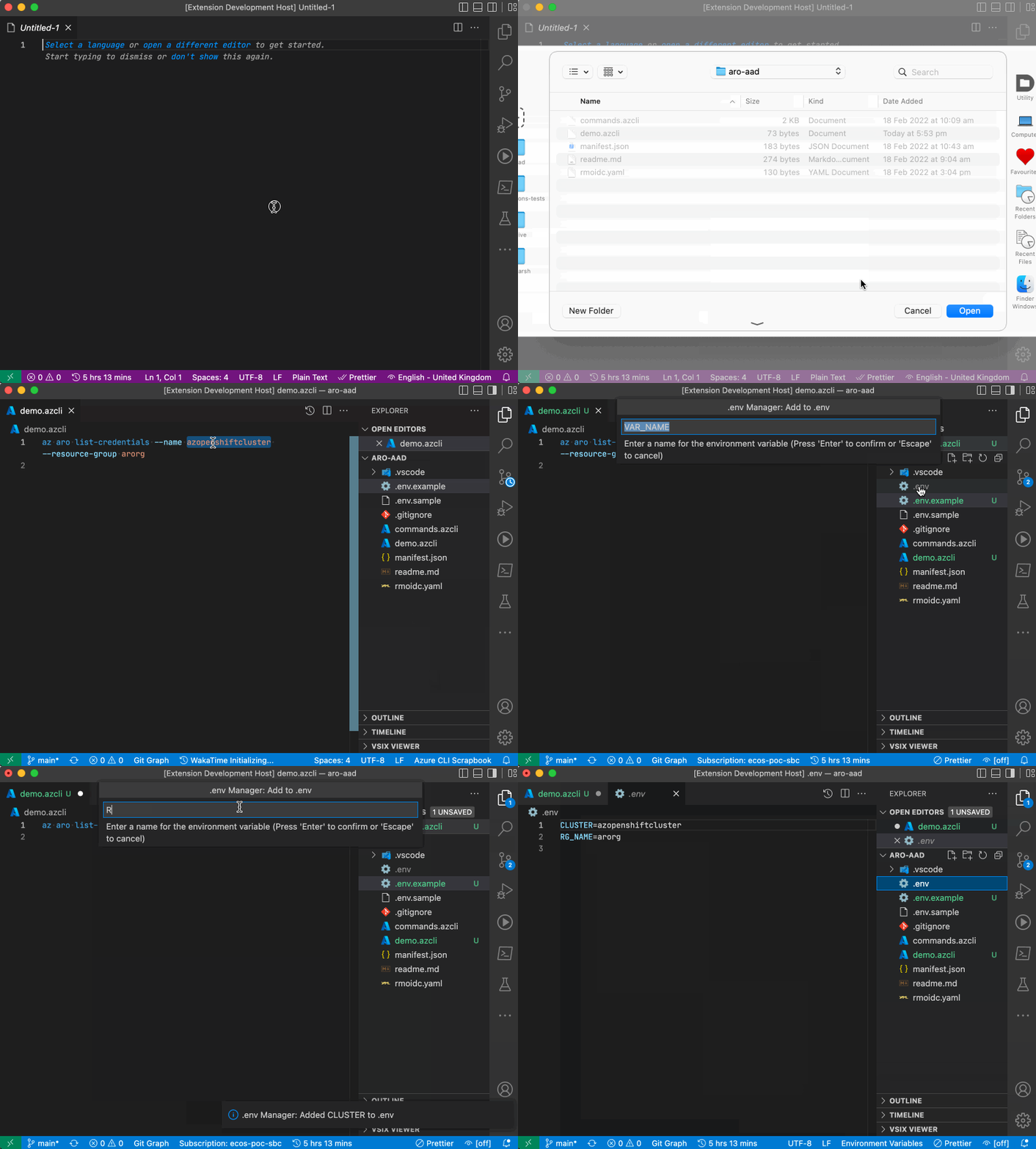
Beautiful syntax highlighting for all .env files and variants (.env.example, .env.local, .env.production, etc.) with proper colorization for:
- Variable names
- Values (quoted and unquoted)
- Comments
- Variable substitutions
Add environment variables to your .env file instantly using:
- Command Palette - Search for
.env Manager: Add to .env - Context Menu - Right-click in any editor
- Keyboard Shortcut - Cmd/Ctrl + Shift + P
The extension automatically:
- Creates
.envif it doesn't exist - Detects the variable name from your selection
- Supports language-specific formats (Node.js, Python, Go, etc.)
Keep your .env.example files in sync automatically - perfect for teams!
What gets synced:
- ✅ Variable names (keys only)
- ✅ Comments and structure
- ✅ Empty lines and formatting
- ✅ Actual values replaced with configurable placeholders (default:
<your-value-here>)
When sync happens:
- Automatically when you save a
.envfile - Automatically when you add a variable using "Add to .env"
Example:
# .env (your actual file with secrets)
DATABASE_URL=postgresql://localhost:5432/mydb
API_KEY=super-secret-key-12345

# .env.example (synced version for Git)
DATABASE_URL=<your-value-here>
API_KEY=<your-value-here>-
Install the extension from VS Code Marketplace
-
Configure sync mappings in your workspace or user settings:
{ "envmanager.syncMappings": { ".env": [".env.example"] } } -
Start using it:
- Select text like
process.env.DATABASE_URLin your code - Right-click →
.env Manager: Add to .env - Enter the value when prompted
- Done! Your
.envand.env.exampleare updated
- Select text like
Sync .env to .env.example:
{
  "envmanager.syncMappings": {
    ".env": [".env.example"]
  }
}Different environments? Configure each one:
{
  "envmanager.syncMappings": {
    ".env": [".env.example"],
    ".env.production": [".env.production.example"],
    ".env.staging": [".env.staging.example"],
    ".env.local": [".env.local.example"]
  }
}Need multiple example file formats?
{
  "envmanager.syncMappings": {
    ".env": [".env.example", ".env.sample", ".env.template"]
  }
}Change the placeholder value (default: <your-value-here>):
{
  "envmanager.syncMappings": {
    ".env": [".env.example"]
  },
  "envmanager.exampleFilePlaceholder": "CHANGE_ME"
}
Result:
DATABASE_URL=CHANGE_ME
API_KEY=CHANGE_MERemove all mappings or set to empty:
{
  "envmanager.syncMappings": {}
}Keep your team's local setup in sync:
{
  "envmanager.syncMappings": {
    ".env": [".env.example"]
  }
}
Commit .env.example to Git, ignore .env in .gitignore.
Separate configs for each environment:
{
  "envmanager.syncMappings": {
    ".env.development": [".env.development.example"],
    ".env.staging": [".env.staging.example"],
    ".env.production": [".env.production.example"]
  }
}Different .env files per service:
{
  "envmanager.syncMappings": {
    "backend/.env": ["backend/.env.example"],
    "frontend/.env": ["frontend/.env.example"]
  }
}Check your configuration:
- Open VS Code settings (
Cmd/Ctrl + ,) - Search for "envmanager"
- Verify
syncMappingsis configured correctly
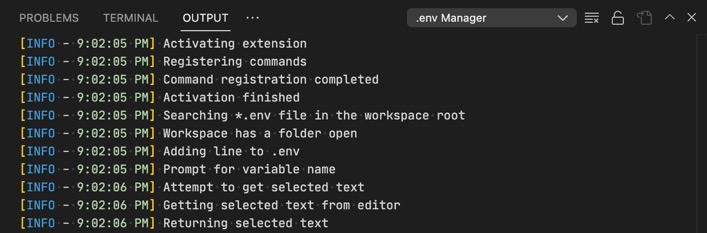
Check the logs:
- Open Output panel:
View→Output - Select
.env Managerfrom the dropdown - Look for error messages or sync activity
Common issues:
- File paths must be exact -
.envwon't match.env.local - Relative paths - Paths are relative to workspace root
- File doesn't exist - Target files are created automatically on first sync
- Make sure you've selected the variable name in your code
- The extension looks for patterns like
process.env.VAR_NAME,$VAR_NAME, etc. - If auto-detection fails, you'll be prompted to enter the variable name manually
The extension will suggest adding .env to .gitignore if:
- You don't have a
.gitignorefile, OR .gitignoreexists but doesn't contain.env
You can accept or dismiss this suggestion.
⚠️ Never commit your.envfile to source control!
- Always add
.envto your.gitignore - Only commit
.env.example(with placeholder values) - Keep sensitive values (passwords, API keys) only in
.env - Sync is one-way: from
.env→ example files (values are never copied back)
The extension auto-detects variable formats for:
- JavaScript/TypeScript -
process.env.VAR_NAME,import.meta.env.VAR_NAME - Python -
os.getenv('VAR_NAME') - Go -
os.Getenv("VAR_NAME") - Ruby -
ENV['VAR_NAME'] - PHP -
$_ENV['VAR_NAME'] - Shell -
$VAR_NAME - PowerShell -
$env:VAR_NAME - And many more!
Found a bug or have a feature request?
-
Check the logs first:
- Open Output panel:
View→Output - Select
.env Managerfrom dropdown
- Open Output panel:
-
Report on GitHub: Create an issue
- Include the log output
- Describe what you expected vs what happened
- Share your
syncMappingsconfiguration (remove sensitive data!)
Contributions are welcome! Check out the GitHub repository.
Enjoy using .env Manager! If you find it helpful, please ⭐ star the repo and leave a review on the VS Code Marketplace.