

$ bundle exec jekyll serve --config _config.yml,_local_config.ymlGitHub releases from ossia/score are synchronized into _data/releases.json.
The original Markdown and a sanitized HTML rendering are retained. Embedded
images, GIFs and videos are mirrored as content-addressed files in
assets/releases/. Videos play inline, without extra download links. Installer
binaries remain links to GitHub. Jekyll generates the changelog index and
individual release pages from this snapshot without network access.
Animated GIFs are not published as GIFs: animations up to 10 seconds become
animated AVIF images, longer ones silent looping WebM (VP9) videos, using the
same conversion as documentation pages (see below). Still GIFs are kept.
Silent videos up to 60 seconds, and every converted animation, loop while
visible, with a small play/pause button.
Reduced-motion users get a still frame until they press play. Videos with audio
or longer durations retain native controls; leaving the viewport pauses playback.
Without JavaScript, all videos retain native controls.
To update the archive, install/authenticate the GitHub CLI (gh auth login),
have curl and FFmpeg (with the libaom and libvpx encoders) available, and use the repository's bundled Ruby environment:
bundle exec ruby script/releases/sync.rb
bundle exec ruby script/releases/sync.rb --check
bundle exec ruby script/releases/sync_test.rb
bundle exec ruby script/releases/pages_test.rb
The importer follows every API page, includes published prereleases and releases
without notes, and keeps continuous separate in the index. It also picks up
edits to old release notes. Repeating a sync without upstream changes leaves the
snapshot untouched. Existing media are reused after hash verification; use
--refresh-media to refresh mutable images such as badges. Successful downloads
are staged outside the site in the system temporary directory's
score-release-media cache (--cache-dir overrides it).
Video audio-track presence and duration are inspected with ffprobe during sync
and retained in the snapshot. Video files are not transcoded; GIF conversions
are cached by the GIF's hash, and the snapshot records the original under
converted_from. Files in assets/releases/ that the snapshot no longer
references are deleted by a sync and rejected by --check.
An unavailable media file fails synchronization without replacing the previous
snapshot. The sole approved omission is the defunct i-score.org
score-logo64.png in v1.0.0-b32; its original Markdown remains in the snapshot.
Do not silently substitute artwork or delete notes to make an import pass.
For a saved API response, use --source-json FILE; the expected format is the
output of gh api --paginate --slurp -H 'Accept: application/vnd.github.full+json' 'repos/ossia/score/releases?per_page=100'. --check verifies all archived media
hashes and references offline. Imported HTML bypasses Liquid and wiki-link
processing; local media URLs work with both an empty base path and /score-docs.
Commit the snapshot and assets/releases/ together. Ordinary Git stores the
actual files, not Git LFS pointers.
The Synchronize release archive workflow runs daily, on manual dispatch, or on
a score-release repository dispatch. It validates and builds the result, then
opens an update PR limited to the snapshot and media. It requires Actions to
have permission to create pull requests. Application releases in the separate
ossia/score repository are discovered by the schedule unless their workflow
explicitly sends that dispatch.
Generated pages live at /reference/changelog/<tag>.html (unusual or colliding
tags receive safe slugs). Edit release notes on GitHub, not generated pages.
Add screen recordings as GIFs under assets/images/ and reference them as usual,
then convert them before committing:
ruby script/media/convert_gifs.rb                      # every GIF a page references
ruby script/media/convert_gifs.rb assets/images/x.gif  # or specific files
Animations up to 10 seconds become AVIF and keep their Markdown image; longer
ones become WebM and the reference is rewritten to a <video data-loop>, which
assets/js/looping-videos.js plays while visible with a pause button (a still
frame under reduced motion). The GIF is deleted once nothing references it.
The media vendored beside the example scores under assets/scores/ stays in Git
so the examples can be edited in place, but a file that is identical to a member
of a published .zip is not published separately: _plugins/score_archive_media.rb
leaves it out of the site unless a standalone .score or a page links to it.


A modern, highly customizable, and responsive Jekyll theme for documentation with built-in search.
Easily hosted on GitHub Pages with few dependencies.
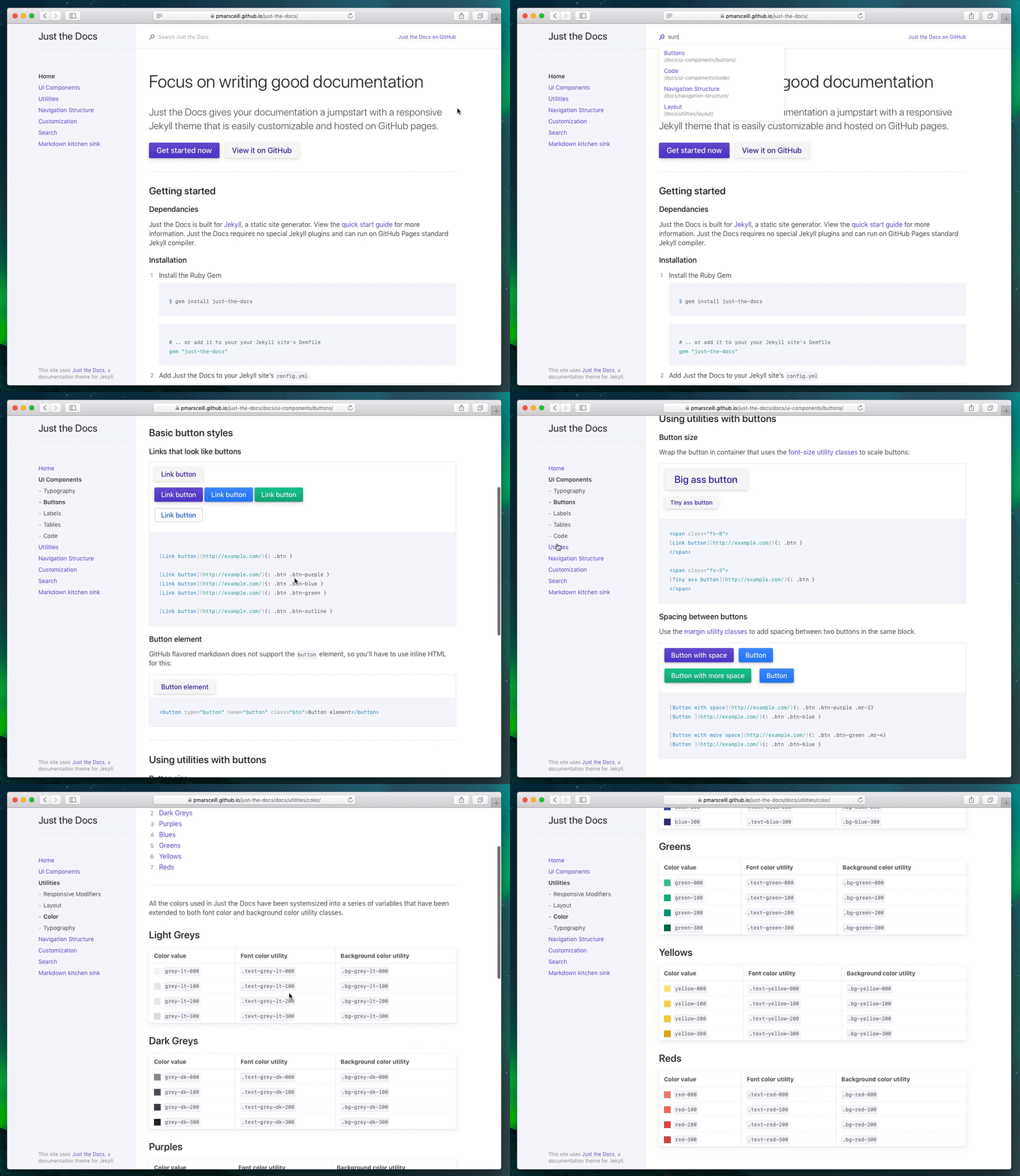
Add this line to your Jekyll site's Gemfile:
gem "just-the-docs"And add this line to your Jekyll site's _config.yml:
theme: just-the-docsAnd then execute:
$ bundle
Or install it yourself as:
$ gem install just-the-docs
Alternatively, you can run it inside Docker while developing your site
$ docker-compose up
View the documentation for usage information.
Bug reports and pull requests are welcome on GitHub at https://github.com/pmarsceill/just-the-docs. This project is intended to be a safe, welcoming space for collaboration, and contributors are expected to adhere to the Contributor Covenant code of conduct.
- Open a Pull Request
- Ensure all CI tests pass
- Await code review
- Bump the version number in
just-the-docs.gemspecandpackage.jsonaccording to semantic versioning.
- As few dependencies as possible
- No build script needed
- First class mobile experience
- Make the content shine
To set up your environment to develop this theme, run bundle install.
Your theme is set up just like a normal Jekyll site! To test your theme, run bundle exec jekyll serve and open your browser at http://localhost:4000. This starts a Jekyll server using your theme. Add pages, documents, data, etc. like normal to test your theme's contents. As you make modifications to your theme and to your content, your site will regenerate and you should see the changes in the browser after a refresh, just like normal.
When the theme is released, only the files in _layouts, _includes, and _sass tracked with Git will be released.
The theme is available as open source under the terms of the MIT License.