


SVAR React Calendar is a customizable, high-performance React calendar component for event planning and scheduling. It includes multiple built-in calendar views, event edit form, filtering, theming, drag-and-drop interactions, and a flexible API for toolbars and menus.
The component helps you quickly build modern scheduling interfaces for React applications with minimal setup. Includes TypeScript support and is compatible with React 18+ and Next.js.
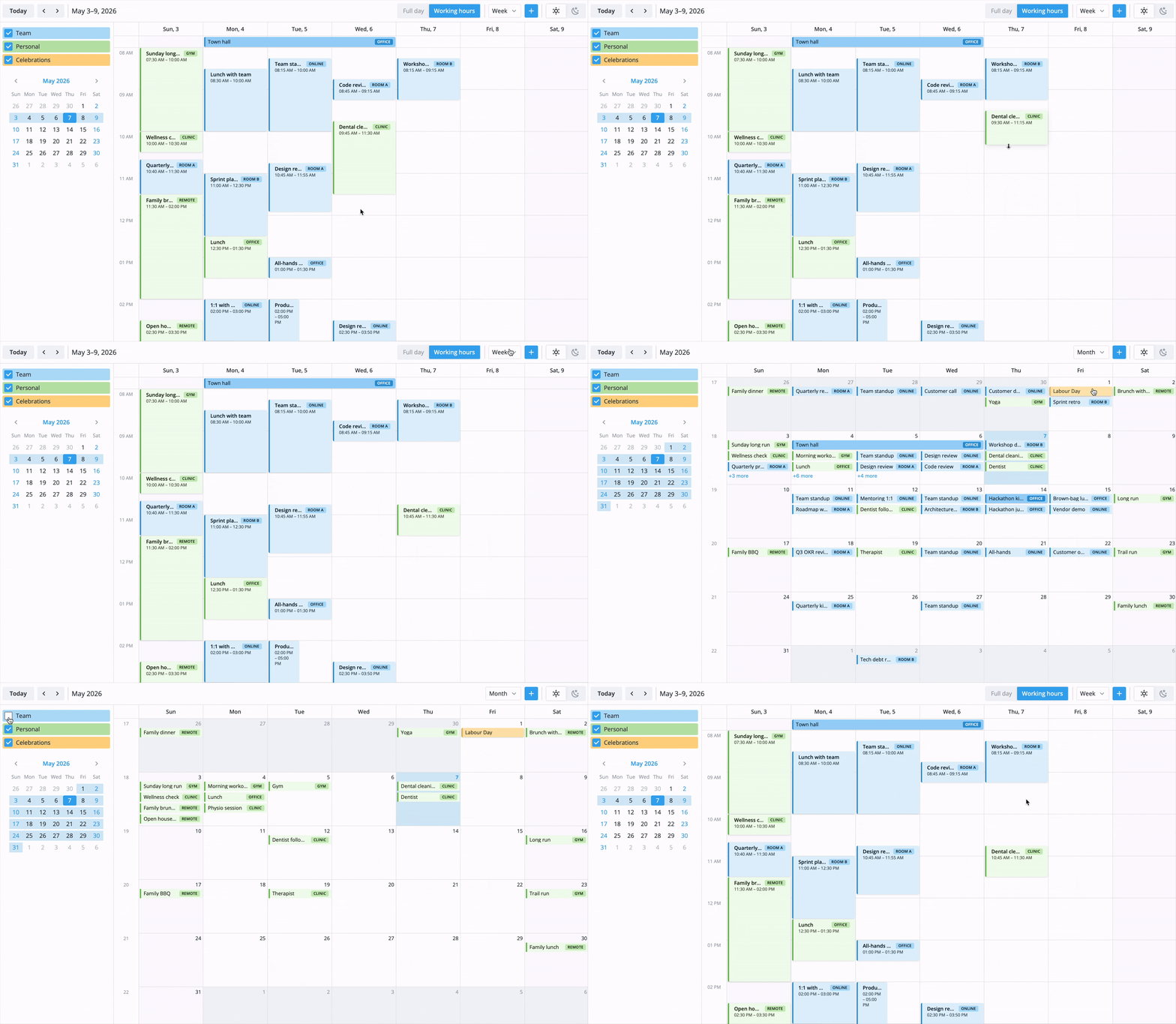
- Day, week, and month views
- Drag-and-drop event move and resize
- Drag-to-create events in time-grid views
- Sidebar or popup event editor
- Calendar groups sidebar with built-in filtering
- Context menu support for quick actions
- Custom toolbar layouts and helper APIs
- Custom event content, event cards, and tooltips
- Event filtering with tagged predicates
- Localization and configurable week start
- Built-in light and dark themes
- iCal import/export support
- Custom view registration for advanced layouts
- TypeScript definitions included
- React 18+ compatible
SVAR React Calendar is available in open-source and PRO editions. The PRO build adds advanced scheduling views and recurrence support without changing the component API.
PRO features include:
- Agenda view
- Year view
- Resources view
- Timeline view
- Recurring events with RRULE expansion
Visit the pricing page for licensing details, feature comparison, and free trial.
Check out the live demo to see SVAR React Calendar in action.
Import the package, pass an events array and a date, and optionally attach the editor through the calendar API:
import { useState } from 'react';
import { Calendar, Editor } from '@svar-ui/react-calendar';
import '@svar-ui/react-calendar/all.css';

const events = [
  {
    id: 1,
    text: 'Team standup',
    start: new Date(2026, 3, 20, 9, 0),
    end: new Date(2026, 3, 20, 9, 30),
  },
  {
    id: 2,
    text: 'Sprint planning',
    start: new Date(2026, 3, 20, 10, 0),
    end: new Date(2026, 3, 20, 11, 30),
  },
];

export default function App() {
  const [api, setApi] = useState(null);

  return (
    <>
      <Calendar init={setApi} events={events} date={new Date(2026, 3, 20)} />
      {api && <Editor api={api} />}
    </>
  );
}
By default, the calendar exposes day, week, and month views. Add extra view ids through the views prop to enable agenda, year, resources, or timeline.
For further instructions, follow the detailed quick start guide.
Post an issue or use our community forum.
If SVAR React Calendar helps your project, give it a star. It helps other developers discover this library and motivates us to keep improving.