Up-to-date docs for AI agents — local, instant, plug and play.



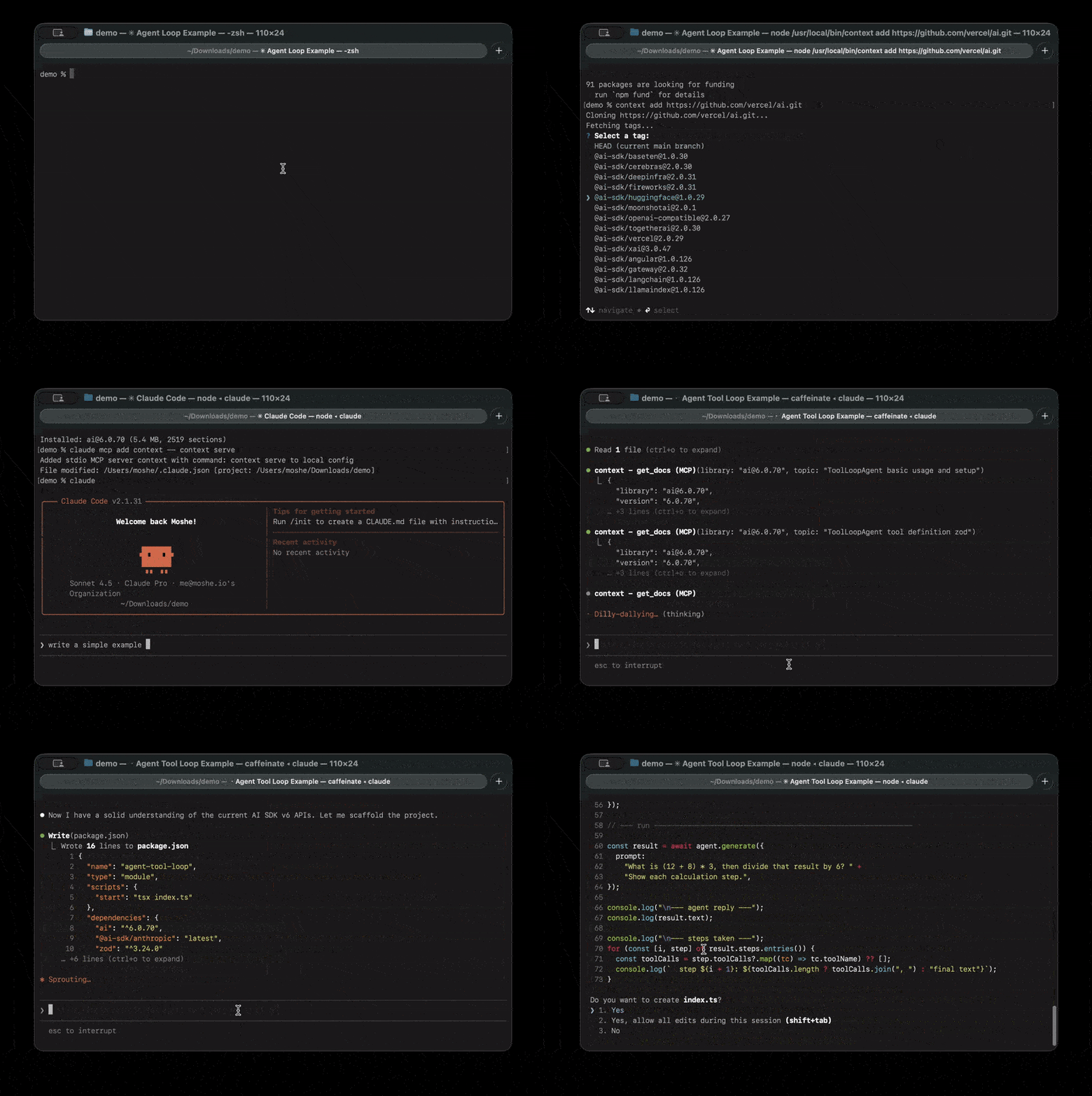
AI agents are trained on outdated docs. When libraries release new versions, your AI doesn't know — and confidently gives you wrong answers.
// Your AI, mass-trained on AI SDK v5 docs, will suggest:
import { Experimental_Agent as Agent, stepCountIs } from 'ai';

// But v6 changed the API entirely:
import { ToolLoopAgent } from 'ai';
The fix isn't better prompting. It's giving your AI the right docs.
Libref is an MCP server backed by a community-driven package registry with 100+ popular libraries already built and ready to use. When your AI agent needs documentation, it searches the registry, downloads the right package, and queries it locally — all automatically.
Install once. Configure once. Then just ask your AI.
npm install -g @wernerbisschoff/librefLibref works with any MCP-compatible agent. Pick yours:
Claude Code
claude mcp add libref -- libref serveClaude Desktop
Add to your config file:
- Linux:
~/.config/claude/claude_desktop_config.json - macOS:
~/Library/Application Support/Claude/claude_desktop_config.json - Windows:
%APPDATA%\Claude\claude_desktop_config.json
{
  "mcpServers": {
    "libref": {
      "command": "libref",
      "args": ["serve"]
    }
  }
}
Restart Claude Desktop to apply changes.
Cursor
Add to ~/.cursor/mcp.json (global) or .cursor/mcp.json (project-specific):
{
  "mcpServers": {
    "libref": {
      "command": "libref",
      "args": ["serve"]
    }
  }
}
Or use Settings > Developer > Edit Config to add the server through the UI.
OpenAI Codex
Either use the CLI
codex mcp add libref -- libref serveOr add to ~/.codex/config.toml (global) or .codex/config.toml (project-specific):
[mcp_servers.libref]
command = "libref"
args = ["serve"]
Restart OpenAI Codex to apply changes.
VS Code (GitHub Copilot)
Requires VS Code 1.102+ with GitHub Copilot
Add to .vscode/mcp.json in your workspace:
{
  "servers": {
    "libref": {
      "type": "stdio",
      "command": "libref",
      "args": ["serve"]
    }
  }
}
Click the Start button that appears in the file, then use Agent mode in Copilot Chat.
Windsurf
Add to ~/.codeium/windsurf/mcp_config.json:
- Windows:
%USERPROFILE%\.codeium\windsurf\mcp_config.json
{
  "mcpServers": {
    "libref": {
      "command": "libref",
      "args": ["serve"]
    }
  }
}
Or access via Windsurf Settings > Cascade > MCP Servers.
Zed
Add to your Zed settings.json (press cmd+, or ctrl+, twice):
{
  "context_servers": {
    "libref": {
      "command": {
        "path": "libref",
        "args": ["serve"]
      }
    }
  }
}
Check the Agent Panel settings to verify the server shows a green indicator.
Goose
Run goose configure and select Command-line Extension, or add directly to ~/.config/goose/config.yaml:
extensions:
  libref:
    type: stdio
    command: libref
    args:
      - serve
    timeout: 300
OpenCode
Add to ~/.config/opencode/opencode.json:
{
  "mcp": {
    "libref": {
      "command": ["libref", "serve"],
      "enabled": true,
      "type": "local"
    }
  }
}That's it. Just ask:
"How do I create middleware in Next.js?"
Your agent searches the community registry, downloads the docs, and answers with accurate, version-specific information. Everything happens automatically — no manual libref install needed for registry packages.
The registry is what makes Libref plug and play. It's a growing collection of 100+ pre-built documentation packages maintained by the community. Think of it like a package manager, but for AI-ready docs.
Popular packages available today:
| Category | Libraries |
|---|---|
| Frameworks | Next.js, Nuxt, Astro, SvelteKit, Remix, Hono |
| React ecosystem | React, React Router, TanStack Query, Zustand, Redux Toolkit |
| Databases & ORMs | Prisma, Drizzle, Mongoose, TypeORM |
| Styling | Tailwind CSS, shadcn/ui, Styled Components |
| Testing | Vitest, Playwright, Jest, Testing Library |
| APIs & Auth | tRPC, GraphQL, NextAuth.js, Passport |
| AI & LLMs | LangChain, AI SDK, OpenAI, Anthropic SDK |
Anyone can contribute. If a library you use isn't listed, submit a PR to add it — your contribution helps every Libref user.
Libref runs entirely on your machine. Docs are downloaded once and stored as compact SQLite databases in ~/.libref/packages/. After that, everything is local.
- Fast — Local SQLite queries return in under 10ms
- Offline — Works on flights, in coffee shops, anywhere
- Private — Your queries never leave your machine
- Free — No subscriptions, no rate limits, no usage caps
- Reliable — No outages, no API changes, no service shutdowns
The registry covers popular open-source libraries, but Libref also works with any documentation source. Use libref add to build packages from private repos, internal libraries, websites with llms.txt, or anything not yet in the registry.
# Build from a git repository
libref add https://github.com/your-company/design-system

# Build from a local directory
libref add ./my-project

# Specific version tag
libref add https://github.com/vercel/next.js/tree/v16.0.0

# Build from a website's llms.txt
libref add https://svelte.dev
Once built, share packages with your team — they're portable .db files that install instantly:
# Export a package
libref add ./my-project --name my-lib --pkg-version 2.0 --save ./packages/

# Teammate installs it (no build step needed)
libref add ./packages/my-lib@2.0.dbRun Libref as a containerized HTTP server for multi-client or Kubernetes deployments:
# Run from the repository root (required for the monorepo lockfile)
docker build -t libref:local -f packages/libref/Dockerfile .
docker run --rm -p 8080:8080 libref:local
The container starts Libref with HTTP transport on port 8080, accessible at http://localhost:8080/mcp. The image uses a multi-stage build with node:22-bookworm-slim for native module compatibility.
Search for packages available on the registry server.
# Browse by registry/name
libref browse npm/next

# Output:
#   npm/next@15.1.3           3.4 MB  The React Framework for the Web
#   npm/next@15.0.4           3.2 MB  The React Framework for the Web
#   ...
#
#   Found 12 versions. Install with: libref install npm/next

# Browse with just a name (defaults to npm)
libref browse reactDownload and install a pre-built package from the registry server.
# Install latest version
libref install npm/next

# Install a specific version
libref install npm/next 15.0.4

# Install from other registries
libref install pip/djangoBuild and install a documentation package from source. Use this for libraries not in the registry, or for private/internal docs. The source type is auto-detected.
From git repository:
Works with GitHub, GitLab, Bitbucket, Codeberg, or any git URL:
# HTTPS URLs
libref add https://github.com/vercel/next.js
libref add https://gitlab.com/org/repo
libref add https://bitbucket.org/org/repo

# Specific tag or branch
libref add https://github.com/vercel/next.js/tree/v16.0.0

# SSH URLs
libref add git@github.com:user/repo.git
libref add ssh://git@github.com/user/repo.git

# Custom options
libref add https://github.com/vercel/next.js --path packages/docs --name nextjs
From local directory:
Build a package from documentation in a local folder:
# Auto-detects docs folder (docs/, documentation/, doc/)
libref add ./my-project

# Specify docs path explicitly
libref add /path/to/repo --path docs

# Custom package name and version
libref add ./my-lib --name my-library --pkg-version 1.0.0| Option | Description |
|---|---|
--pkg-version <version> |
Custom version label |
--path <path> |
Path to docs folder in repo/directory |
--name <name> |
Custom package name |
--save <path> |
Save a copy of the package to the specified path |
Saving packages for sharing:
# Save to a directory (auto-names as name@version.db)
libref add https://github.com/vercel/next.js --save ./packages/

# Save to a specific file
libref add ./my-docs --save ./my-package.db
From website (llms.txt):
Many websites publish an llms.txt file with AI-ready documentation. Libref auto-detects and fetches it. When the site only provides llms.txt (an index of links rather than the inlined llms-full.txt), Libref follows each link and fetches the linked document:
# Auto-fetches llms-full.txt or llms.txt from the site
libref add https://svelte.dev
libref add https://mui.com/material-ui

# Direct URL to a specific llms.txt file
libref add https://svelte.dev/docs/svelte/llms.txt

# Custom package name
libref add https://react-aria.adobe.com --name react-aria
From an arbitrary URL (blog posts, articles, raw Markdown):
If no llms.txt is found, Libref falls back to fetching the page directly. HTML pages are run through a readability extractor (defuddle) so subscribe CTAs, navigation, and comment widgets don't end up in the package:
# A blog post
libref add https://overreacted.io/things-i-dont-know-as-of-2018/

# Raw Markdown from GitHub
libref add https://raw.githubusercontent.com/wernerbisschoff/libref/main/README.md --name libref-readme
For subscriber-only content on platforms you have a paid account for, see libref auth below.
From URL:
libref add https://cdn.example.com/react@18.dbFrom local file:
libref add ./nextjs@15.0.dbFinding the right documentation repository:
Many popular projects keep their documentation in a separate repository from their main codebase. If you see a warning about few sections found, the docs likely live elsewhere:
# Example: React's docs are in a separate repo
libref add https://github.com/facebook/react
# ⚠️  Warning: Only 45 sections found...
# The warning includes a Google search link to help find the docs repo

# The actual React docs repository:
libref add https://github.com/reactjs/react.dev
Common patterns for documentation repositories:
project-docs(e.g.,prisma/docs)project.devorproject.io(e.g.,reactjs/react.dev)project-website(e.g.,expressjs/expressjs.com)
When the CLI detects few documentation sections, it will show a Google search link to help you find the correct repository.
Show installed packages.
$ libref list

Installed packages:

  nextjs@16.0              4.2 MB    847 sections
  react@18                 2.1 MB    423 sections

Total: 2 packages (6.3 MB)Remove a package.
libref remove nextjsStore per-platform cookies or headers so libref add <url> can fetch subscriber-only content you have a legitimate account for (e.g., a paid Substack or Medium subscription). Credentials are stored in ~/.libref/auth.json with 0600 permissions, and matched by domain (with one level of parent-domain fallback for subdomains).
# Store cookies for a domain
libref auth add substack.com --cookies "substack.sid=YOUR_SID"

# Add a custom header too
libref auth add medium.com --cookies "sid=..." --header "x-frontend: web"

# List configured auth
libref auth list

# Remove auth
libref auth remove substack.comStart the MCP server (used by AI agents).
# Stdio transport (default, for single-client MCP integrations)
libref serve

# HTTP transport (for multi-client access over the network)
libref serve --http
libref serve --http 3000
libref serve --http 3000 --host 0.0.0.0

# Restrict the session to a subset of installed packages
libref serve --libs react next@15.0.4| Option | Description |
|---|---|
--http [port] |
Start as HTTP server instead of stdio (default port: 8080) |
--host <host> |
Host to bind to (default: 127.0.0.1) |
--libs <names...> |
Restrict the session to a fixed set of installed libraries. Each entry is a name (react) or name@version (react@18.3.1). When set, search_packages and download_package are hidden so the session is locked to that list. Useful for per-project scoping when you have many packages installed globally. |
The HTTP transport uses the MCP Streamable HTTP protocol, enabling multiple clients on the local network to connect to a single server instance. The endpoint is available at http://<host>:<port>/mcp.
Query documentation directly from the command line. Useful for testing and debugging.
The <library> argument accepts the same identifier shapes as the rest of the CLI: name@version (as printed by libref list), a bare name (matches whatever version is installed), or a registry/name[@version] spec. For docs sites, you can also pass the second-level domain or the full main domain — e.g. cloudflare or cloudflare.com — and it will match an installed package like developers.cloudflare.com (only when no cloudflare package exists).
# Exact name@version from 'libref list'
libref query 'nextjs@16.0' 'middleware authentication'

# Bare name — matches the installed version
libref query 'nextjs' 'middleware authentication'

# A registry prefix is also accepted (and ignored for installed packages)
libref query 'npm/nextjs@16.0' 'middleware authentication'

# For docs sites: a brand or full main domain matches the site package
libref query 'cloudflare' 'cloudflare_record'

# Returns the same JSON format as the MCP get_docs tool┌─────────────────────────────────────────────────────────┐
│ Your Machine │
│ │
│ ┌──────────┐ ┌──────────────────┐ ┌────────────┐ │
│ │ AI │ │ Libref MCP │ │ ~/.libref │ │
│ │ Agent │───▶│ Server │───▶│ /packages │ │
│ │ │ │ │ └────────────┘ │
│ └──────────┘ └────────┬─────────┘ │ │
│ │ ┌──────────┐ │
│ │ │ SQLite │ │
│ │ │ FTS5 │ │
│ │ └──────────┘ │
└───────────────────────────┼─────────────────────────────┘
│ (first use only)
▼
┌────────────────┐
│ Community │
│ Registry │
└────────────────┘
First time you ask about a library:
- The MCP server searches the community registry
- Downloads the pre-built documentation package (a SQLite
.dbfile) - Stores it locally in
~/.libref/packages/
Every time after:
- FTS5 full-text search finds relevant sections locally
- Smart filtering keeps results within token budget
- Your AI gets focused, accurate documentation in under 10ms
Yes! Libref is language-agnostic. It natively supports Markdown (.md, .mdx), AsciiDoc (.adoc), reStructuredText (.rst), and HTML — no conversion needed.
# Python - FastAPI (Markdown)
libref add https://github.com/fastapi/fastapi --path docs/en/docs

# Python - Django (reStructuredText)
libref add https://github.com/django/django --path docs

# Java - Spring Boot (AsciiDoc)
libref add https://github.com/spring-projects/spring-boot --path spring-boot-project/spring-boot-docs/src/docs

# Rust - The Rust Book
libref add https://github.com/rust-lang/book --path src
Point Libref at the docs folder with --path and it handles the rest.
Yes! The registry/ directory has YAML definitions organized by package manager:
registry/npm/— JavaScript/TypeScript (Next.js, React, Tailwind, etc.)registry/pip/— Python (FastAPI, Flask, Django, Pydantic)registry/maven/— Java (Spring Boot, JUnit, Micrometer)
To add a package, create a YAML file. Two source types are supported:
Git source — clone a repo at a version tag:
# registry/pip/my-library.yaml
name: my-library
description: "Short description of the library"
repository: https://github.com/org/my-library

versions:
  - min_version: "2.0.0"
    source:
      type: git
      url: https://github.com/org/my-library
      docs_path: docs
    tag_pattern: "v{version}"
ZIP source — download HTML docs from a URL (supports {version} placeholder):
# registry/python/python.yaml
name: python
description: "Python programming language official documentation"

versions:
  - versions: ["3.14", "3.13", "3.12"]
    source:
      type: zip
      url: "https://docs.python.org/3/archives/python-{version}-docs-html.zip"
      docs_path: "python-{version}-docs-html"
      exclude_paths:
        - "whatsnew/**"
        - "changelog.html"
Version discovery is supported for npm, PyPI, and Maven Central. See existing definitions for examples.
# Install dependencies
pnpm install

# Build
pnpm build

# Test
pnpm test

# Lint
pnpm lint