Running average This document describes a backend homework challenge for candidates applying for positions within Maersk's Service Delivery platform.
The goal is to see:
How you design, structure, implement, and deliver a complete solution that is adapted to the proposed problem below This will be followed by a discussion with some of the software engineers in Service Delivery's hiring team.
Your code and other deliverables must be provided as a link to a private Git repository (VSTS, GitLab, GitHub, or Bitbucket) Your solution must only be accessible to you and us; please make sure it is not available for a wider audience, especially not publicly. We would like to reuse the challenge - please help us keeping it fair! The problem
Your assignment is to build an ASP.NET Core web API for an internal dashboard application to track container transport prices for specific geographical routes, referred to as voyages. More specifically, your API needs an endpoint that returns the last 10 prices for containers booked on a given voyage and an endpoint through which you can register a new booking price. The application should support at least 3 different currencies of your choice. You don't need to connect to an online service to get the latest currency rates - it is fine to use hard-coded exchange rates. Further, all data should be kept in memory. Endpoints The API should have the following two endpoints:
[POST] UpdatePrice(string voyageCode, decimal price, Currency currency, DateTimeOffset timestamp) Example: UpdatePrice("451S", 109.5, Currency.Gbx, DateTimeOffset.Now)
[GET] GetAverage(string voyageCode, Currency currency) Example: GetAverage("451S", Currency.Gbx) --> 152.35 We expect a lot of traffic, particularly for reads, so performance is important to keep in mind.
Your delivery should: Include a fully functional solution built using C#, ASP.NET Core, and .NET Core Include the complete code needed to execute the solution Include a suite of unit tests covering key components of your solution Contain logging functionality If you use any third-party libraries, these must be referenced via NuGet Contain a Readme file explaining how to build, test, and run your solution locally, plus any additional details (e.g. architectural decisions) you might find relevant for us to know Your solution should be self-contained and all data should be stored in memory for the sake of simplicity. No external infrastructure should be needed to run the solution. The requirements intentionally leave a lot of design decisions up to you, so use your solution to showcase how you would approach the described problem from both a (technical) design and implementation point of view. Good Luck! We look forward to reviewing your solution.
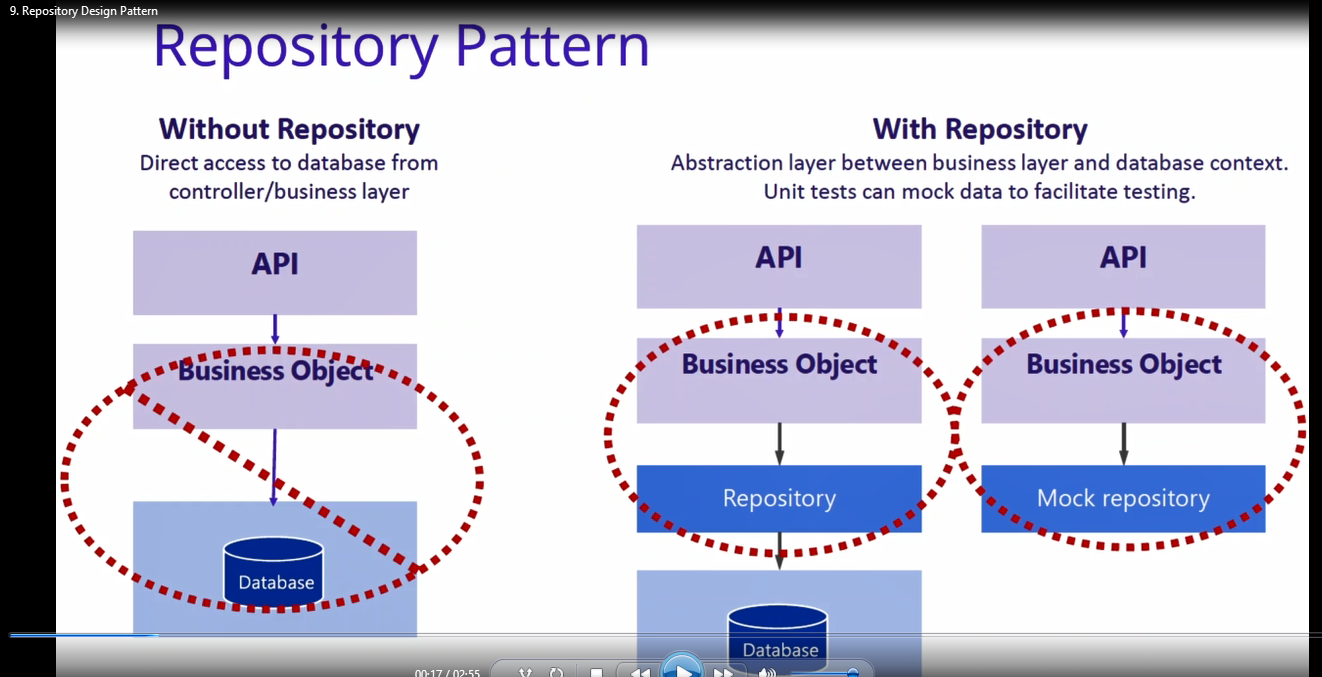
I adopted the Repository # design Pattern architecture # to solve this challenge. Benefits of Repository Pattern
- It centralizes data logic or business logic and service logic.
- It gives a substitution point for the unit tests.
- Provides a flexible architecture.
- If you want to modify the data access logic or business access logic, you don’t need to change the repository logic.
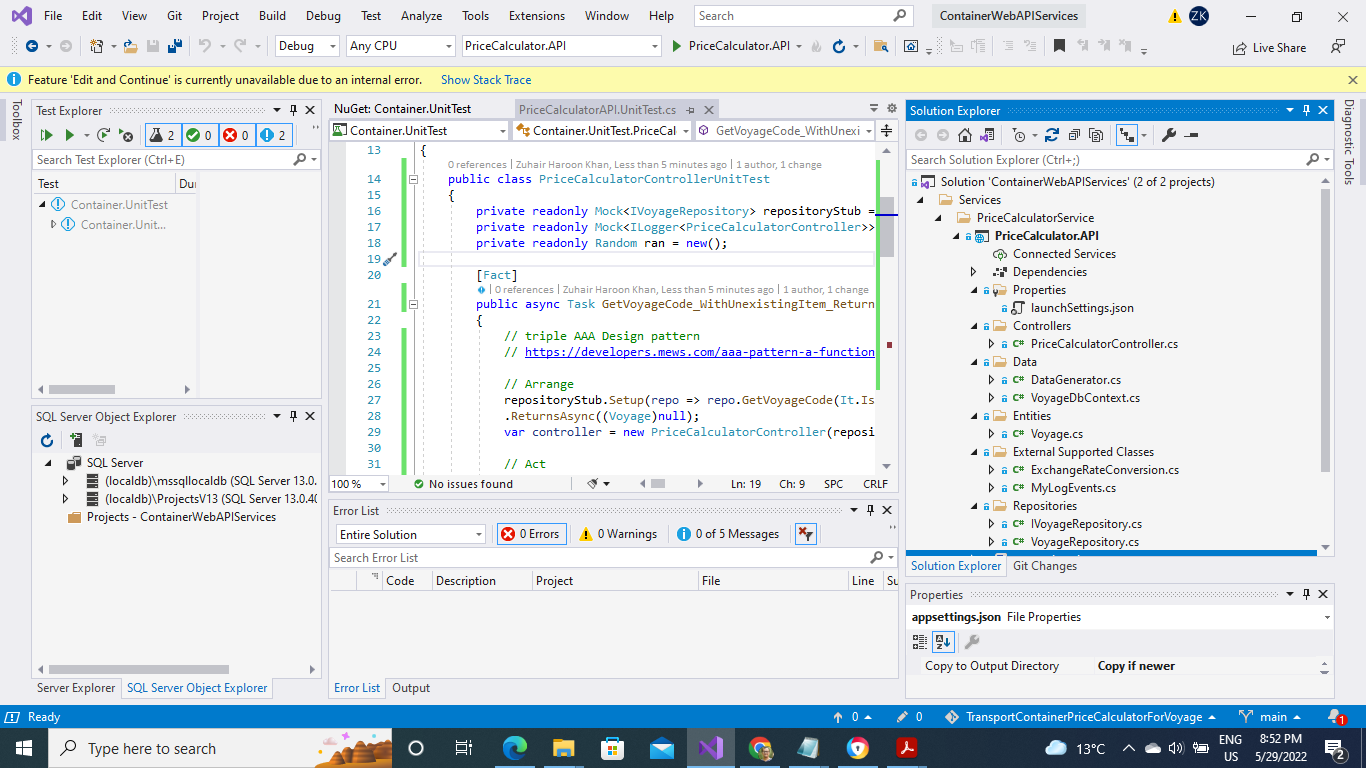
In this diagram I have created different folders for their own responsibilties
Controller : controller folder responsible for handling / fetching data from business layer via application abstract layer. Data : this folder is held responsible for creating and mainting Db context class. Entities : this folder represent application data model classes. Repositories : abstraction layer between business and data access layer.
Microsoft Entityframework Core Microsoft Entityframework Core InMemory Swash buckle Asp Net Core ( Web API UI interface)
once you downloded this application , you need to simply run the application as usual you run your application via Visual studio program. Click executable button.
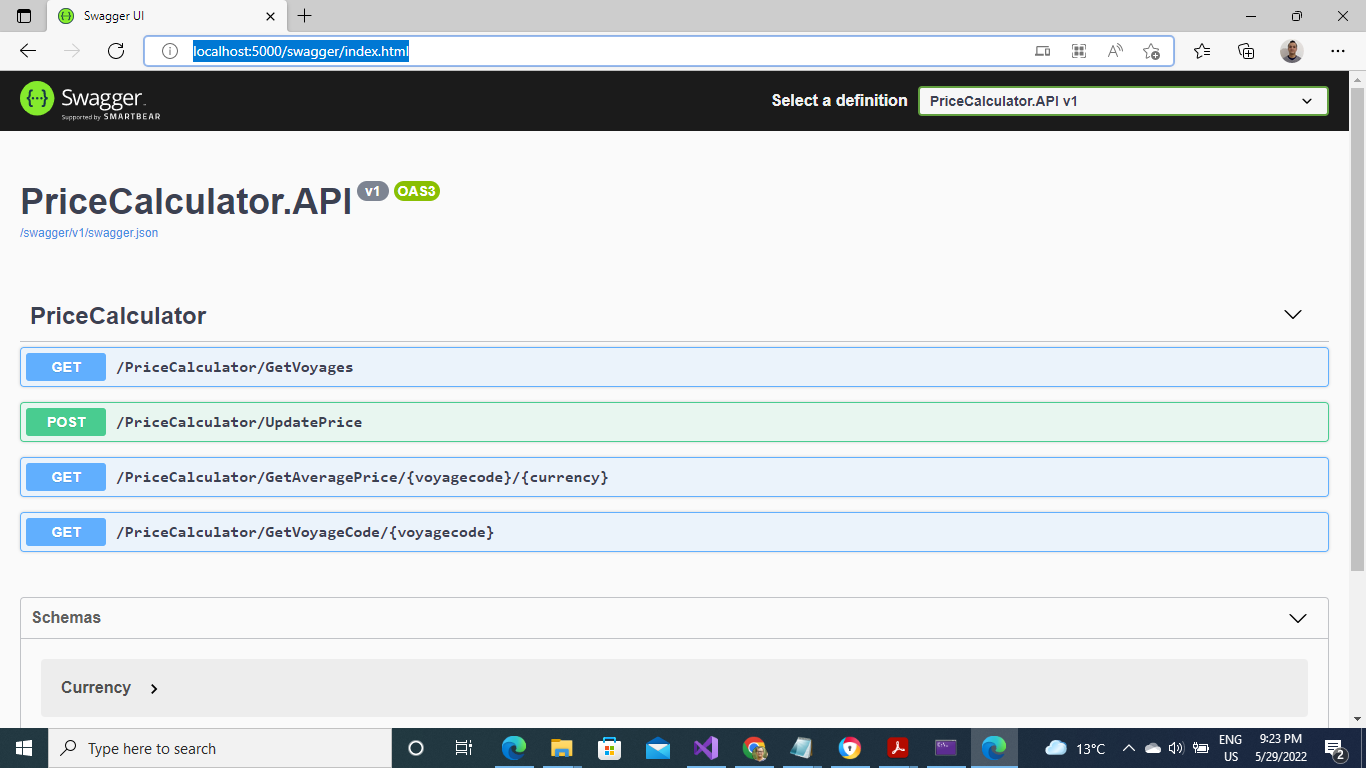
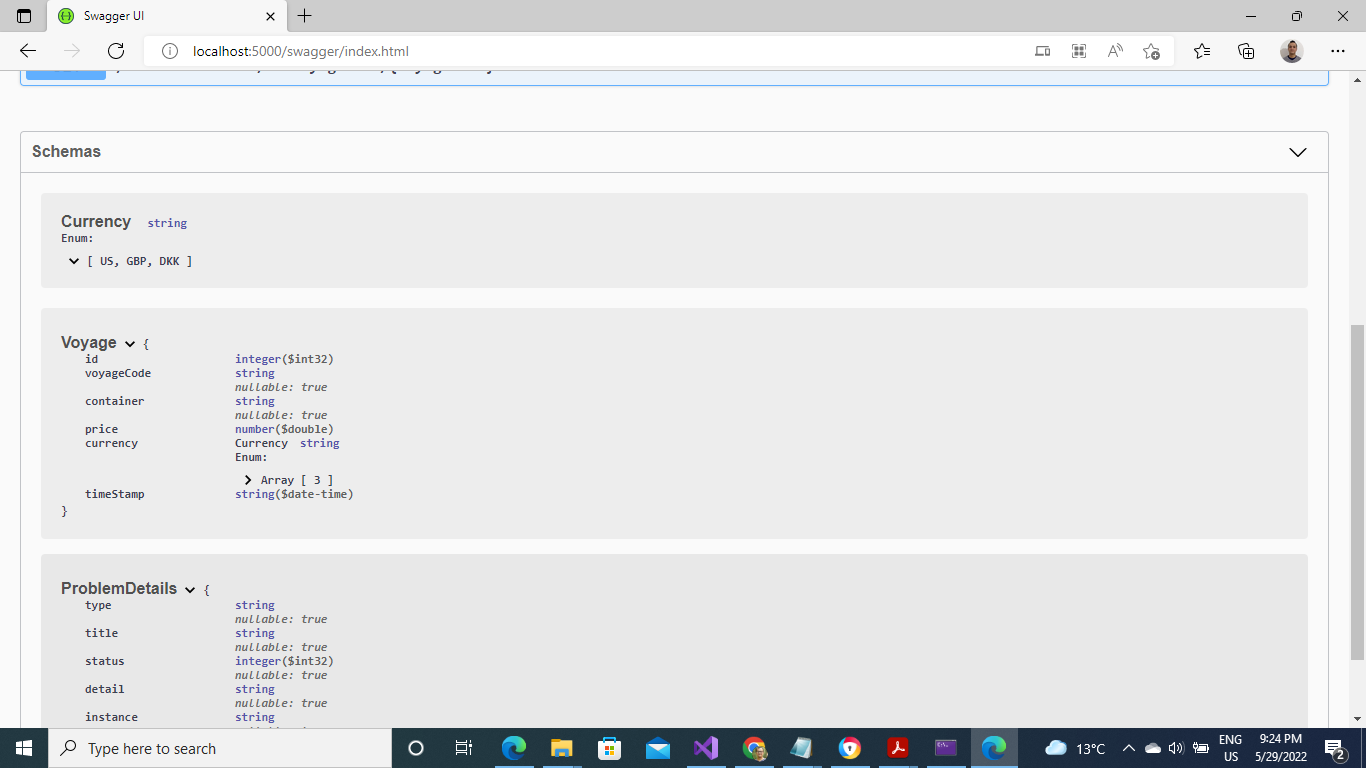
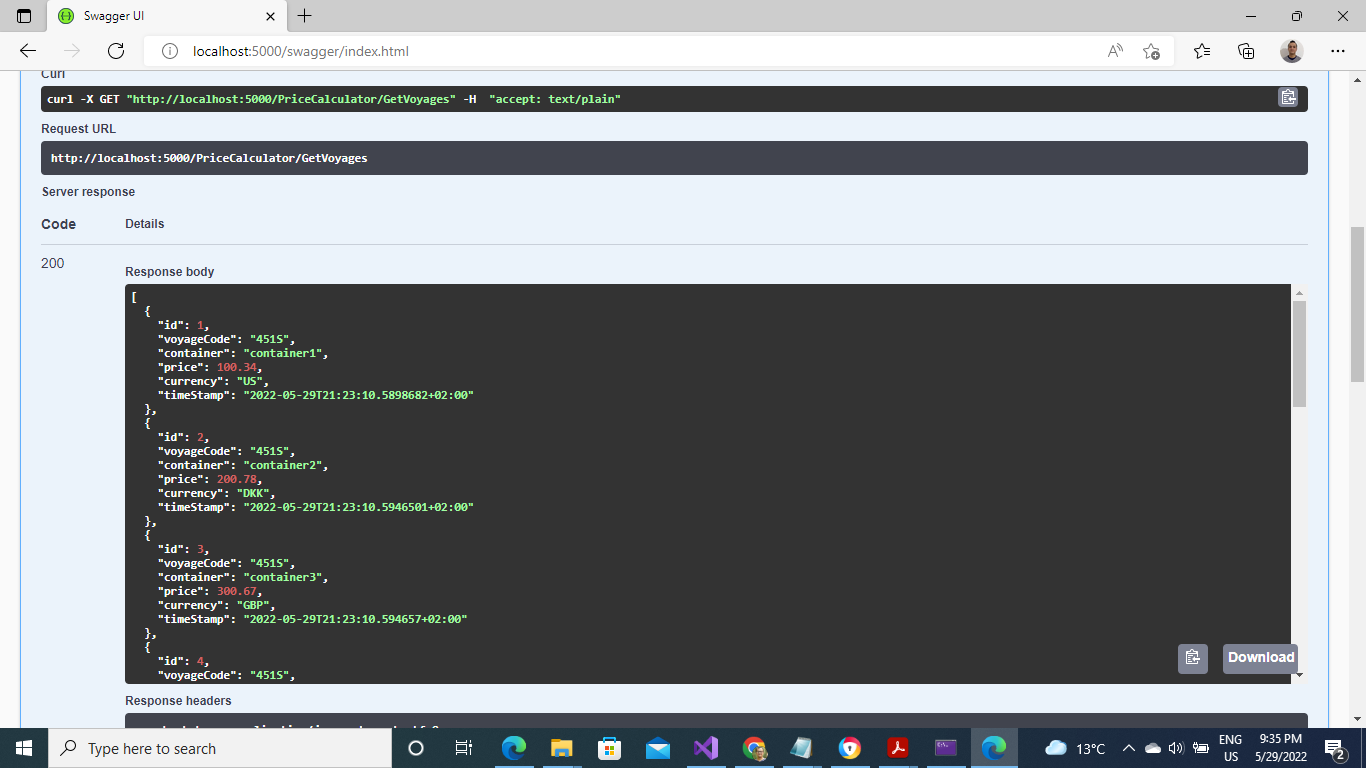
As you can see webAPI have four endpoints but two end points are the main requirements in this app.
GetVoyages Update Price Get Average Price
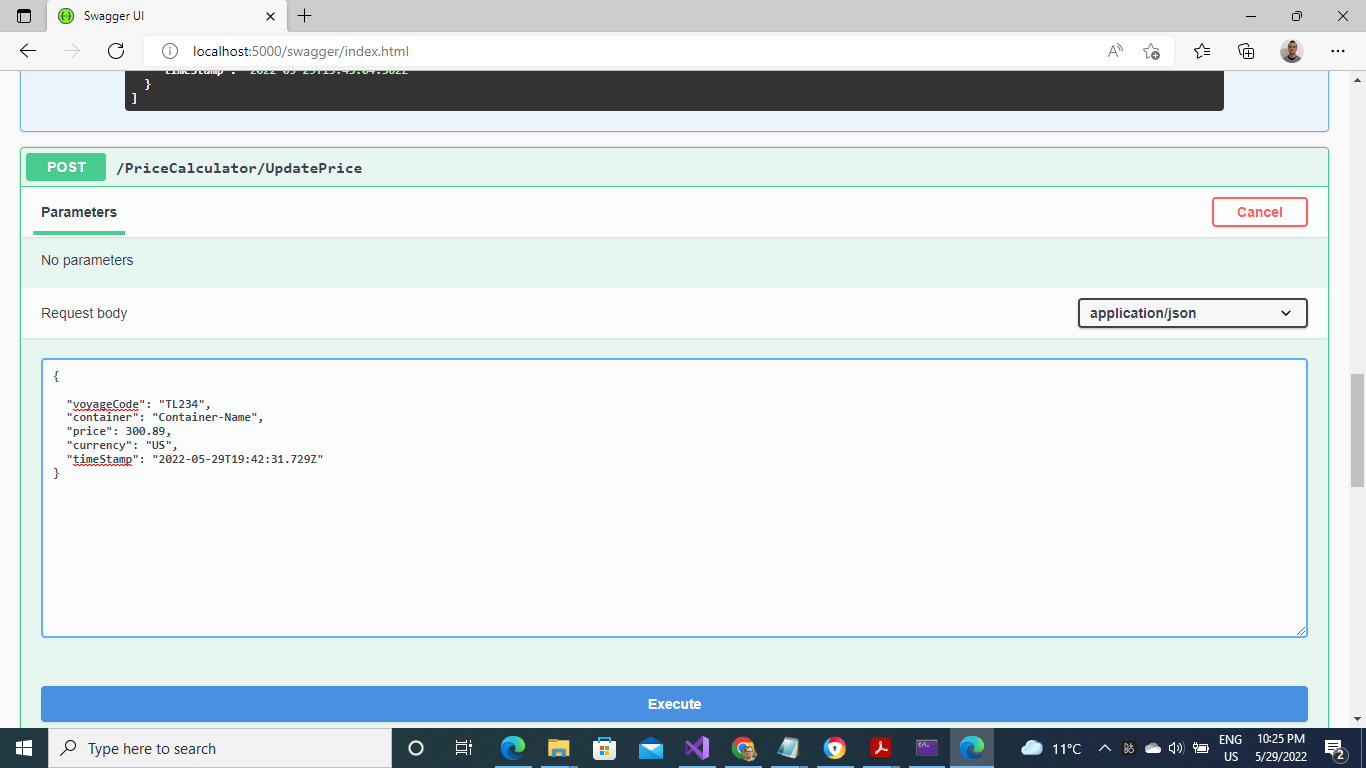
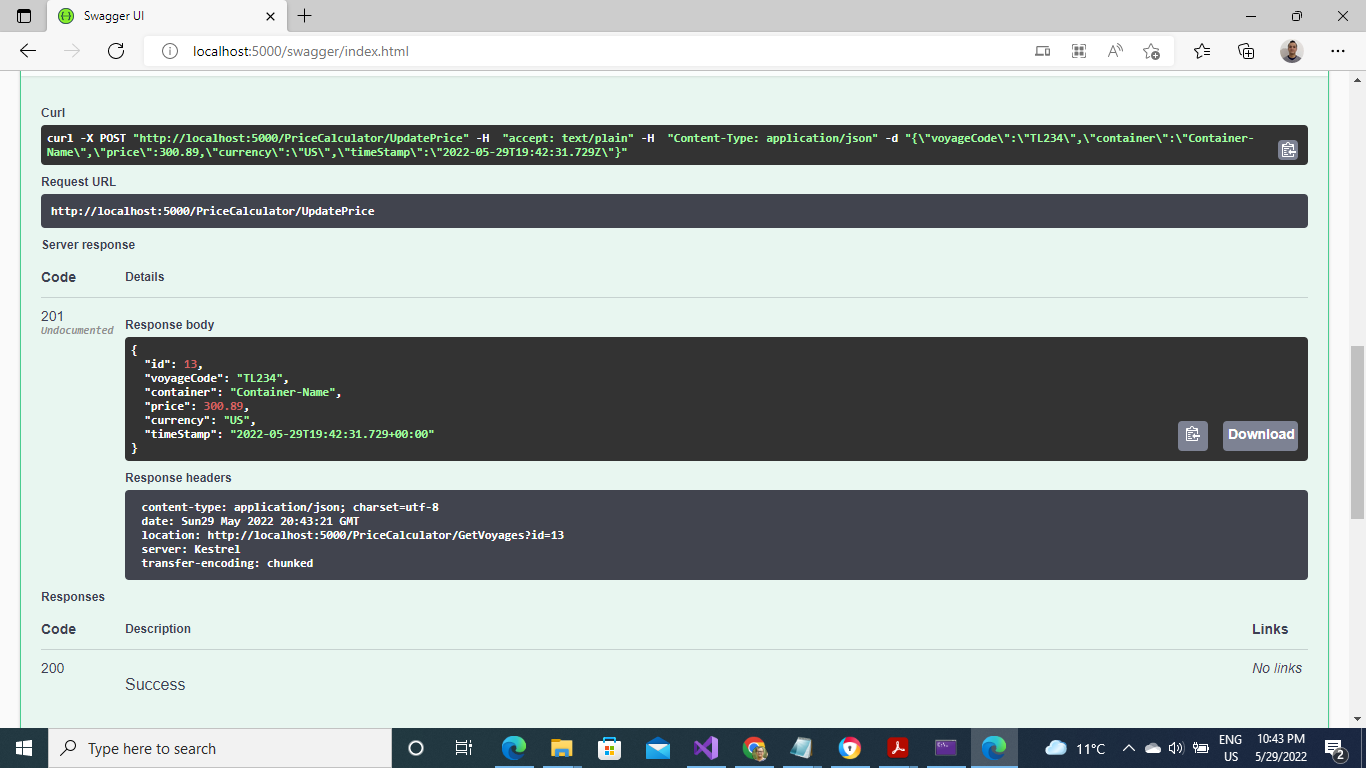
Above diagram explain how we send POST request , when we send it we dont need Id because it is system can generate Id automatically. after this we are able to register new price with new values. Below diagram show the API response and generated New item values.
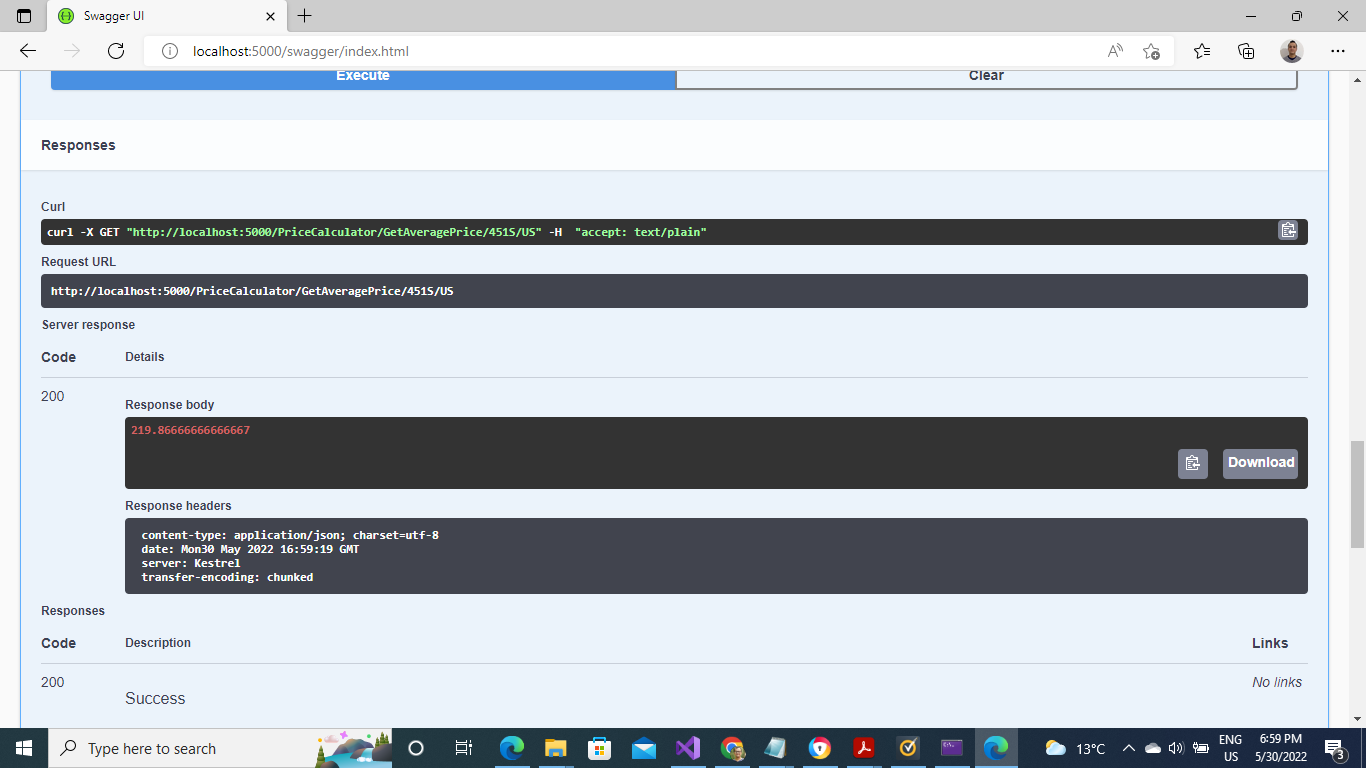
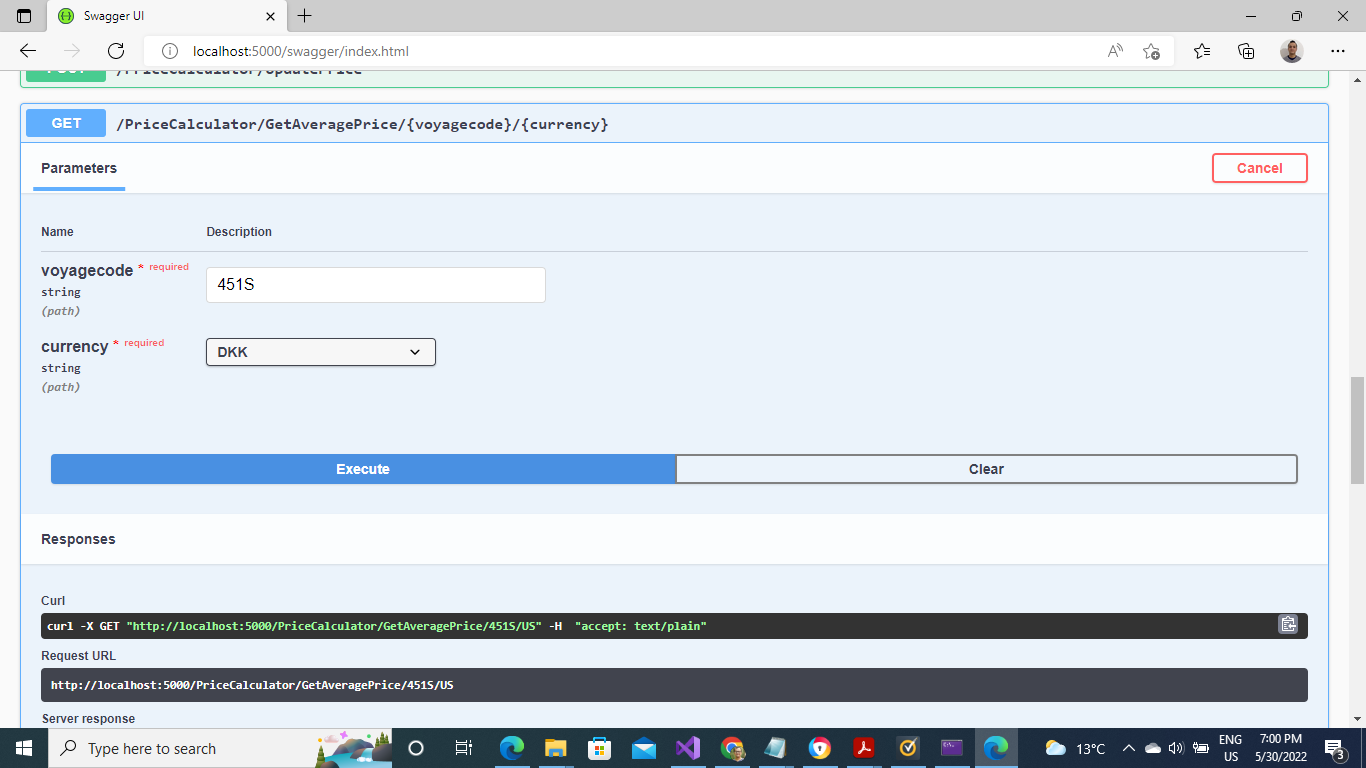
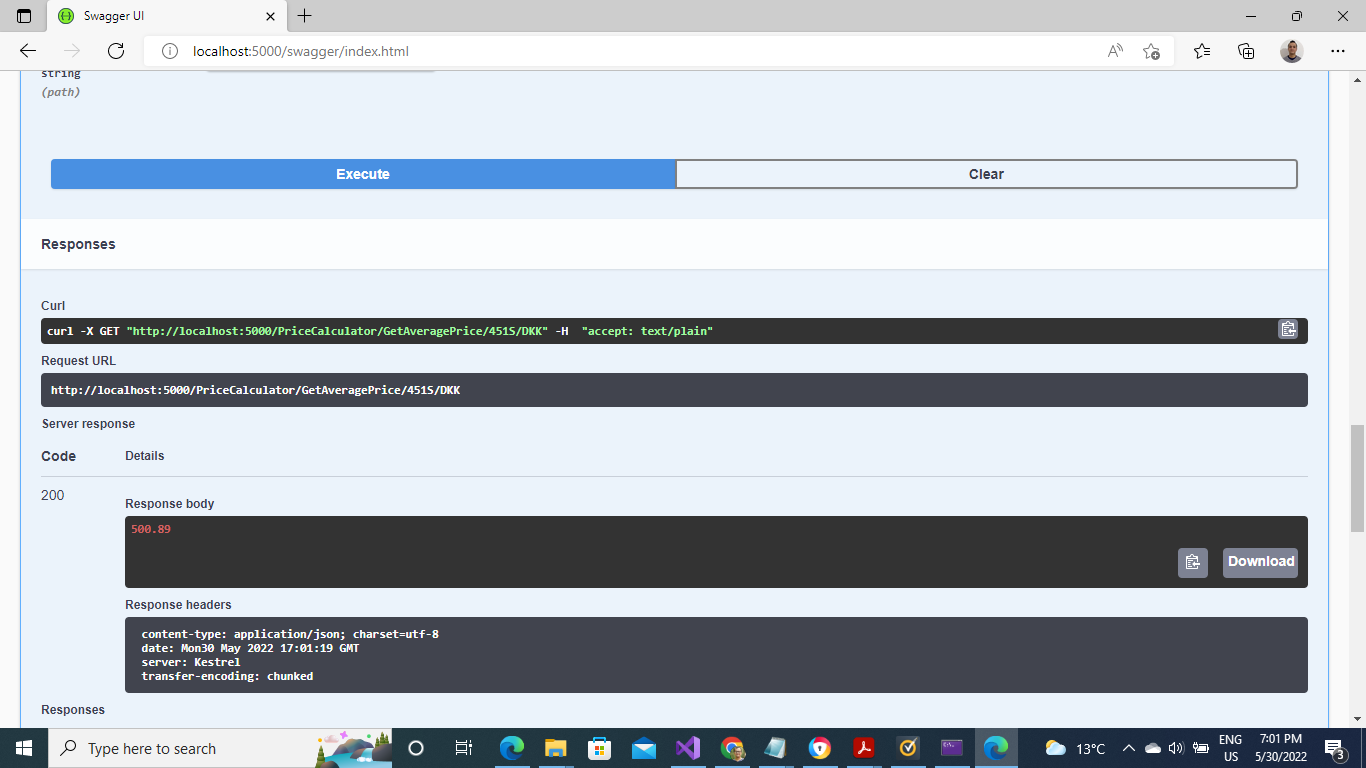
Step no : 4 --> Get Average Price (returns the last 10 prices for containers booked on a given voyage)
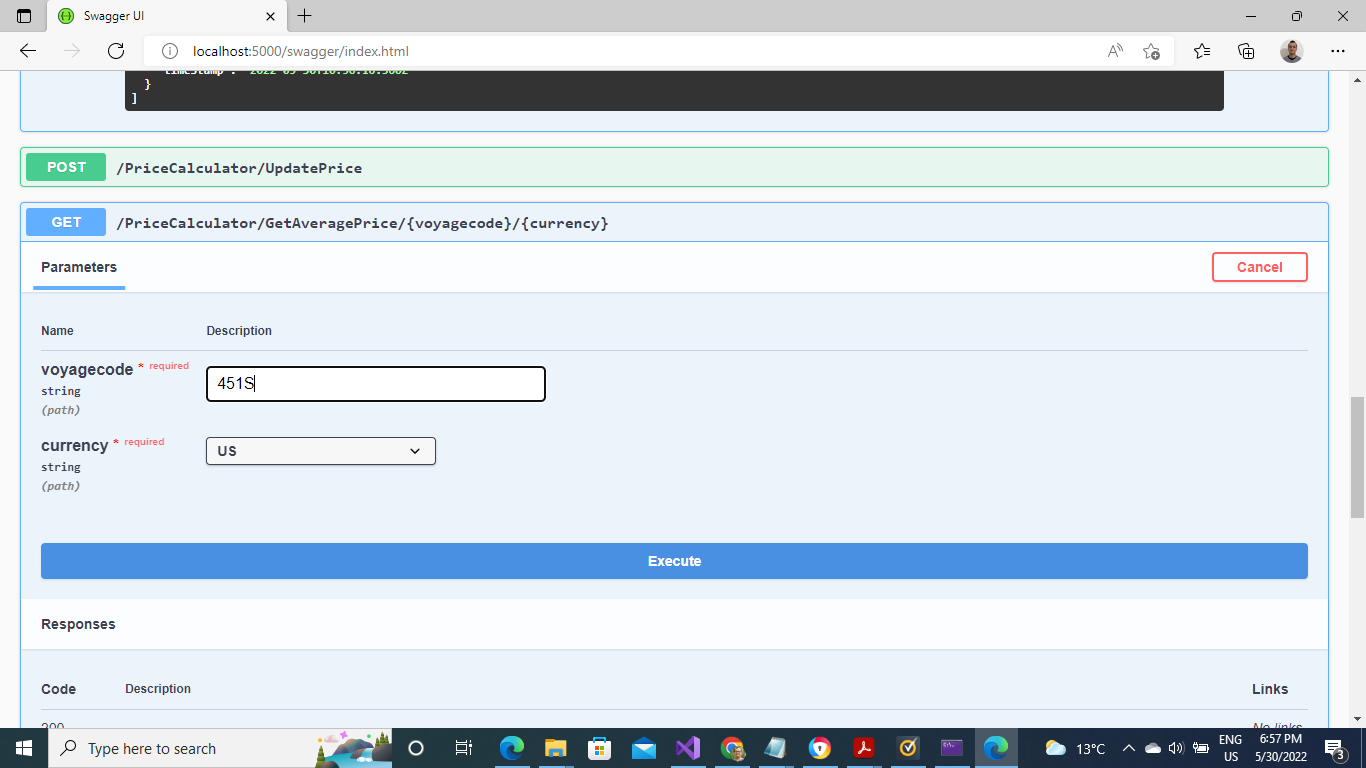
Get average price for US currency
Get average price for DKK currency
There are many benefits for unit testing but one of the most is test application parallel during application development. We save our time when we hand over a application to SQL Manager or Client.
I followed the AAA ( Design pattern approach for unit testing I used core unit test DLLs
- Fluent Assertions
- Moq
- Xunit
Finally I used also built in .Net core Logger information in the application and save all error information in a log file. Last but least I used async programming technique or model through out in my controller method where performance of application is boosted. I assumed that many users can simultanously call this webAPI at the same time and get response immediately without any delay of time
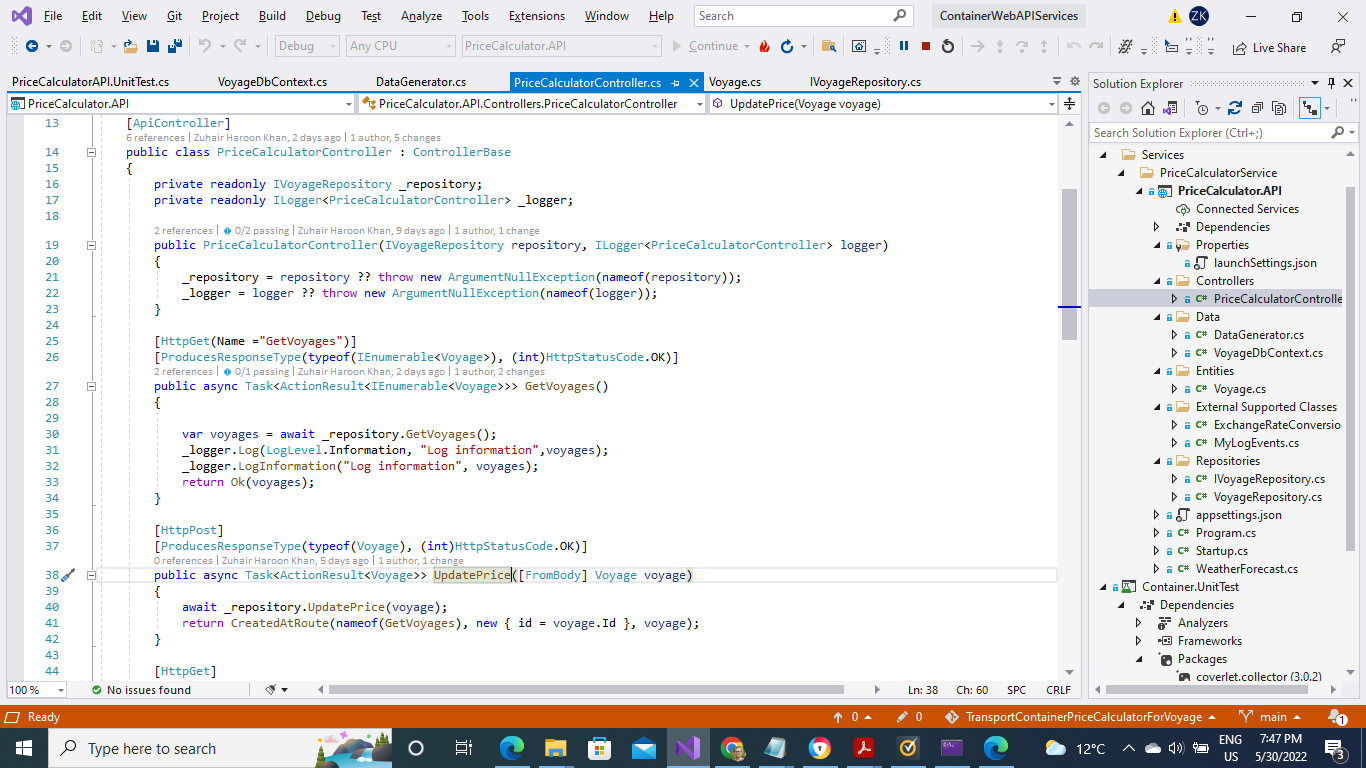
I used Serilog .Net Framework for Centralixed logging. All logging information saved in log.txt file under the project directory.