User File Preview
Clicking a file in the sidebar Project Files explorer opens (or reuses) a center workspace tab with a typed preview. The same tab is used for every file you open; switching files updates the contents instead of stacking new tabs.
The preview picks a renderer based on the file extension:
| Kind | Extensions | Renderer |
|---|---|---|
| Image |
png, jpg, jpeg, webp, gif, avif, bmp, ico, svg
|
Centered raster <img> (base64 data URL) or sanitized inline SVG |
| Video |
mp4, webm, mov, m4v, mkv
|
Native <video controls> with HTML5 playback |
| Markdown |
md, markdown
|
pulldown-cmark (GFM tables, strikethrough, task lists, footnotes, smart punctuation) with sanitized HTML and inline Mermaid blocks |
| Mermaid |
mmd, mermaid
|
Lazy-loaded Mermaid 11 diagram via vendored bundle |
| Code |
rs, ts, tsx, js, jsx, mjs, cjs, py, go, java, kt, scala, swift, c, cpp, cs, rb, php, lua, dart, r, clj, ex, hs, elm, zig, nim, html, vue, svelte, css, scss, less, json, toml, yaml, xml, sh, bash, ps1, sql, graphql, proto, tf, nix, dockerfile, makefile, diff, … |
Two-column code view: gutter with line numbers + syntax-highlighted code (highlight.js 11). Click any row to toggle a selection highlight for that line. |
| Text |
txt, log, ini, conf, env, properties, csv, tsv, gitignore, editorconfig, … |
Same gutter + row-selection layout as Code, but without syntax highlighting (plain monospaced text). |
| Binary | everything else | "Preview not available for this file type" placeholder |
Note — Common repository "policy" documents (
LICENSE,LICENCE,COPYING,CONTRIBUTING,CONTRIBUTORS,CODE_OF_CONDUCT,SECURITY,AUTHORS/MAINTAINERS/OWNERS/CODEOWNERS,CHANGELOG,README) are detected by their filename stem, not their extension. They render as Markdown with or without a.md/.markdownsuffix and get a special hero banner — see Repository policy documents below.
Every renderer shares the same topbar:
- Type icon — image/film/document/diagram glyph that matches the detected kind.
- File name — basename of the file.
- Relative path — workspace-relative path with a tooltip showing the full string when truncated.
-
Size chip — formatted byte size (
87.2 KiB,1.4 MiB, …). -
Modified chip — locale-aware timestamp from the filesystem
modified()metadata. - Copy path — copies the relative path to the clipboard; the button briefly switches to "Path copied".
- Refresh — re-reads the file from disk (file content and metadata).
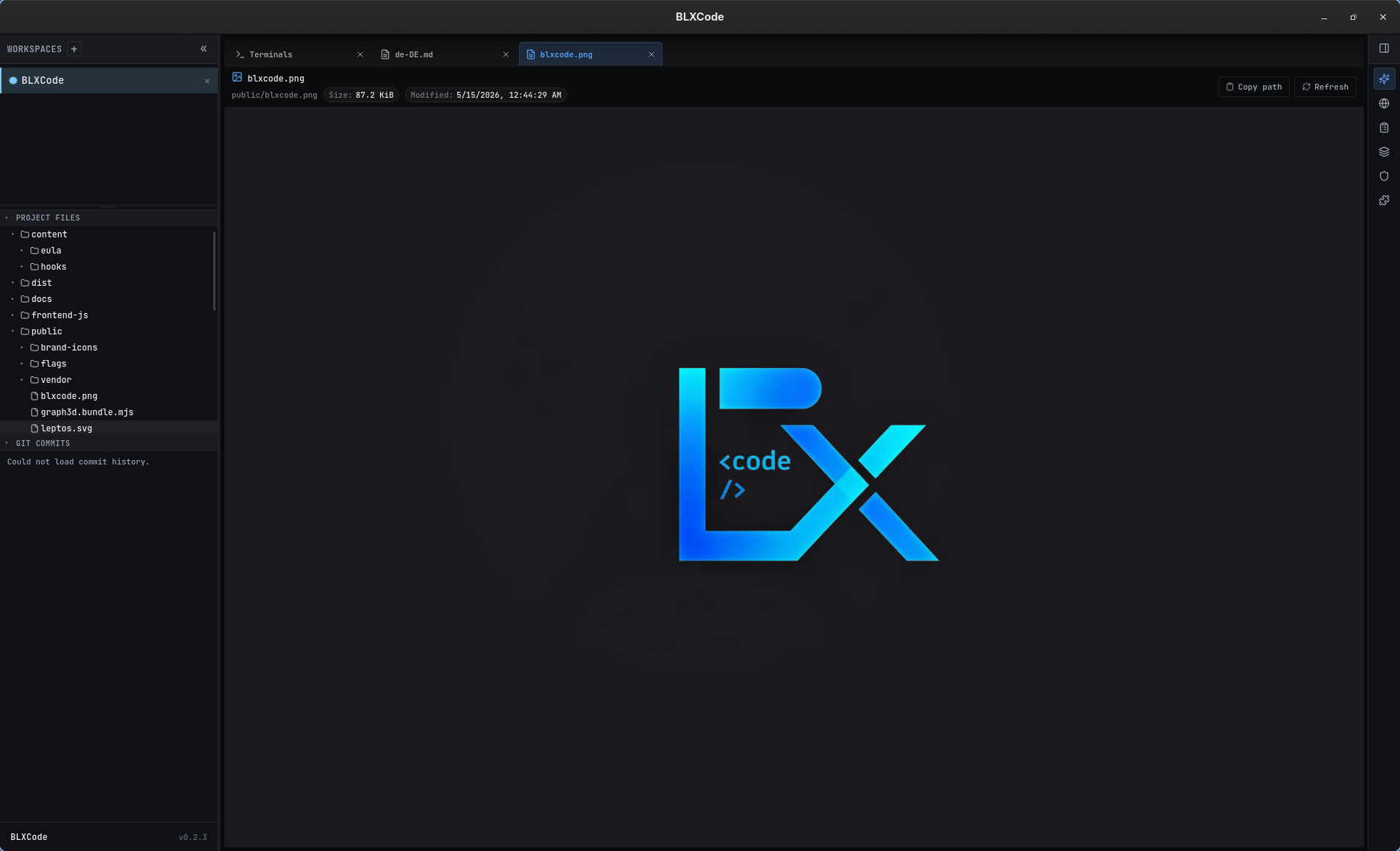
Image preview: BLXCode logo (public/blxcode.png) rendered centered with a drop-shadow and the topbar showing Size: 87.2 KiB · Modified: 5/15/2026, 12:44:29 AM.
-
Raster images (PNG / JPG / WebP / GIF / AVIF / BMP / ICO) are sent from the backend as base64 and embedded as a
data:URL. They render centered withobject-fit: containso they scale to the tab without stretching. - SVG files are read as UTF-8 text, sanitized (see Security), and inlined into the DOM so CSS variables and themes can affect the artwork.
- Files larger than 16 MiB (
MAX_IMAGE_PREVIEW_BYTES) show a localized "Datei zu groß für Vorschau" banner instead of the image so the WebView is never flooded.
- Supported containers: MP4, WebM, MOV, M4V, MKV (codec support depends on the platform WebView).
- Videos play through a native
<video controls preload="metadata">element fed by a base64 data URL. - Cap: 64 MiB (
MAX_VIDEO_PREVIEW_BYTES). Larger files show the too-large banner. For long media, open the file in an external player instead.
The Markdown renderer uses pulldown-cmark with these extensions enabled:
- Tables
- Strikethrough
- Task lists
- Footnotes
- Smart punctuation
Headings, blockquotes, tables, inline code, and code blocks are styled to match the active BLXCode theme. Links keep their href but javascript: / vbscript: URIs are stripped on the way in.
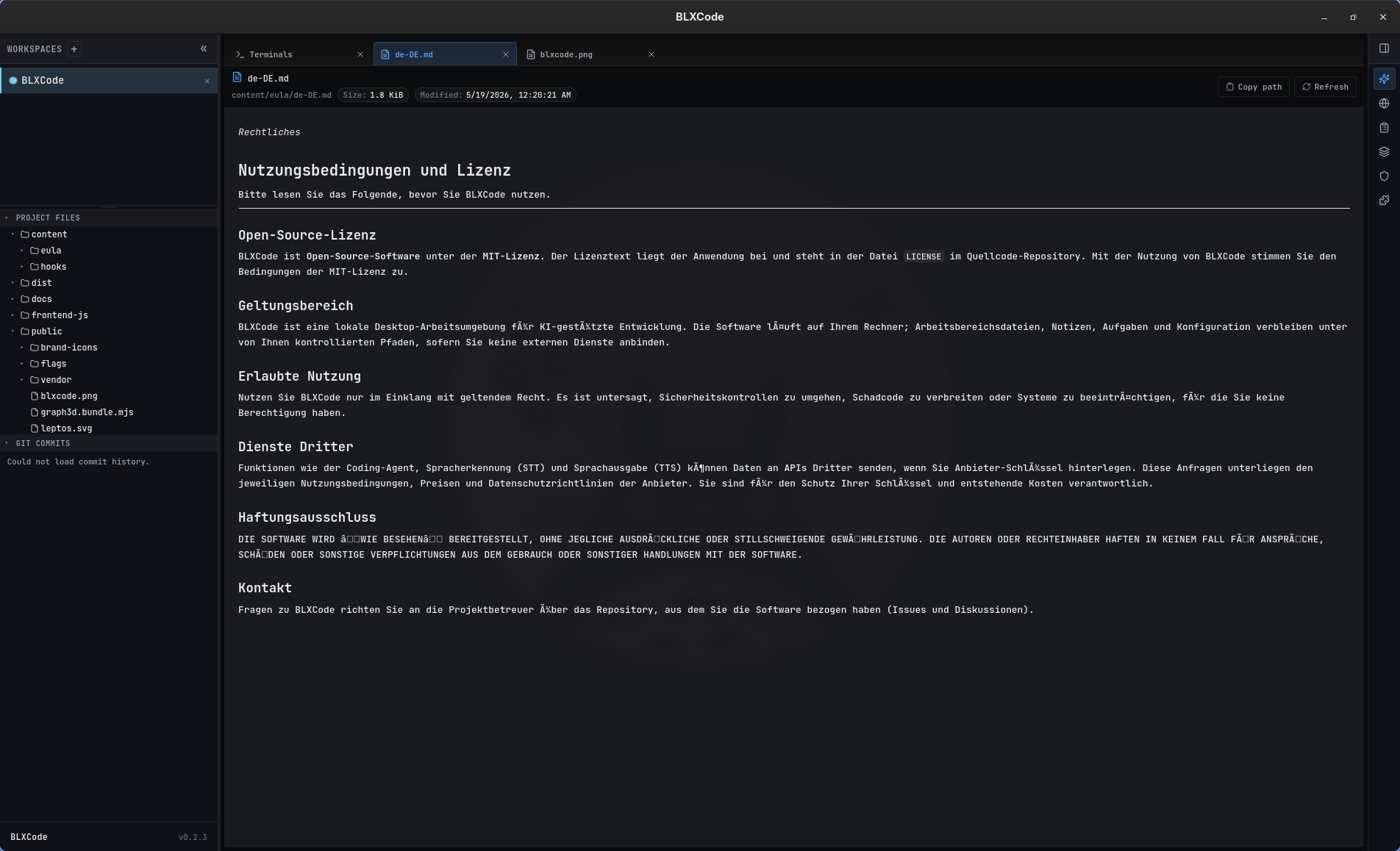
Markdown preview: content/eula/de-DE.md rendered with headings, paragraphs, and proper UTF-8 (umlauts and special characters preserved end-to-end through the sanitizer).
Fenced ```mermaid blocks inside a Markdown file are detected during the cmark event stream and replaced with a sentinel <pre class="mermaid"> element. After the HTML is mounted, the preview runs Mermaid on every sentinel in the document:
```mermaid
flowchart LR
  A[Sidebar click] --> B[FilePreviewDock]
  B --> C{FileKind}
  C -->|Image| D[ImageView]
  C -->|Markdown| E[MarkdownView]
  C -->|Mermaid| F[MermaidView]
```
Regular ```rust / ```ts code blocks stay as syntax-highlightable <pre><code> and are not sent to Mermaid.
Open-source repositories conventionally ship a small set of "policy" files at the repo root — LICENSE, CONTRIBUTING, CHANGELOG, etc. These are commonly Markdown but they are just as commonly shipped without any extension at all. The file preview detects these by their filename stem (case-insensitive), so LICENSE, LICENSE.md, License, and LICENCE all render as Markdown — even when the file has no extension.
Each policy doc gets a hero banner above the rendered Markdown body. The banner shows:
- A kind-specific icon (e.g. scales for License, pull-request glyph for Contributing, lock for Security, …).
- A bold title (translated into the active UI language).
- A one-line subtitle explaining the document's role.
- A left accent bar in a kind-specific color:
Licenseis tinted with the success token,Securitywith the danger token, the rest with the active accent color.
Recognized stems and their banner kinds:
| Banner kind | Matched stems (case-insensitive) | Icon |
|---|---|---|
| License |
license, licence, copying, copyright, unlicense
|
Scale |
| Contributing |
contributing, contribution, contributions
|
Git pull request |
| Contributors |
contributors, contributer, contributers
|
Users |
| Code of Conduct |
code_of_conduct, code-of-conduct, codeofconduct
|
Shield-check |
| Security Policy |
security, security-policy, security_policy
|
Lock |
| Authors |
authors, maintainers, owners, codeowners
|
User-round |
| Changelog |
changelog, changes, history, release_notes, release-notes, releasenotes
|
History |
| Readme | readme |
Book-open |
The match is performed on the stem only (the filename minus its extension), so a .md / .markdown suffix is fully optional. A bare LICENSE is treated identically to LICENSE.md. Files whose stem doesn't match any of the rows above keep their normal classification (Markdown, Code, Text, Image, Binary, …) and do not show the hero banner.
Why this matters: previously a stand-alone LICENSE (no extension) would be classified as Binary and the preview would show "Preview not available for this file type." Now you get a properly rendered, theme-aware Markdown view with an obvious "License" banner — same for every other policy doc in the table above.
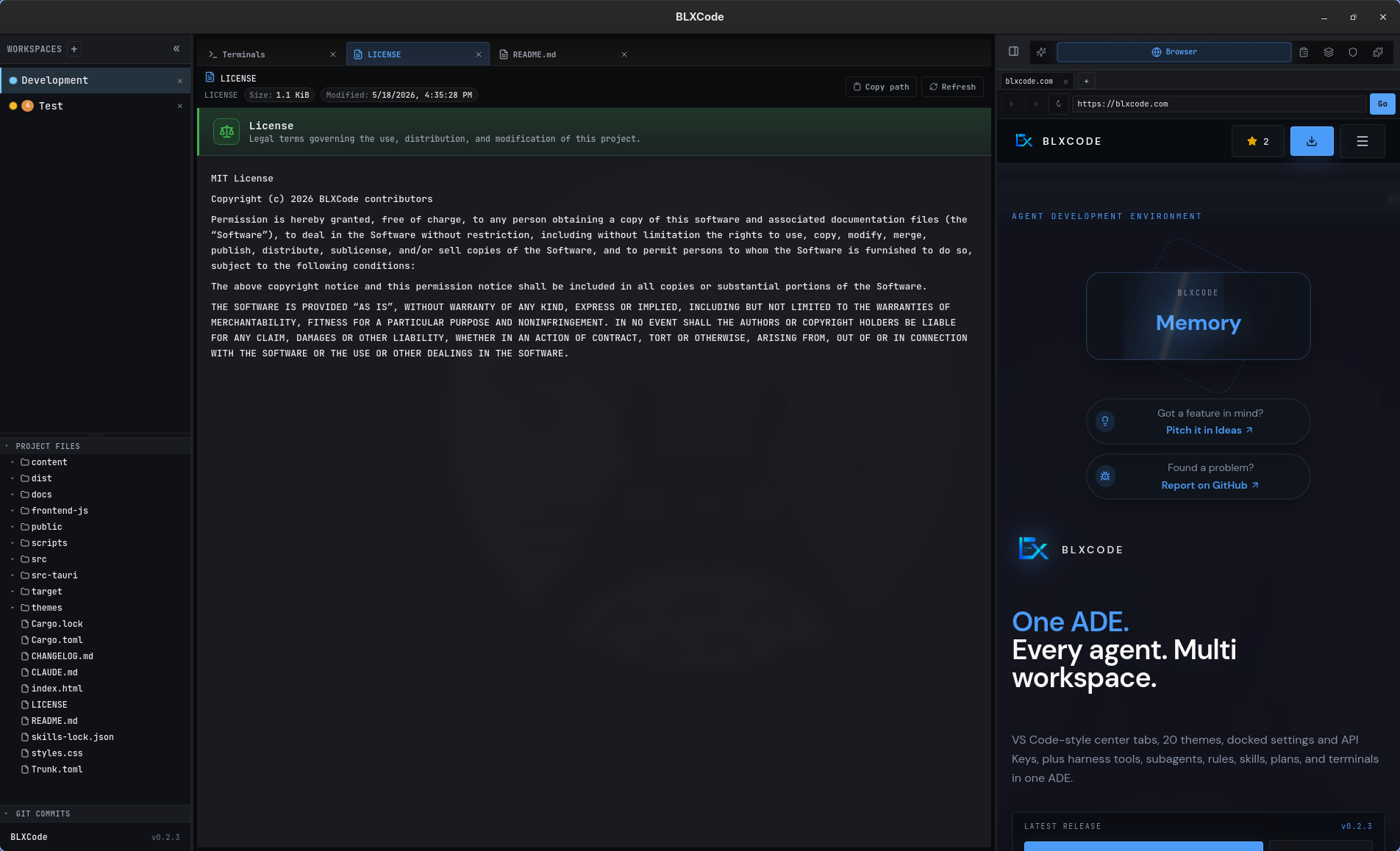
Bare LICENSE (no extension, 1.1 KiB) opens with the License hero banner — Scale icon, success-green left bar, translated title, and a one-line subtitle — followed by the MIT license text rendered as Markdown.
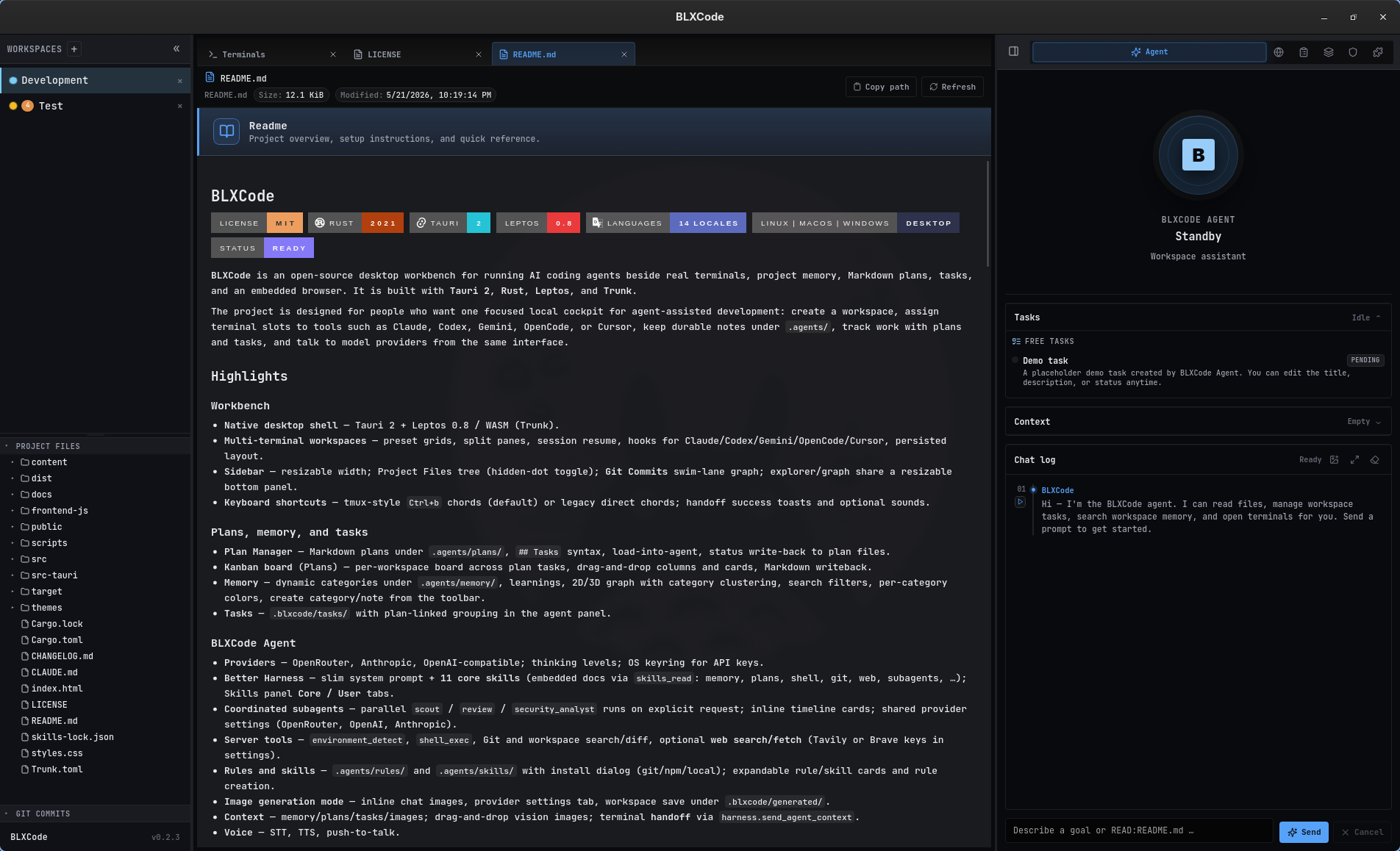
README.md opens with the Readme hero banner (Book-open icon, accent-blue left bar) above the rendered README body — including badge rows, headings, and lists.
Code files (Rust, TypeScript, JavaScript, Python, Go, Java, Kotlin, Swift, C/C++, C#, Ruby, PHP, Lua, Dart, R, Clojure, Elixir, Haskell, Elm, Zig, Nim, HTML, Vue, Svelte, CSS, SCSS, JSON, TOML, YAML, XML, shell scripts, SQL, GraphQL, Protobuf, Terraform/HCL, Nix, Dockerfile, Makefile, diff/patch, …) and plain-text files (txt, log, ini, conf, env, properties, csv, tsv, gitignore, editorconfig) both render in a dedicated two-column CodeView:
-
Line numbers gutter on the left — right-aligned, tabular numerals, separated by a hairline divider. The gutter width auto-sizes to the largest line number (
--code-view-gutter-width). -
Syntax highlighting on the right via highlight.js 11 for every file whose extension maps to a known language. The bundle is vendored at
public/vendor/highlight/highlight.min.js(~127 KiB, 38 common languages) and lazy-loaded on first use; subsequent code previews reuseglobalThis.hljswithout re-downloading. - Plain text (txt/log/ini/conf/env/csv/…) gets the same gutter + selection layout but without highlighting — useful for logs and config files where you still want to reference a line number.
- Click any line — either on the line number, the code, or the empty space at the end of the row — to highlight that row. The selection is shown as an accent-soft background with a bright accent-colored bar on the left and the line number switching to the accent color. Click the same row again to clear the selection.
- Drag with the left mouse button to extend the selection across multiple lines. Press down on the first row, drag up or down to the last row, and release: every line in between stays highlighted. Releasing the button anywhere on the page ends the drag, even when the cursor leaves the gutter.
The selection state survives Refresh because the preview only resets it when you open a different file. The selection is useful for:
- Pointing the agent or a teammate at a specific line.
- Keeping a visual marker while you scroll through a long file.
- Combining with the right-click handoff menu below to send the highlighted lines anywhere in the workbench.
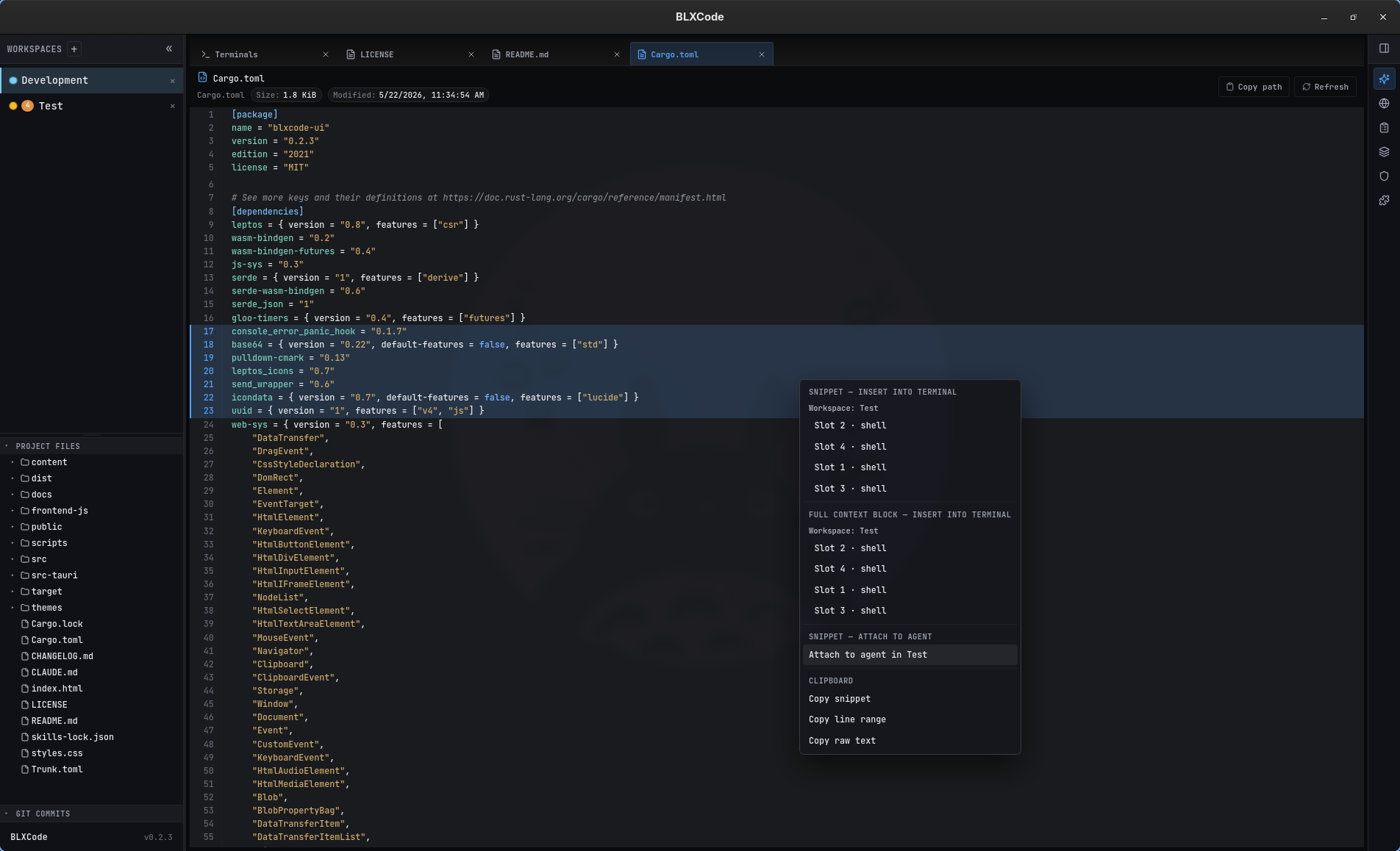
Right-clicking on a selected line range in Cargo.toml opens the handoff menu — the selected lines are highlighted in the gutter, and the menu lists every terminal slot in the Test workspace (Slots 1–4 · shell) under both Snippet → Insert into terminal and Full context block → Insert into terminal, plus Attach to agent in Test and the Clipboard actions.
Right-clicking on any row inside the code view opens a contextual menu. If the click lands outside the current selection the menu first replaces the selection with that single line; otherwise the existing range stays. The menu groups four kinds of actions, all of which respect the highlighted line range:
| Section | What happens | Where it ends up |
|---|---|---|
| Snippet → Insert into terminal | Writes a fenced markdown block (**path:start-end** + ```lang body) directly into the chosen PTY session. |
Any open terminal in any workspace — the menu lists every workspace that has at least one live terminal, with the preview's own workspace pinned to the top and tagged with a localized current badge. |
| Full context block → Insert into terminal | Wraps the same snippet inside the standard ⟪ BLXCode attached context ⟫ envelope (Session header + File snippet section + end marker) so terminal agents parse it identically to a workspace handoff. |
Same terminal targets as above. |
| Snippet → Attach to agent | Adds an AgentContextKind::FileSnippet entry to the chosen workspace's agent context; the inline content rides on the prompt the next time you submit a turn. |
Any workspace's BLXCode Agent context — the preview's workspace is again pinned first with the current badge. |
| Clipboard |
Copy snippet (fenced markdown), Copy line range (raw text of the selected lines), Copy raw text (the whole file). |
navigator.clipboard — a toast confirms each copy. |
When the target workspace differs from the preview workspace (e.g. you have file src/foo.rs open in workspace Demo and insert the snippet into a terminal in workspace Backend), the rendered block adds a source workspace: Demo line so the receiving agent knows the file lives elsewhere. The same disambiguating header is added when you attach the snippet to a different workspace's agent.
Toasts surface success and failure for every action — e.g. Snippet inserted into terminal Slot 2 · codex (Workspace Backend), Snippet attached to Demo agent, or Failed to insert into terminal: . The menu closes on any click outside, on Escape, or after any item is activated.
The menu is fully localized — all section headers, workspace group labels, slot labels (Slot 3 · shell), and toast strings use the new CodeViewMenu* / CodeViewToast* i18n keys with {workspace}, {terminal}, {slot}, {agent}, {error} placeholders.
The mapping from file extension to highlight.js language alias lives in hljs_lang_for_ext (src/workbench/file_preview/util.rs) — for example:
| Extension(s) | hljs language |
|---|---|
rs |
rust |
ts, tsx
|
typescript |
js, jsx, mjs, cjs
|
javascript |
py, pyw, pyi
|
python |
cs |
csharp |
kt, kts
|
kotlin |
html, htm, vue, svelte, xhtml
|
xml |
sh, bash, zsh, fish
|
bash |
ps1 |
powershell |
toml |
ini |
tf, tfvars, hcl
|
hcl |
dockerfile, containerfile
|
dockerfile |
makefile, mk, cmake
|
makefile |
diff, patch
|
diff |
If a file uses an extension that highlight.js does not support, the preview falls back to plain text but still shows line numbers and supports row selection. If highlight.js itself fails on a particular file, the renderer also falls back to plain text and logs a warning to the DevTools console — the file content is never lost.
The code-view chrome (gutter, hover, selection bar) is built with color-mix against the active BLXCode theme tokens (--accent, --text, --text-muted, --surface, --border), so switching themes from Settings → Appearance immediately re-tints both the layout and the syntax-highlighted tokens. Light themes (blxcode-light, solarized-light, gruvbox-light, catppuccin-latte) override a few of the brighter dark-theme colors (strings, numbers, types, attributes, tags) so the code stays legible on bright backgrounds.
.mmd and .mermaid files render as a single full-tab diagram. The first preview on a session lazily loads the vendored Mermaid bundle from public/vendor/mermaid/mermaid.min.js and calls mermaid.initialize({ startOnLoad: false, securityLevel: 'strict', theme: 'dark' }); subsequent previews reuse globalThis.mermaid without re-downloading.
If Mermaid fails to load or the graph source is invalid, the preview keeps the file's text on screen and shows the translated "Mermaid diagram could not be rendered" banner. The technical error goes to the browser DevTools console (console.warn) for debugging — it is not leaked into the localized UI.
Every renderer routes errors through a shared FilePreviewError enum so messages are consistent and localized:
| Variant | UI banner | When |
|---|---|---|
NoTauri |
"File preview is available in the desktop app." | Page opened in a non-Tauri shell (e.g. trunk serve without Tauri). |
WorkspaceNotFound |
"Workspace not found." | The workspace id from the open tab no longer exists. |
TooLarge(bytes) |
"File too large for preview (16 MiB)." | Image or video exceeds the per-kind cap. |
Failed(detail) |
: | Backend rejected the read (missing file, traversal out of workspace, not valid UTF-8 for Markdown / Mermaid / text, etc.). |
Per-renderer failure labels (all translated into every supported UI language):
- Image → "Failed to load image"
- Video → "Failed to load video"
- Markdown → "Failed to load Markdown file"
- Mermaid → "Failed to load Mermaid file"
- Text → "Failed to load file"
- Metadata (topbar) → "Failed to load file information"
Backend error details — path not found, path outside workspace, not a file, file is not valid UTF-8 text, not an image file, not a video file — are appended after the localized label so you can act on the root cause.
The previewer never injects raw HTML from disk verbatim:
-
SVG —
<script>and<foreignObject>blocks are removed;on*=event handlers andjavascript:/vbscript:URIs inhref/xlink:href/src/formaction/actionare stripped before the SVG is inlined. -
Markdown — output from
pulldown-cmarkis passed through the same sanitizer:<script>,<style>,<iframe>,<object>,<embed>blocks are removed, event handlers stripped, and dangerous URI schemes neutralized. Multi-byte UTF-8 codepoints (ü,€,你好, emoji, …) are preserved because the sanitizer scans only ASCII delimiters and copies content via UTF-8-safe string slicing. -
Mermaid — initialized with
securityLevel: 'strict', so Mermaid sanitizes the graph source itself.
The Tauri backend never reads outside the workspace root: all three file commands (stat_workspace_file, read_workspace_image_file, read_workspace_video_file) reuse the existing canonical_root / resolve_under_root sandbox from fs_entries.rs, the same one the file tree already uses.
- Refresh picks up disk changes without closing the tab — useful when the agent edits the file you're previewing.
- Copy path gives you the workspace-relative path; combine it with the agent context handoff (see Workspaces) to point a chat at the file.
- The preview shares the workspace center-tab strip with Terminals and Settings, so you can keep an editor and a preview side by side without losing focus on the terminal grid.
- Workspaces → Sidebar → Project Files — the file tree that opens the preview.
- Settings — UI language picker (changes the preview labels and errors on the fly).
- Architecture → Sidebar Explorer And Git Graph — backend commands and frontend module layout.